Keep work moving
Kiro Crew is the persistent, open source development workspace that remembers your context, learns how you work, and coordinates across your unique tools and workflows, so you come back to progress instead of another workflow to restart.
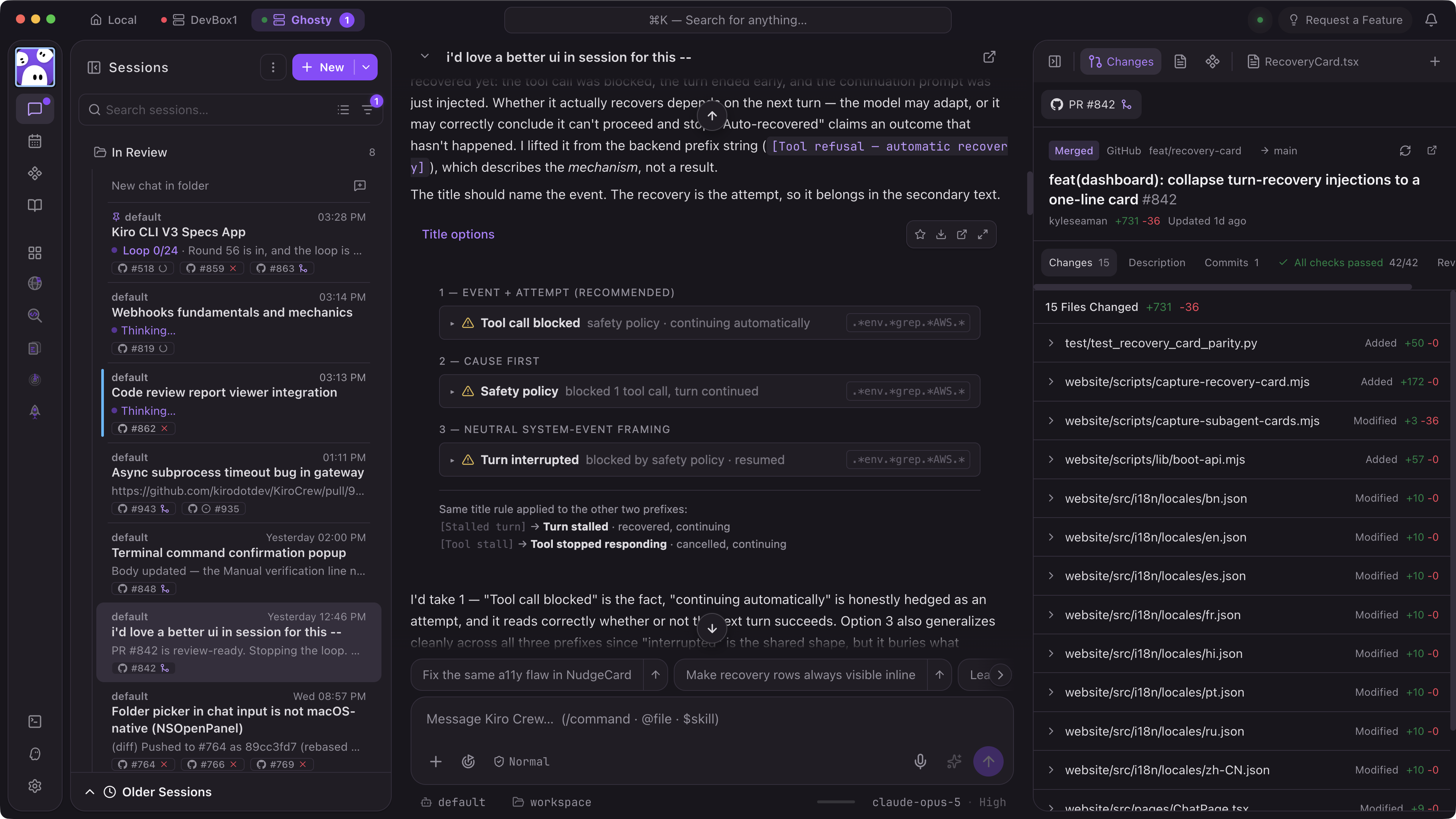
Remembers and improves
Memory, lessons, and skills carry across sessions, so Kiro Crew fits your work more closely over time. Inspect, edit, or remove anything it carries forward.
Starts work without you
Set work to start on a schedule, when an event arrives, or when something changes, like a failed build. Your crew stays productive online or off. Long-running tasks move through checkpoints, validation, and retries automatically. Fold in your unique workflows and tools with Apps.
8 layers of defense
Owner lock, denied command patterns, a governance ceiling, sensitive path protection, tool approval, input validation, OS sandboxing, and output credential redaction, with signed audit logs across every step. Verify every layer: it’s open source.
Delegate recurring work to a Kiro bot
Each bot is a named, long-running agent you define and customize for one part of your work, like build health or deployment. It only gets the tools and permissions you allow, keeps its own memory, and improves at its specialty over time.
Video transcript
A bot named GitHub Issuer is open in Kiro Crew. On the left, its Goals tab shows the goal to monitor the GitHub issue backlog and report what’s trending for features or bugs, three milestones, and check-ins for a daily goal reminder, weekly report, and monthly review. On the right, its Dashboard tab shows an Issue Observatory page for the kirodotdev/KiroCrew repository with summary tiles for 1,468 open issues, 316 opened in the last 7 days, 367 bugs versus 695 features, and 1 waiting on you. Issue topics are drawn as stars grouped into constellations such as Chat and workflows, CI and platform, and Security and MCP. The user drags the sky and clicks stars, and a Telescope readout panel shows each topic’s open and new issue counts, while a Star catalogue lists every topic.

Proactive and durable
Bots can work while you’re online or off, with or without your inputs. You control when and where it works, and when you want it to ask for your input.

Tune to its specialty
View, edit, or delete bot memories, or adjust boundaries at any time, wherever you see extra reviews or results that aren’t quite right.

Visualize bot activity with dashboards
Scale the bots you manage across multiple processes and responsibilities with custom dashboards you can just ask for. Get a single view of all the key signals and information you need to monitor bot activity and reviews.
Stop repeating yourself
Correct Kiro Crew once, for example “use pnpm, not npm”, and it carries that lesson forward. Close the app and restart, and work resumes where it left off.
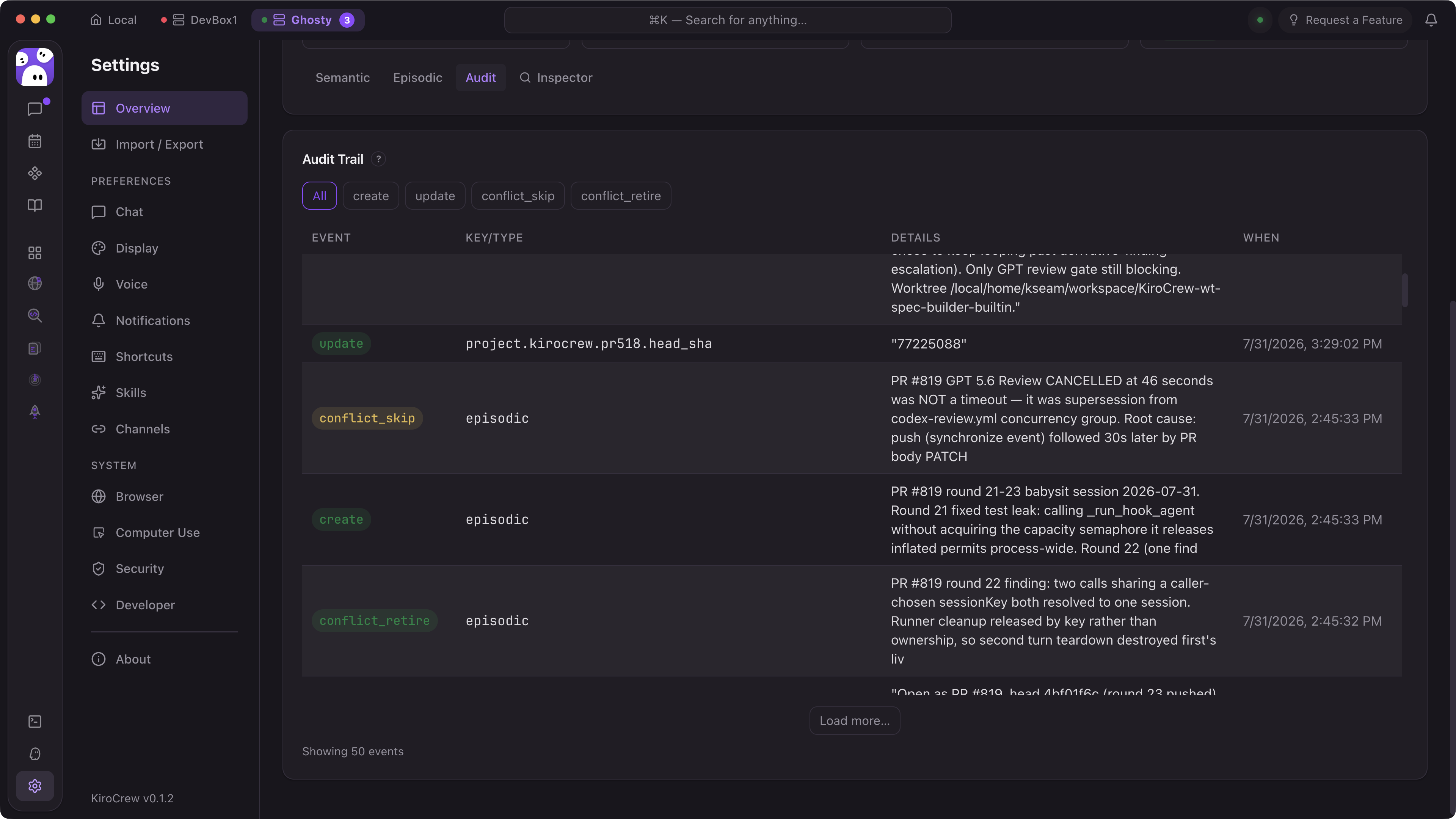

Control what your crew learns
Corrections become durable lessons, and repeated workflows get synthesized into named skills. Lessons and skills are Markdown files you can inspect, edit, scope to a workspace, or delete — and they use the same steering file format as the IDE and CLI.

Knowledge graph with search
Architectural decisions, coding preferences, and project context land in a knowledge graph backed by vector embeddings and full-text search, so the agent retrieves what's relevant instead of re-reading everything.
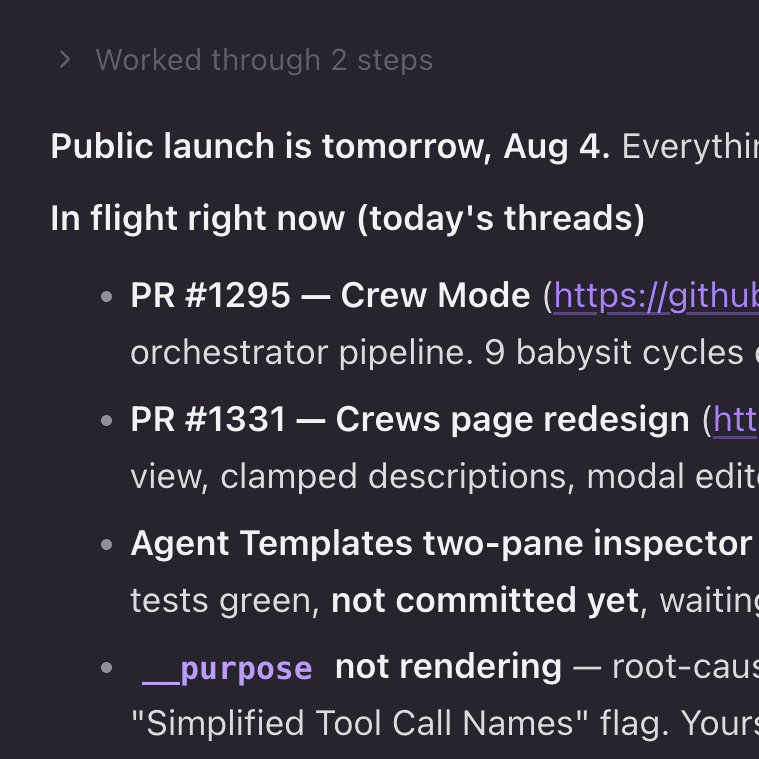
Memory that survives restarts
Active projects and working context persist across sessions and restarts. Long-running work checkpoints and resumes, so you're not re-prompting your way back to where you left off.
Keeps working while you’re away
Agents work in parallel with scheduled jobs, webhooks, and heartbeats, so your crew runs tasks end to end and discovers work worth doing even when you step away.
Issues
Scans your backlog for work that's actionable now (reproducible bugs, stale issues, missing tests) and picks up what it can finish without waiting to be asked.
Codebase
Watches for drift: dependencies falling behind, dead branches, failing test suites, docs that no longer match the code.
CI/CD
Reacts to pipeline and deployment events. A failed build or a broken deploy becomes a session with the logs already in context.
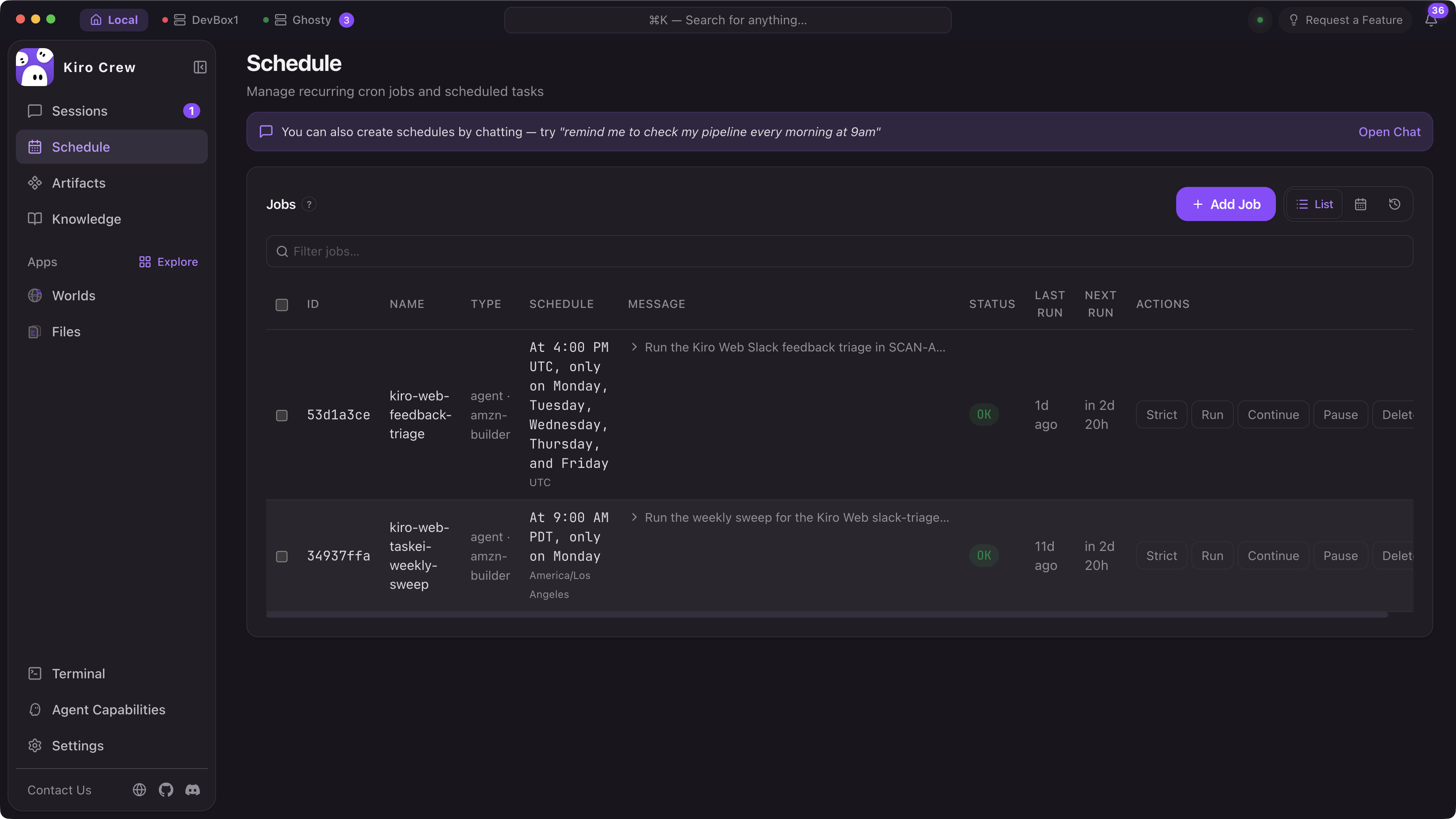
Schedules
Timezone-aware cron jobs for recurring work. Per-job timeouts, jitter to avoid thundering herds, and skip dates for maintenance windows. Every run is logged and checkpointed.
Webhooks
Point external events at your agent over authenticated endpoints and it starts working on arrival.
Heartbeat
Watches state changes in your PRs, deployments, and pipelines, triggering work when conditions are met, so the agent stays in the loop without polling.
Apps and extensibility
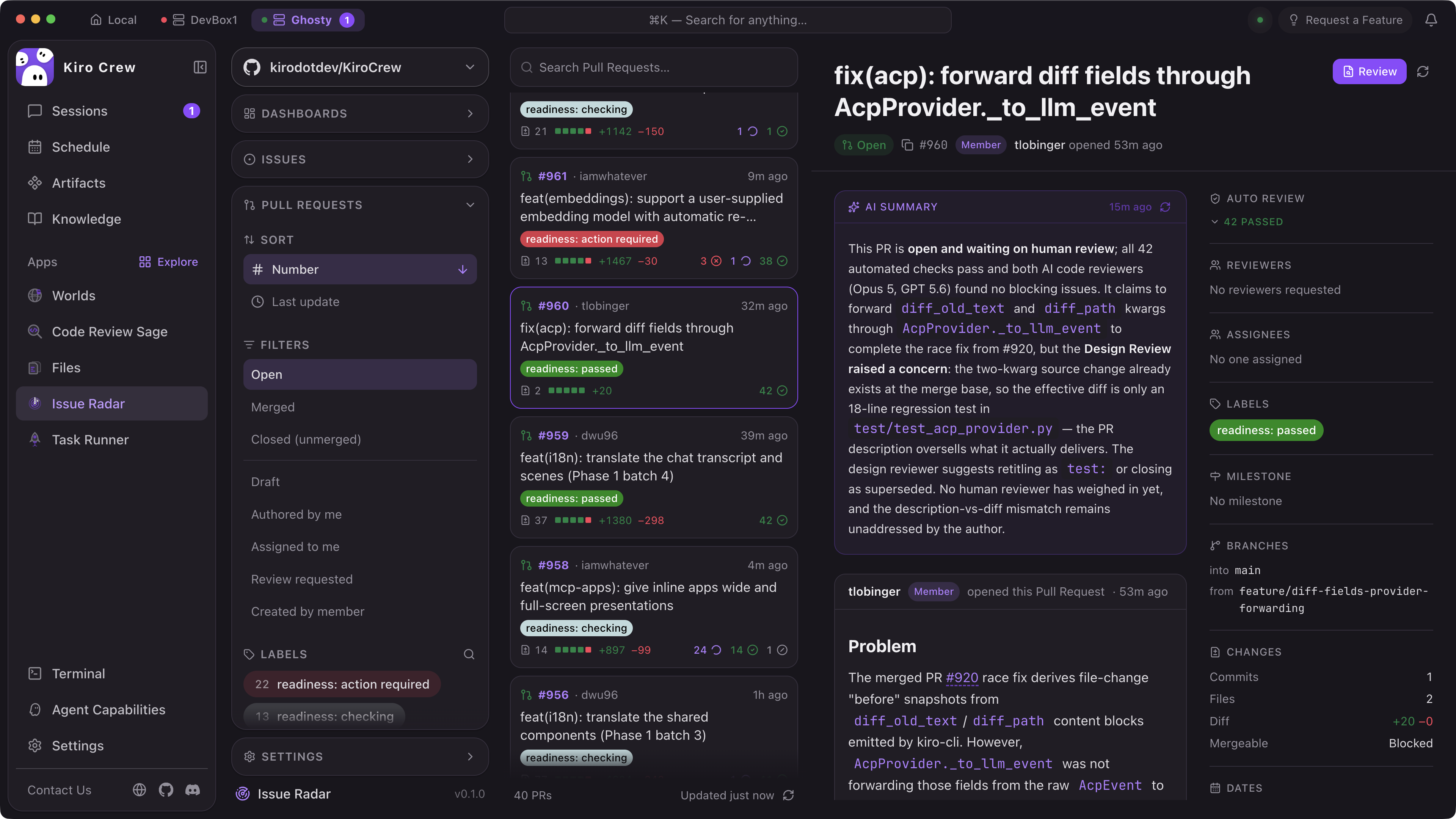
Purpose-built interfaces for work that doesn't belong in chat. Wrap agents, skills, schedules, and integrations in a custom UI to automate your day without chatting every instruction.

Agent Worlds
Your running agents viewable as characters in various themed worlds, so a glance tells you how busy your crew is. Pop it out to a second screen.

Research Lab
Give it a question and it fans out into narrower sub-questions, sends agents after each one, and streams findings in as they land.

Code Review Sage
Reviews each changed file in its own agent session, weights them by blast radius, and stages a draft GitHub review that stays unpublished until you submit.
import { defineApp, useAgent } from '@kirocrew/app-sdk'

export default defineApp({
  name: 'deploy-monitor',
  skills: ['./skills/deployment-check.md'],
  schedule: '*/15 * * * *',
  ui: () => <DeploymentDashboard />,
})
Build Apps in TypeScript or Python with the SDK
The App SDK gives you typed bindings for the agent runtime, skill system, and event bus. Define your App’s UI in React (rendered in the dashboard) or expose it headlessly via the CLI. Apps can register their own MCP tools, subscribe to agent events, and persist state between sessions.
Trust and transparency
A workspace with access to your code and tools needs to be inspectable and adaptable. Because Kiro Crew is open source, you can verify every layer rather than take it on faith.

We spend less time chasing tickets and more time making engineering decisions.
Runs anywhere
Mac. Linux. Windows. Run locally or deploy remotely.
Web dashboard
Multi-session chat, memory explorer, cron manager, app store, and 14 color themes. Responsive on mobile.
Full CLI
kirocrew chat, run, cron, spawn — everything from your terminal. Pipe-friendly and scriptable for CI/CD integration.
Desktop app
Electron wrapper: no Python or npm installation required. Download and run.

Slack integration
Each Slack thread becomes an isolated AI session with full tool access. Your team can interact with Kiro Crew directly in existing channels.


Telegram and Discord
Additional messaging surfaces for teams that live in Discord or Telegram. Same agent crews, same memory, different interface.
Remote instances
Manage Kiro Crew instances running on remote machines over SSH tunnels. Centralize or distribute — your choice.
Built in the open, shaped by the community
Kiro Crew started as an internal side project and grew to 39,000+ builders in less than 6 months with nearly 500 contributors shipping 567 updates at an average pace of 143 weekly commits. We’re governed by a steering committee with public discussions and decision making.
Fully open source
Read the code, audit the security layers, fork it, extend it. No proprietary black boxes. Your agent crew, your rules.
Additive, not a replacement
Compatible with anything built for other open-standards platforms without modification, so you can bring what you have rather than start over. Interoperates with your existing skills, MCP servers, IDE plugins, and CI pipelines.
Built on Kiro
Runs on the Kiro CLI. Shares the same agent protocol (ACP), model support, and .kiro configuration. Invest once, use everywhere.
Kiro Crew does the assembling and the checking so I can do the deciding.
Common questions
Start with work that already extends beyond one session
Install Kiro Crew and put your agents to work.