Introducing Kiro autonomous agent
A frontier agent for software development
Kyle Seaman
Product Lead
IDE assistants were the first wave of AI developer tools. They started with simple in-line completions and expanded into chat interfaces, evolving into agentic workflows that can plan and execute multi-step tasks directly from the IDE. CLI assistants then emerged, bringing AI assistance to the command line.
Earlier this year, we introduced Kiro IDE and Kiro CLI to bring structure to these AI workflows. They're great for working directly with agents on your local machine. Agentic workflows are continuing to evolve, and a new class of agents has emerged: frontier agents that work independently, maintaining context, and learning from every interaction.
Today, we're launching Kiro autonomous agent in preview, one of three new frontier agents that transform how developers and teams build and operate software.
Kiro autonomous agent is starting to roll out for individual developers in preview to Kiro Pro, Pro+, and Power subscribers. There's no cost during the preview period, and usage is subject to weekly limits. Teams can join the waitlist to get early access.
The development context gap
Most AI coding assistants require you to actively manage context, which hasn't been easy. You constantly re-explain your preferences and patterns or build systems to store context in repos. And they're session-based. Once you close a session, they forget everything. This becomes especially painful when working across multiple repositories. You need to set up context for each repo and give the agent access to each one.
Let's say you need to upgrade a critical library that's used across 15 microservices.
Doing it yourself: Open each repo, update dependencies, fix breaking changes, run tests, create PR. Repeat 15 times, and this can amount to days of work.
Using an agentic IDE/CLI: You're faster than doing it manually. Open the first repo, prompt the agent to update the library, review its changes, fix what it missed, run tests, create the PR. Then, move to repo 2 and start over. You're still in the loop for every single repo, and the agent forgets everything once you close that session.
With Kiro autonomous agent: Describe it once. It treats the multi-repo work as a unified task, identifies affected repo, analyzes how each service uses the library, updates code following your patterns, runs full test suites, and opens 15 tested pull-requests for review, while you work on something else.
The difference? Kiro autonomous agent isn't session-based. It's always there and maintains context across your work. When you give feedback on one PR about error handling, it remembers and applies that pattern to subsequent change. When it encounters similar architectural decisions, it considers existing implementations and preferences. You're not re-explaining your codebase or repeating the same work—it already knows how you work and gets better with each interaction.
How it works
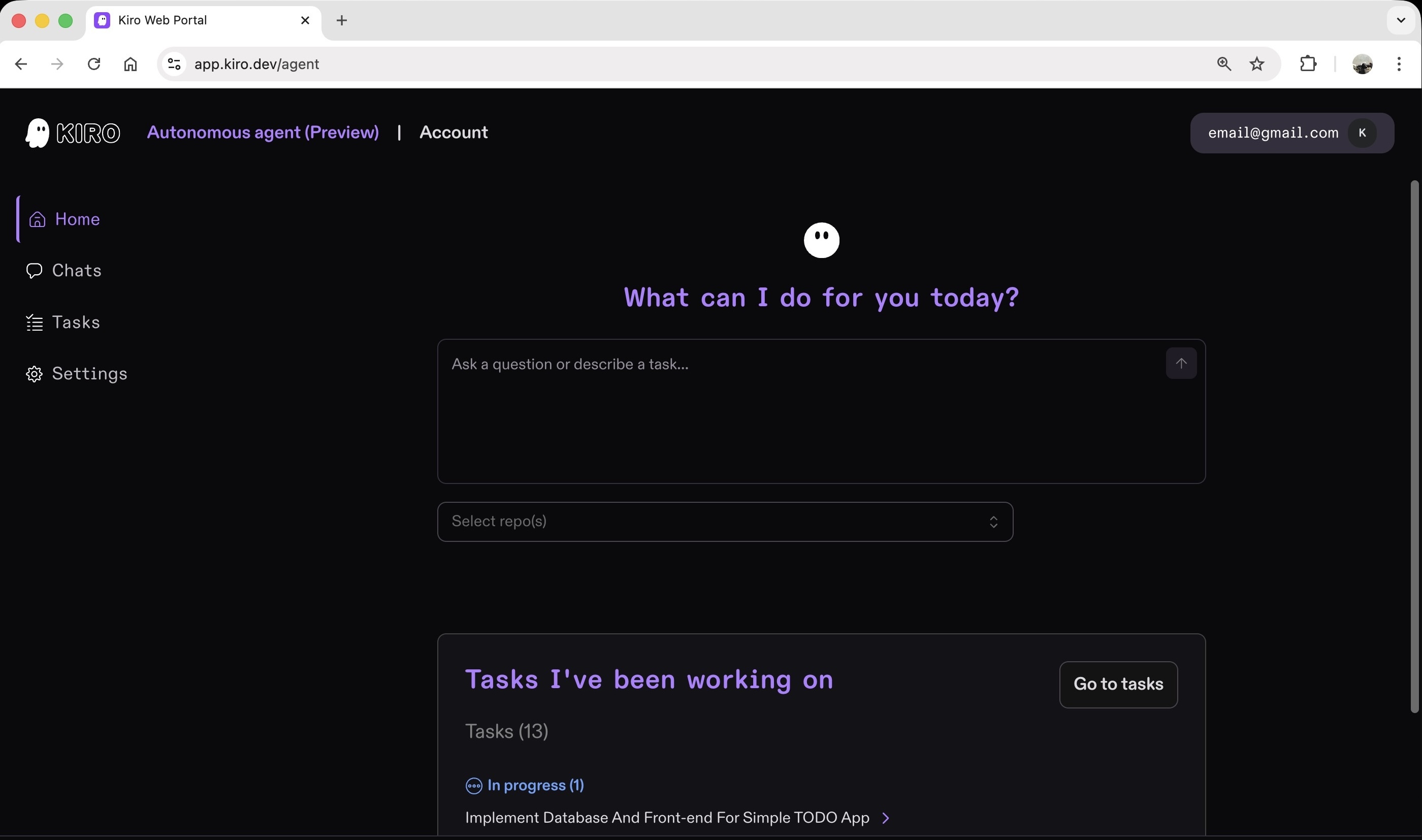
As we roll out Kiro autonomous agent, paid users will get access in their online account. You can chat with it, describe a change you need, or an improvement you want, and execute up to 10 tasks concurrently. The agent will independently figure out how to get the work done.
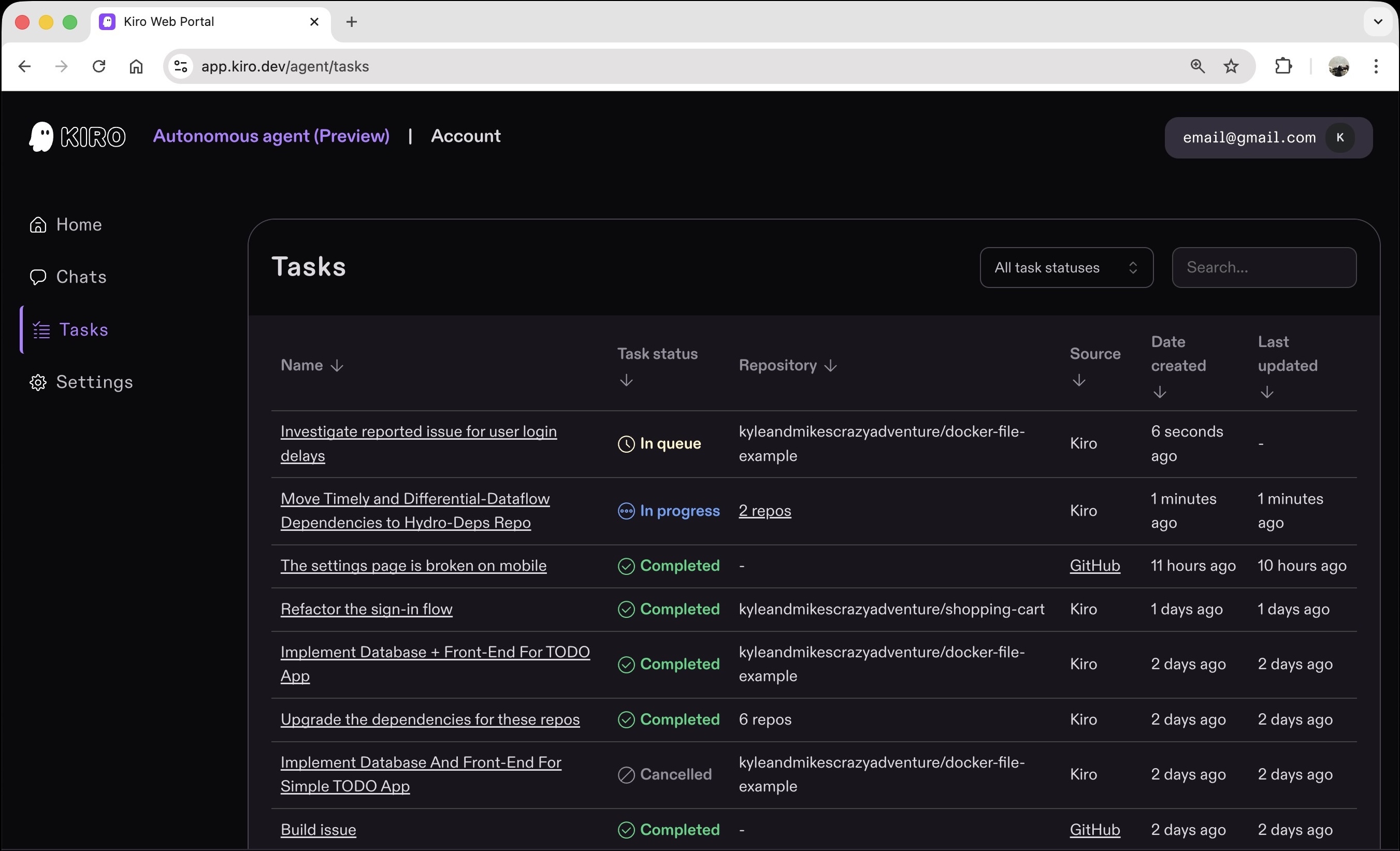
When you assign a task, Kiro autonomous agent:
Spins up an isolated sandbox environment that mirrors your development setup
Clones your repositories and analyzes the codebase
Breaks down the work and defines requirements and acceptance criteria
Coordinates specialized sub-agents: one handles research and planning, another writes code, and a verification agent checks output before moving forward
Asks questions if uncertain about any aspect of the work
Opens pull requests with detailed explanations of changes and implementation decisions
Each task runs in its own isolated sandbox with configurable network access, environment variables, and development environment settings. Because Kiro autonomous agent runs asynchronously, it can take the time needed to properly set up your development environment, run test suites, and verify changes, all while you focus on other work.
Working with Kiro autonomous agent
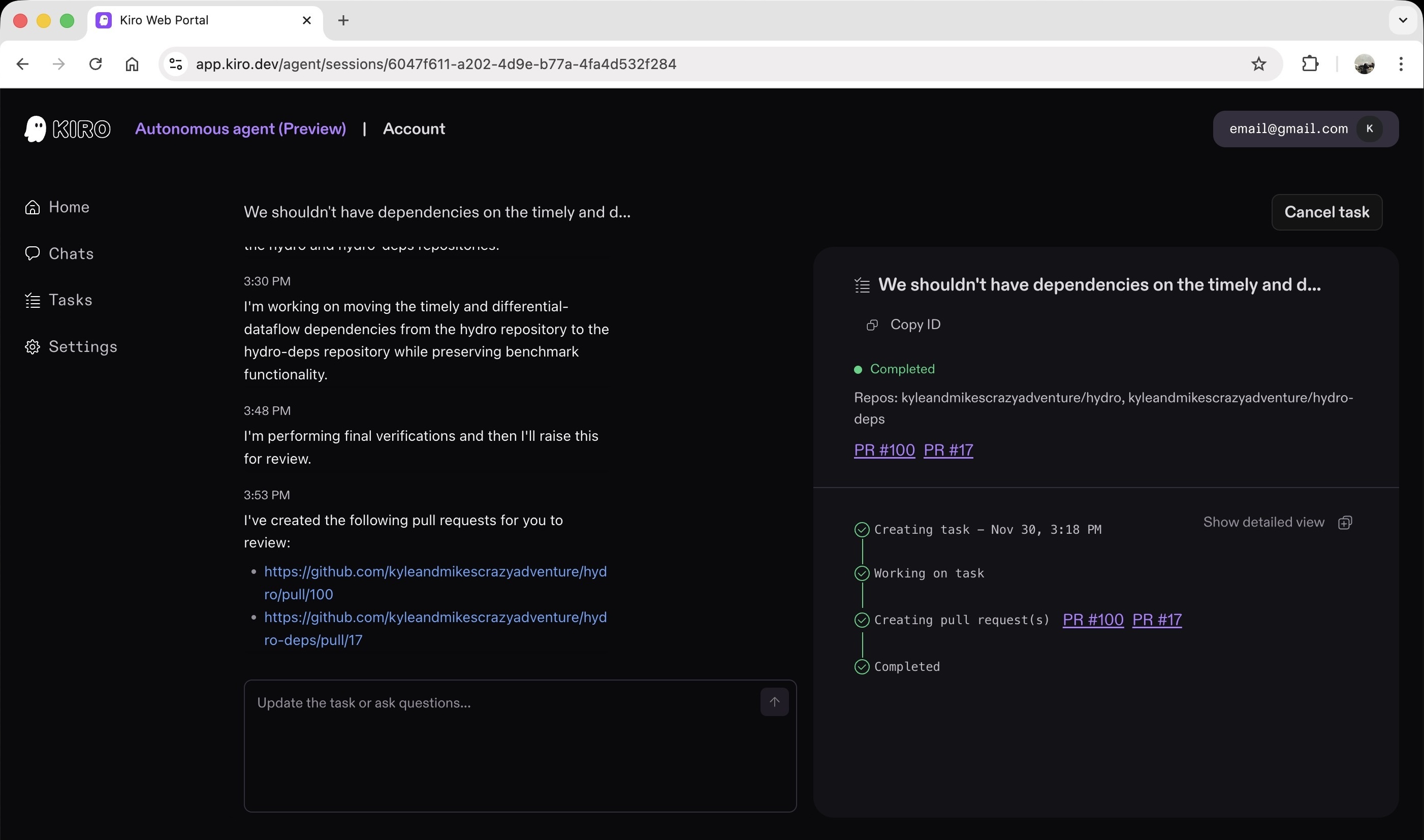
Chat with Kiro autonomous agent to discuss approaches, ask questions, or provide context about your work. When you're ready to delegate, ask it to create a task.
Before creating a task
Use chat to discuss different implementation approaches, clarify requirements or constraints, and get the agent's input on technical decisions. The agent has access to web search, learnings from previous code reviews, and context from other tasks to provide informed responses.
During task execution
Once a task is created, continue chatting to steer the implementation approach, provide additional requirements, or ask the agent to do more work after reviewing initial results. Any comments or steering will update the scope of the current task. To work on a different task, start a new chat.
Assigning tasks from GitHub
You can also assign work directly from GitHub issues. Add the kiro label to any issue, or mention /kiro in a comment to assign that specific task to Kiro autonomous agent. The agent will listen to all comments on the issue for additional context or feedback.
Learns from your code reviews
When you leave PR feedback like “always use our standard error handling pattern” or “remember to follow the team's naming conventions,” Kiro autonomous agent doesn't just fix that PR. It remembers and applies those patterns to future work automatically.
As you work with it, the agent gets better at understanding your code, your products, and the standards you follow, building knowledge that improves every subsequent task.
Secure, configurable execution
Each task that agent runs operates in an isolated sandbox with configurable access controls. You control permissions, network access, and what resources the agent can touch.
Network access controls
Choose from three levels for each task: Integration only (the sandbox only accesses the GitHub proxy), Common dependencies (access to package registries like npm, PyPI, and Maven), or Open internet. You can also define custom domain allowlists for precise control.
MCP integration
MCP integrations are used during task execution, giving Kiro access to more tools. Connect specialized tools and proprietary systems through Model Context Protocol servers for individual tasks.
Environment variables and secrets
Configure environment variables and secrets that are available to the agent during individual task execution. Secrets are stored encrypted and never exposed in logs or pull requests.
Environment configuration
The agent automatically detects DevFiles or Dockerfiles in your repository to configure the sandbox environment with the right dependencies, build commands, and runtime requirements. If neither is found, the agent analyzes your project structure to set up an environment for your projects.
Kiro autonomous agent for teams
For teams, Kiro autonomous agent becomes a shared resource that works alongside everyone, building collective understanding of your codebase, products, and standards. Unlike individual AI assistants that operate in isolation, the team agent weaves together specs, discussions, and pull requests into a unified memory that makes the entire team more effective.
Consider a team building a new payment processing feature. One developer teaches the agent about the team's error handling patterns through a code review. Another developer assigns the agent to implement the refund workflow days later. The agent already knows those patterns and applies them automatically, maintaining consistency across the feature without anyone needing to re-explain the standards.
Ship faster together
The agent runs development work in parallel across multiple repositories and tasks, so releases move forward with fewer bottlenecks. While one developer focuses on the API redesign, the agent handles the corresponding updates across client libraries, documentation, and integration tests as part of the workflow.
Works across your stack
Connect your team's repos, pipelines, and collaboration tools—Jira, GitHub, GitLab, Teams, Slack, Confluence—so the agent maintains context as work progresses. When someone updates a spec in Confluence, comments on a Jira ticket, or discusses an approach in Slack, the agent incorporates that context into its tasks, ensuring changes align with team best practices.
Learns from your team
Code reviews, feature requests or bugs, and architectural decision becomes part of the agent's understanding. It learns not just from what's documented, but from how your team actually works and the patterns you prefer. This learning means the agent gets better at supporting your specific team over time, not just better at coding in general.
Teams can join the waitlist to get early access.
We’re starting to gradually roll out Kiro autonomous agent in preview to Kiro Pro, Pro+, and Power users. Learn more or sign in to check availability.