Introducing Kiro powers
Dynamic loading of context and MCP servers
Nikhil Swaminathan
Product Lead
Kartik Chivukula
Developer
You're building a checkout flow. Even if you've used Stripe before, you're still hunting through docs for the right pattern—should you use idempotent keys here? What's the best way to handle webhooks? And if you haven't touched Stripe, the learning curve is even steeper. Your AI assistant should give you instant access to framework expertise so you can ship faster. But today's AI agents face the same challenge: without built-in knowledge, they guess and iterate just like you do.
Without framework context, agents guess: Your agent can query Neon, but does it understand connection pooling for serverless? It can call APIs, but does it know the right patterns and best practices? Without built-in expertise, you're both manually reading documentation and refining approaches until the output is right. This trial-and-error repeats for every tool, every framework, every domain outside your core expertise. Powers give your agent—and by extension, you—instant access to specialized knowledge, so you can work in unfamiliar domains faster.
With too much context, agents slow down: MCPs are meant to solve the framework context problem, but they come with their own issues. Connect five MCP servers and your agent loads 100+ tool definitions before writing a single line of code. Five servers might consume 50,000+ tokens—40% of your context window—before your first prompt. More tools should mean better results, but unstructured context overwhelms the agent, leading to slower responses and lower quality output aka context rot.
The existing landscape
AI development tools are evolving rapidly. Anthropic recently introduced dynamic tool loading (Tool Search tool), Claude Skills for packaging instructions, and various primitives such as sub-agents and rules for agent behavior. Cursor provides rules and .cursorrules files for custom instructions. MCP provides a standard for tool communication across clients. These are powerful capabilities, but they exist as separate systems:
MCP servers for tool access (configure in each client)
Skills for instructions and workflows (Claude-specific)
Dynamic tool loading for context management (separate setup)
Rules and custom instructions for behavior (per-client configuration like
.cursorrules)
Each requires separate configuration and management. You're stitching together multiple primitives to get the full picture: tools + knowledge + dynamic loading. And when you switch between Cursor, Claude Code, or other tools, you're reconfiguring everything again.
The challenge isn't missing capabilities—it's fragmentation. Developers want a unified package: "Install the Stripe integration and my agent knows how to use it correctly." Not: "Configure the MCP server in mcp.json, write a Skill or .cursorrules file, set up dynamic loading, add custom instructions—and repeat for each tool."
Introducing Kiro powers
Kiro powers provide that unified approach for a broad range of development and deployment use cases: MCP tools, and framework expertise —packaged together and loaded dynamically.
Remember when Neo instantly downloaded martial arts expertise in The Matrix? That's what powers do for the Kiro agent—instant access to specialized knowledge for any technology. The key is dynamic context loading: traditional MCP implementations load every tool upfront, but powers activate only when relevant. Mention "database" and the Neon power loads its tools and best practices. Switch to deployment and Netlify activates while Neon deactivates.
A power is a bundle that includes:
POWER.md: The entry point steering file—an onboarding manual that tells the agent what MCP tools it has available and when to use themMCP server configuration: The tools and connection details for the MCP server
Additional steering or hooks: Things you want the agent to run such as hooks or steering files via slash commands.
Install the Stripe power with one click. When you mention "payment" or "checkout," the power activates—loading Stripe's MCP tools and the POWER.md steering into context. When you're done with payments and move to database work, the Supabase power activates and Stripe deactivates. Install curated powers, grab what the community's built, or create and share your own.
What makes powers different
1. Dynamic MCP tool loading
Traditional MCP servers load all tools upfront. The Figma MCP server might expose 8 tools consuming 12K tokens. The Postman server adds 122 tools. Connect five servers and you've used up a large portion of your context window before writing code. Powers load tools on-demand. Install five powers and your baseline context usage is near zero. Mention "design" and the Figma power activates, loading its 8 tools. Switch to database work and Supabase activates while Figma deactivates. Your agent only loads tools relevant to the current task.
2. Power ecosystem: curated from partners, community, or build your own
Powers are designed for easy discovery and installation, whether you're using curated partners, community-built powers, or your team's private tooling. Discovery, installation, and configuration happen through the IDE or the kiro.dev website. You focus on building.
We've partnered with companies across UI development (Figma), backend development (Supabase, Stripe, Postman, Neon), agent development (Strands), and deployment (Netlify, Amazon Aurora). Open the powers panel and you have a swiss army knife of capabilities ready to install—no hunting for MCP servers or reading setup docs. Launch partners include Datadog, Dynatrace, Figma, Neon, Netlify, Postman, Supabase, Stripe, and Strands Agent, with more coming soon. In addition we have community members who have created powers such as a SaaS builder, AWS CDK infrastructure development, and working with Amazon Aurora DSQL.
One-click install from IDE and web: Browse powers directly in Kiro or on kiro.dev. Click "Install" and the power registers automatically. If it needs API keys or environment variables, it prompts you on first use. No JSON configuration files, no command-line setup.
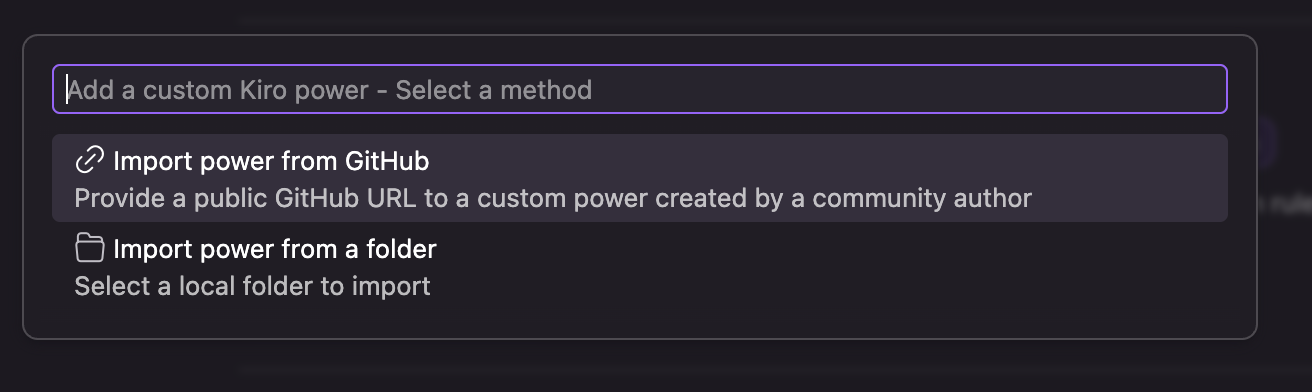
Anyone can build and share: Import powers from GitHub URLs for community-built tools. Teams with private powers can import from local directories or private repos. Build once, share with your team, and everyone gets the same expertise and tooling.
3. Cross-compatibility (coming soon)
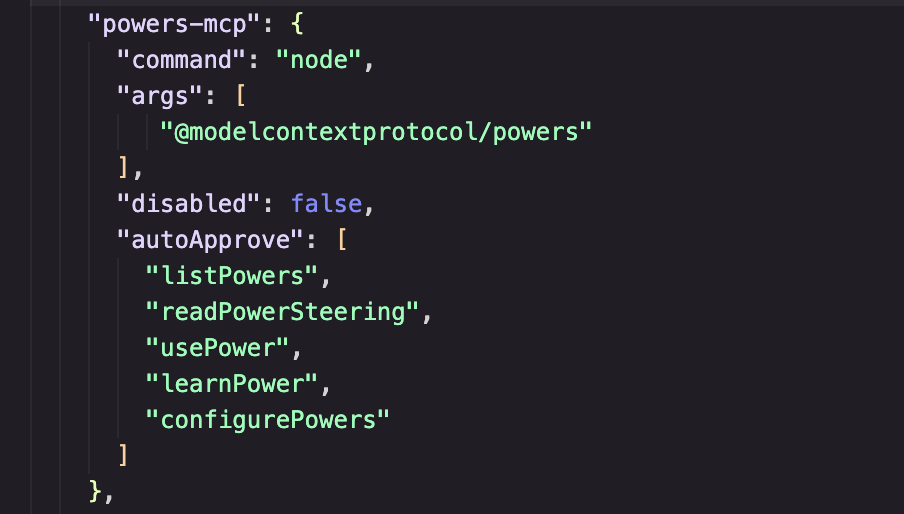
Today, powers work in Kiro IDE. We're building toward a future where powers work across any AI development tool—Kiro CLI, Cline, Cursor, Claude Code, and beyond. The Model Context Protocol provides a standard for tool communication. Powers extend this with standards for packaging, activation, and knowledge transfer. Build a power once, use it anywhere.
This matters for our partners. Companies don't want to maintain proprietary context for each AI tool. They want to write one onboarding manual—one POWER.md—and have it work everywhere. Powers will be that standard.
The anatomy of a power
To understand a power better, let’s look at how the Supabase power is structured to understand what makes powers effective.
1. Frontmatter: Activating the power
The frontmatter in the POWER.md defines when the power activates. Keywords trigger activation—mention "database" or "postgres" and the Supabase power loads its MCP tools and context.
When you say "Let's set up the database," Kiro detects "database" in the keywords and activates the Supabase power, loading its MCP tools and POWER.md into context.
2. Onboarding with the POWER.md: Setting up the workspace
The onboarding section guides the agent through initial setup, validating dependencies and installing hooks or steering files that can be manually invoked. This typically runs once when the power is first activated. The agent follows these steps automatically: checks if Docker is running, validates the Supabase CLI, and creates the performance review hook in your workspace.
3. Workflow-specific steering: Loading context on-demand
The POWER.md includes a map of steering files for specific workflows. When you're working on RLS policies, the agent loads supabase-database-rls-policies.md. When you're writing Edge Functions, it loads supabase-edge-functions.md.
This keeps context focused. Instead of loading all Supabase patterns upfront, the agent loads only what's relevant to your current task.
The future of agent capabilities: Continual learning through powers
Neo didn't learn kung fu once and stop. Throughout The Matrix, he downloaded new capabilities as he needed them—piloting helicopters, mastering weapons, understanding the Matrix itself. Each power expanded what he could do without overwhelming him with abilities. That's the vision for AI agents. Powers aren't just a packaging format—they're a model for continual learning. As frameworks evolve and your team builds internal tools, agents need a way to expand their capabilities without starting from scratch.
Yesterday, adding a new tool meant manually configuring MCP servers and hoping context doesn't overflow. Today, it means installing a power. Supabase ships updated RLS patterns? Your agent gets them automatically. Your team builds an internal design system? Package it as a power and every developer's agent knows how to use it.
This is how agents become truly useful—not by knowing everything upfront, but by learning what they need, when they need it, and continuously expanding their expertise as the tools around them evolve. The result is an AI agent that knows when to think about design systems, when to think about databases, and when to think about deployment—just like a human developer would.
Try powers today in Kiro, and let us know what you build.