Specialized IDEs deserve AI too: Kiro adopts ACP
Brian Beach
Tech Lead
I'm excited to share that Kiro CLI now supports the Agent Client Protocol (ACP), which means you can use Kiro's agentic AI capabilities directly into other IDEs. IDEs that currently support ACP include Eclipse, Emacs, JetBrains IDEs, Neovim, Toad, Zed, and more. For me, this solves a real workflow problem that is important to me.
Let me be clear: Kiro is my daily driver for application development. The spec-driven workflows, hooks, and steering files have fundamentally changed how I build features. But here's the thing—when I'm deep in database work, I prefer a purpose build editor. The schema visualization, query execution plans, database-specific autocomplete, and connection management are purpose-built for SQL work. I don't want to configure database extensions in Kiro every time I switched projects or databases. Now, with ACP support, I can use Kiro in my preferred database management tool, JetBrians DataGrip.
What is ACP?
The Agent Client Protocol (ACP) standardizes communication between code editors and AI coding agents. Think of it like LSP (Language Server Protocol), but for AI agents instead of language servers. Before ACP, every agent-editor combination required custom integration work. Agents only worked with specific editors. ACP changes this by providing a common protocol that any agent and any editor can implement. The practical benefit: agents that implement ACP work with any compatible editor. You pick your agent, you pick your IDE or ACP compatible application, and they just work together.
Setting up Kiro in DataGrip
Getting Kiro running in DataGrip takes about two minutes.
First, make sure you have the Kiro CLI installed. If you haven't already, check out the installation instructions and make sure that you are authenticated.
Next, open DataGrip and navigate to the AI Chat tool window. Click the menu button (three dots) in the upper-right corner and select "Add Custom Agent."
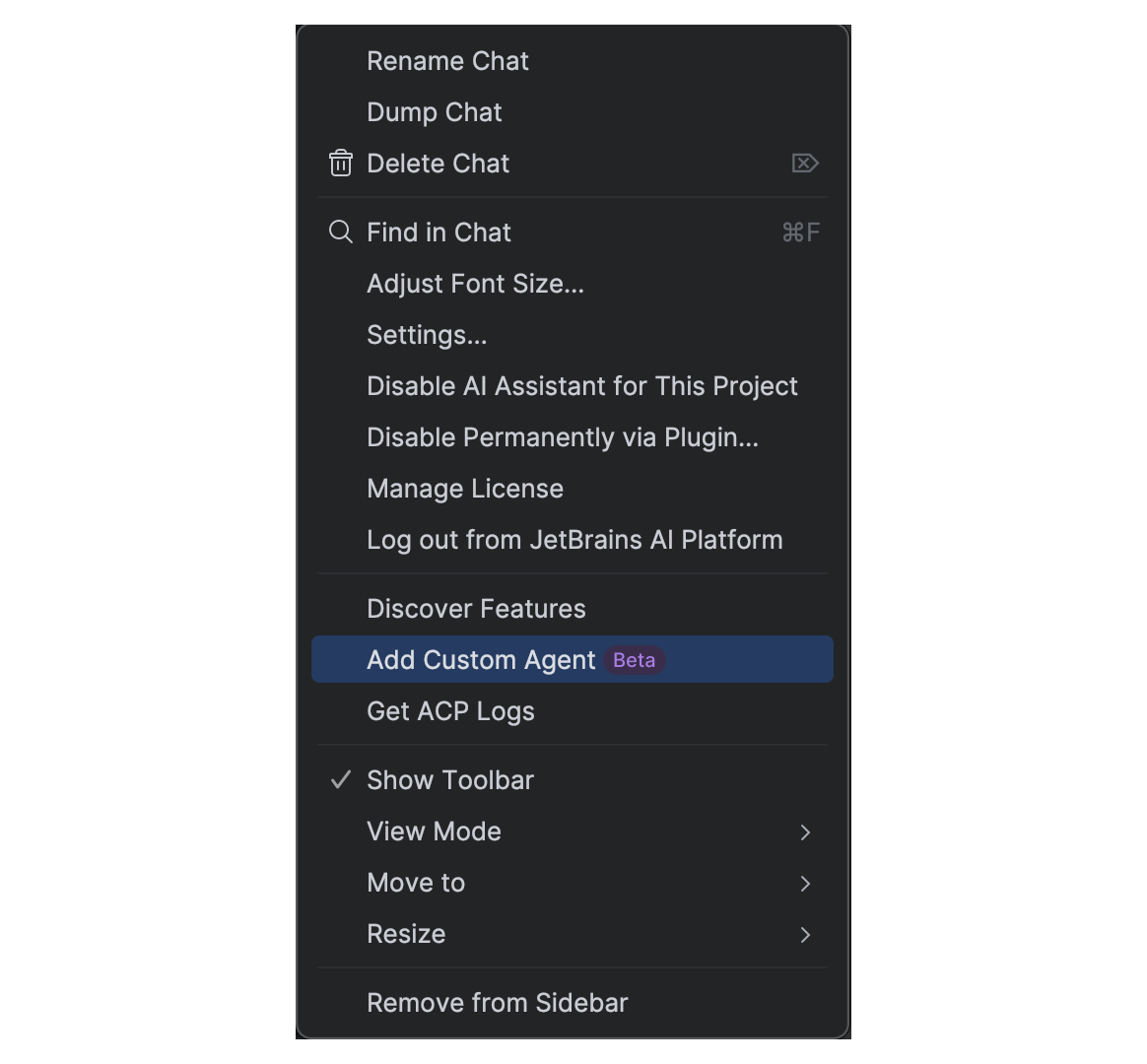
This creates or opens the acp.json configuration file at ~/.jetbrains/acp.json.
Add the Kiro agent configuration:
Update the command path to match your Kiro CLI installation location. Save the file, and Kiro should appear in the AI Chat dropdown immediately.
Using Kiro in DataGrip
Once configured, select "Kiro Agent" from the chat dropdown.
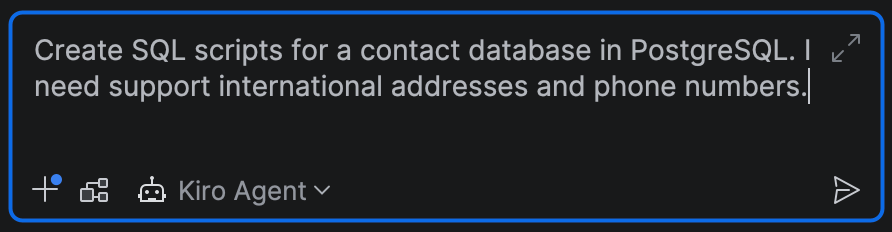
Here's where it gets interesting. You can ask Kiro to:
Generate SQL queries and stored procedures
Debug slow queries and suggest optimizations
Write migration scripts and generate test data
Explain complex joins and conditions
Kiro can execute shell commands, so you can run database CLI tools, export results, or trigger scripts—all from the chat interface. Terminal output displays directly in the IDE, and you stay in control of what gets executed.
The real win is combining DataGrip's database intelligence with Kiro's agentic capabilities. DataGrip knows your schema, indexes, and relationships. Kiro can reason about what you're trying to accomplish and help you get there faster.
A quick demo
Let's say I'm working on a contacts database and need Kiro's help to design the schema. In the Kiro chat, I can describe what I need in plain English:
As you can see, Kiro generates the SQL, creates sample data and even a few sample queries for me to test (left). In addition, it describes the tables and relationships to help understand what it did (right).
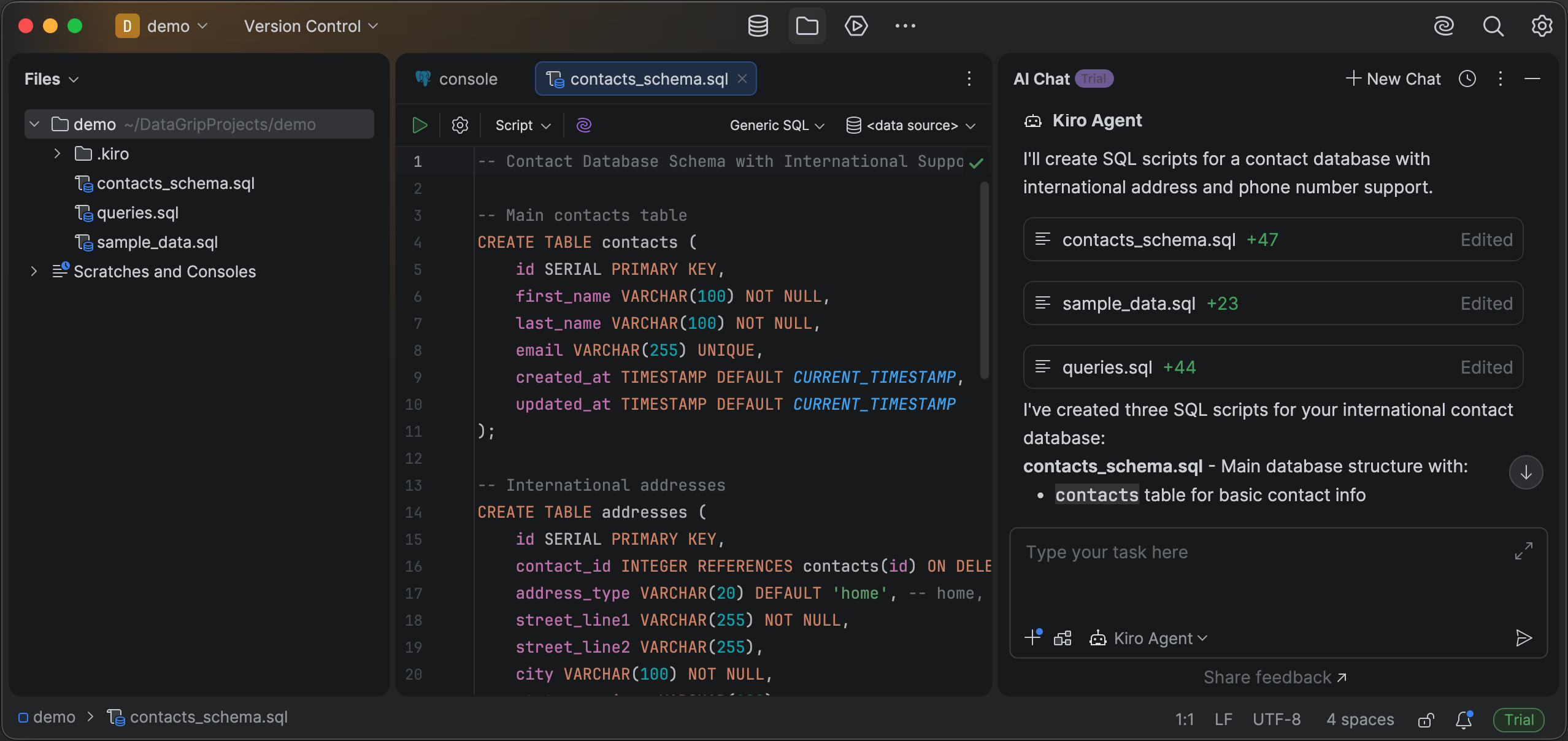
For me, ACP is all about using the right tool for the job. For application code, Kiro remains my go-to. For database-heavy work, DataGrip with Kiro via ACP gives me the best of both worlds.
Conclusion
ACP opens up possibilities beyond database work. Think about all the specialized IDEs developers use: Xcode, Android Studio, RStudio, or Jupyter. Over time, I hope to see ACP support, and Kiro, in all of these.
With ACP, you don't have to give up your AI coding assistant when you step into one of these environments. Kiro can come along, bringing its agentic capabilities to whatever specialized workflow you're in.
For me, it's DataGrip and SQL. For you, it might be something completely different.
So I'm curious—where would you use ACP to bring Kiro into your workflow? What's the specialized tool you can't live without? Find me on Discord. I'd love to hear what creative integrations people come up with.