Feature Specs provide a structured approach to building new features, guiding you through requirements gathering, technical design, and implementation planning. Depending on your starting point—whether you have clear user requirements or a technical design in mind—you can choose between two workflow variants that adapt to your development process.
Key Benefits
Structured approach - Clear phases guide you from idea to implementation
Flexibility - Choose the workflow that matches your starting point
Documentation - Automatic generation of requirements and design docs
Tracking - Monitor progress across discrete implementation tasks
Collaboration - Shared artifacts for product and engineering alignment
When to Use Feature Specs
Best for:
- Complex features requiring structured planning
- Features with multiple implementation tasks
- Projects needing documentation for team collaboration
- Features where requirements or design need iteration
Not ideal for:
- Bug fixes (use Bugfix Specs instead)
- Exploratory coding without clear goals
Workflow Variants
Feature Specs support two workflow variants to accommodate different development scenarios. Choose the workflow that best matches your starting point and project constraints.
Requirements-First
Start with the behavior of the system you want to create, captured as requirements, then generate technical design and implementation tasks.
Loading diagram...
When to use:
- You know the behavior of the system you want to build
- Architecture is flexible and can be designed to meet needs
- Building product features driven by customer feedback
- Starting a greenfield project without technical constraints
- Working in a product-led organization
Flow: Requirements → Design → Tasks
Design-First
Start with technical design (architecture or low-level design), then derive feasible requirements and implementation tasks.
Loading diagram...
When to use:
- You have an architecture in mind (high-level design)
- You want to start with implementation behavior through pseudocode and algorithms (low-level design)
- System must meet strict non-functional requirements (latency, throughput, compliance)
- Porting design documents from other tools into Kiro
- Exploring technical feasibility before committing to scope
Flow: Design → Requirements → Tasks
Quick Comparison
| Requirements-First | Design-First | |
|---|---|---|
| Start with | System behavior, captured as requirements | Technical design, architecture or pseudocode |
| Generate | Design from requirements | Requirements from design |
| Best for | Product-driven development | Technically-constrained or design-driven projects |
| Ensures | Desired behavior is specified | Technical feasibility |
| Flexibility | Implementation can adapt | Requirements can adapt |
Requirements with EARS Notation
The requirements.md file uses EARS (Easy Approach to Requirements Syntax) notation to provide structured, testable requirements. Each requirement follows this pattern:
WHEN [condition/event]
THE SYSTEM SHALL [expected behavior]
For example:
WHEN a user submits a form with invalid data
THE SYSTEM SHALL display validation errors next to the relevant fields
This structured approach offers several benefits:
- Clarity: Requirements are unambiguous and easy to understand
- Testability: Each requirement can be directly translated into test cases
- Traceability: Individual requirements can be tracked through implementation
- Completeness: The format encourages thinking through all conditions and behaviors
Design Documentation
Loading image...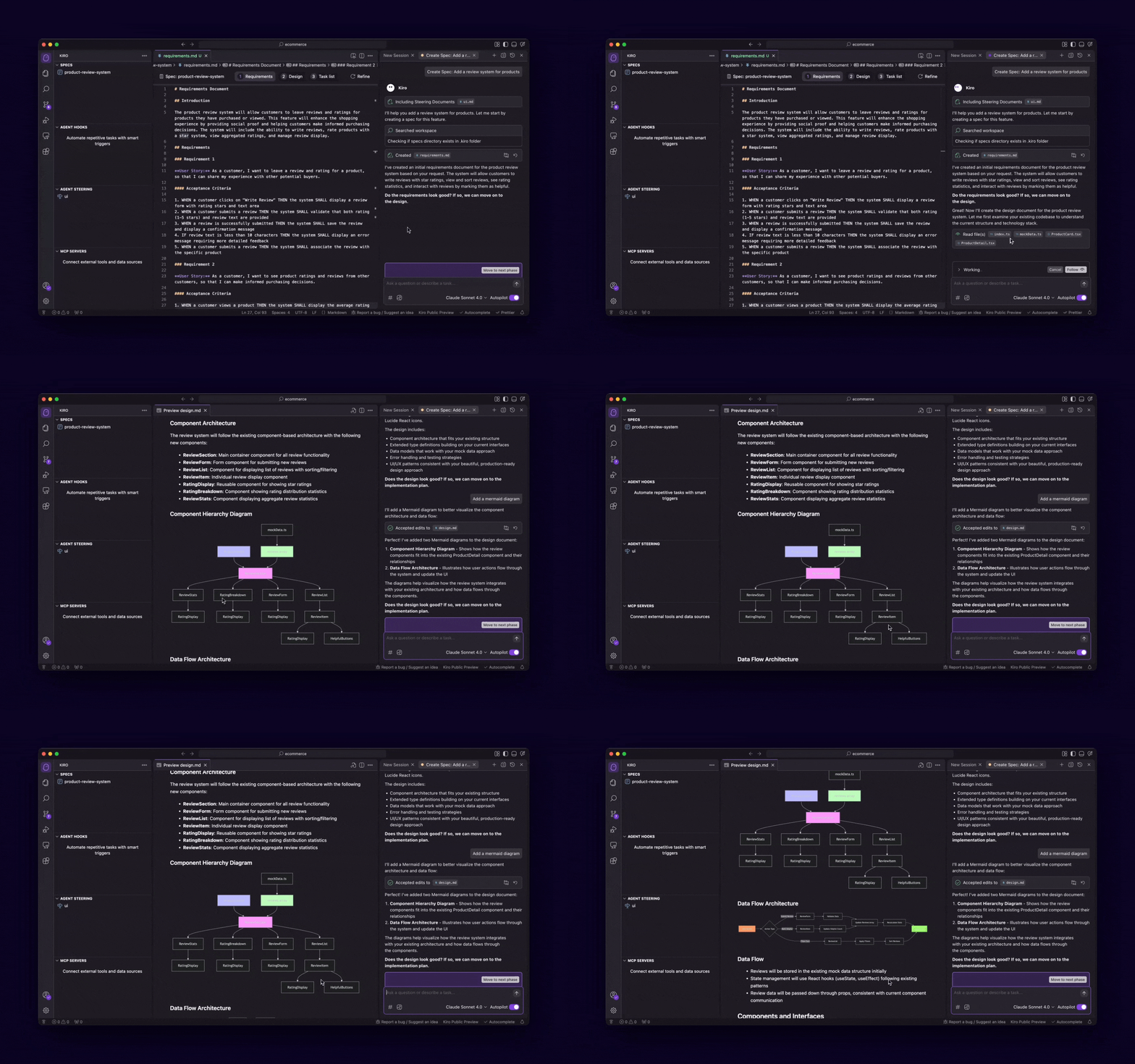
The design.md file documents technical architecture, sequence diagrams, and implementation considerations. It captures the big picture of how the system will work, including components and their interactions.
Loading diagram...
Getting Started
Ready to create your first Feature Spec? Here's how:
- From the Kiro pane, click the
+button under Specs. Alternatively, choose Spec from the chat pane. - Provide your initial prompt describing your project idea
- Choose Feature when Kiro asks what your intent is.
- Choose your workflow: Requirements-First or Design-First
- Follow the workflow through each phase to implementation
You can also set a default workflow in your Kiro settings to skip the selection step.
Loading image...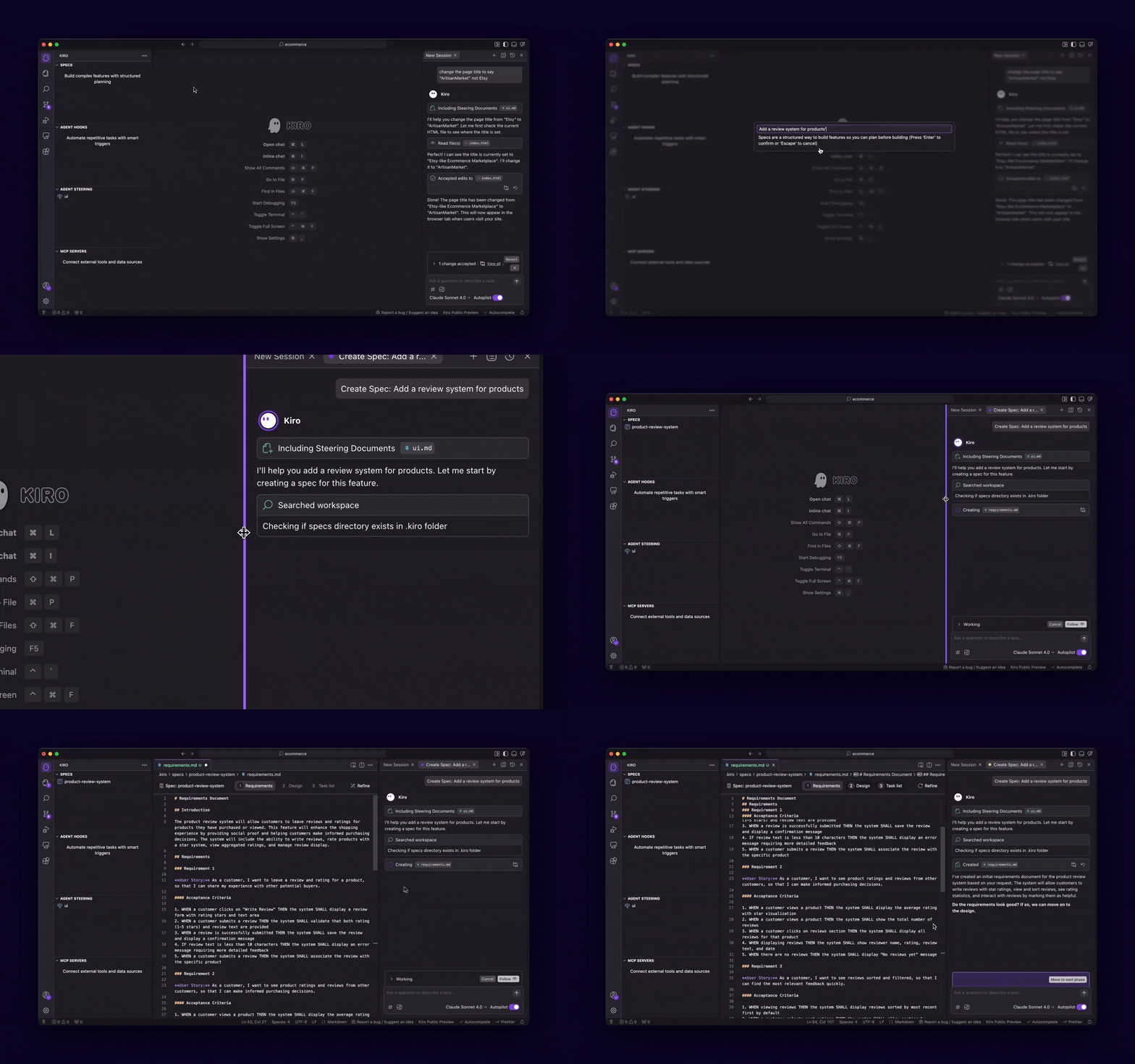
Learn More
Page updated: February 18, 2026
Feature Specs