Test Driven Development (TDD) with Kiro: this is how it should feel
Mike George
Developer
Early on in my career, the organization I worked at rightly decided to implement unit testing in earnest to improve code quality and enable confident refactoring. We experimented with implementing test driven development (TDD), and although we understood the benefits, the act of TDD felt burdensome and we couldn’t get engineers to consistently apply the practices. I personally loved the idea of TDD but hated the actual work. In this blog post, I’m going to show you how you can implement TDD with Kiro, and I’ll demonstrate how you can get the benefits of TDD without the pain of manually writing tests that follow the red-green-refactor cycle.
The basic idea behind test-driven development is as follows:
- For each new feature you’re building, you identify the behaviors of the new feature.
- You then write a test for each of the new behaviors, which would pass if the new behavior existed
- You run the tests, which should all fail because the behavior doesn’t yet exist
- You write the simplest code that passes the new test
- You refactor as needed, ensuring that all tests continue to pass
This is called red-green-refactor cycle. Your written tests fail (the red phase), you write code to get the tests to pass (the green phase), you continue to refactor as needed (the refactor cycle). While TDD can help you produce high quality code, it can be seen as time-consuming and does require a high degree of discipline to consistently follow the process.
While I loved the idea of TDD, I hated the context switching required to move between writing test code and implementation code. I disliked keeping track of what tests had been written, and I frankly disliked the tedium of writing all the tests required to follow TDD well. When I talk to others about their experience with TDD, I often find that I’m not alone in my experience.
Agentic development tools like Kiro handle the downsides of TDD. Kiro supports spec-driven development, which is a three-phase workflow to guide Kiro to build the right thing in the right way with the right architecture. Each spec consists of three phases: a requirements phase, where Kiro helps you define and approve the user stories and acceptance criteria; the design phase, where technical architecture and the implementation approach is defined; and the task phase, where executable implementation tasks are defined that will result in code that satisfies the original requirement.
In addition to spec-driven development, Kiro also supports hooks, which are automation tools that automatically execute when specific events occur in your IDE. For example, you might want to create a hook to lint code each time the file is saved. In short, spec-driven development helps structure the overall engineering approach, while hooks enable enforcement of specific practices, like TDD.
In my case, I’ve created a Kiro hook to support my TDD efforts.
This tutorial demonstrates Kiro's TDD capabilities using example prompts for educational purposes. If you’re adapting this approach for production systems, keep the following in mind.
- Always review AI-generated code for security vulnerabilities before deployment, particularly authentication, authorization, input validation, and data handling logic. Test across diverse scenarios to verify the code behaves correctly.
- The example uses an open API without authentication for simplicity, but production deployments require comprehensive security controls: authentication and authorization, HTTPS/TLS encryption, encryption at rest, input validation, rate limiting, comprehensive logging, and secrets management for credentials.
- Organizations adopting AI development tools should also establish governance policies around access, code quality monitoring, and validation processes.
For comprehensive security guidance, consult your organization’s security team and review AWS security best practices documentation.
You can create a hook within Kiro by navigating to the Kiro tab and clicking the “+” button in the agent hooks window and select manually create a hook. In the window that appears, I enter the following:
- Title:
TDD: Test First - Description:
Enforces Test-Driven Development by prompting to write failing tests before any production code. Follows the red/green/refactor cycle: write a test that fails (red), write minimal code to pass (green), then refactor. - Event:
Pre Tool Use - Tool name:
write - Action:
Ask Kiro - Instructions for Kiro agent:
Scroll to the bottom of the screen and click Create Hook.
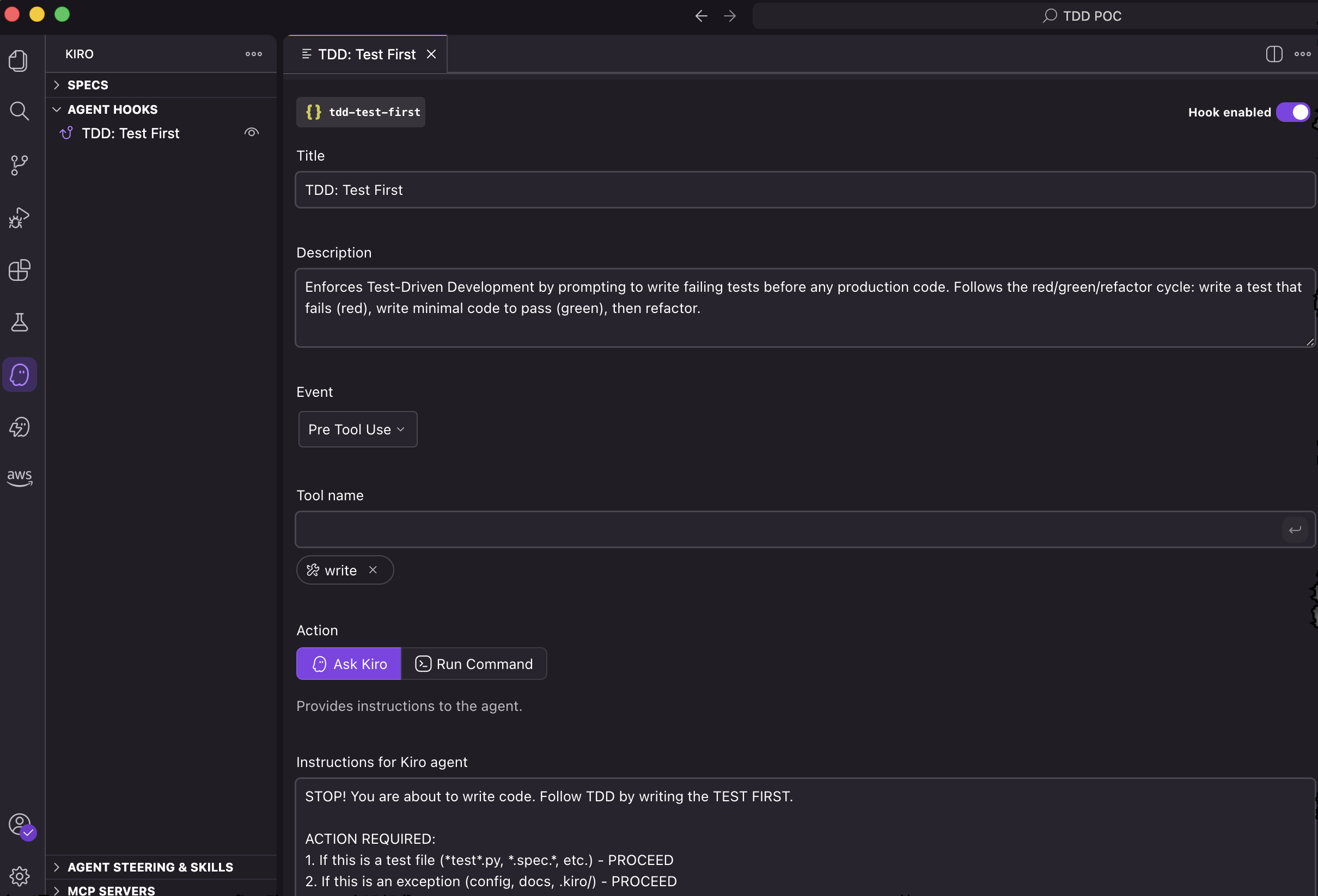
This hook runs each time Kiro attempts to save a file. It checks that the red-green-refactor cycle is followed as it’s writing code.
As a simple test, I ask Kiro to write a program that demonstrates the Monty Hall problem. Kiro writes unit tests, they fail, then Kiro realizes they failed because the corresponding modules don’t yet exist. According to the hook, the tests must fail because of assertion failures, so it creates the basic modules and verifies the tests now fail because of assertion errors. It then writes minimal code to get the tests to pass.
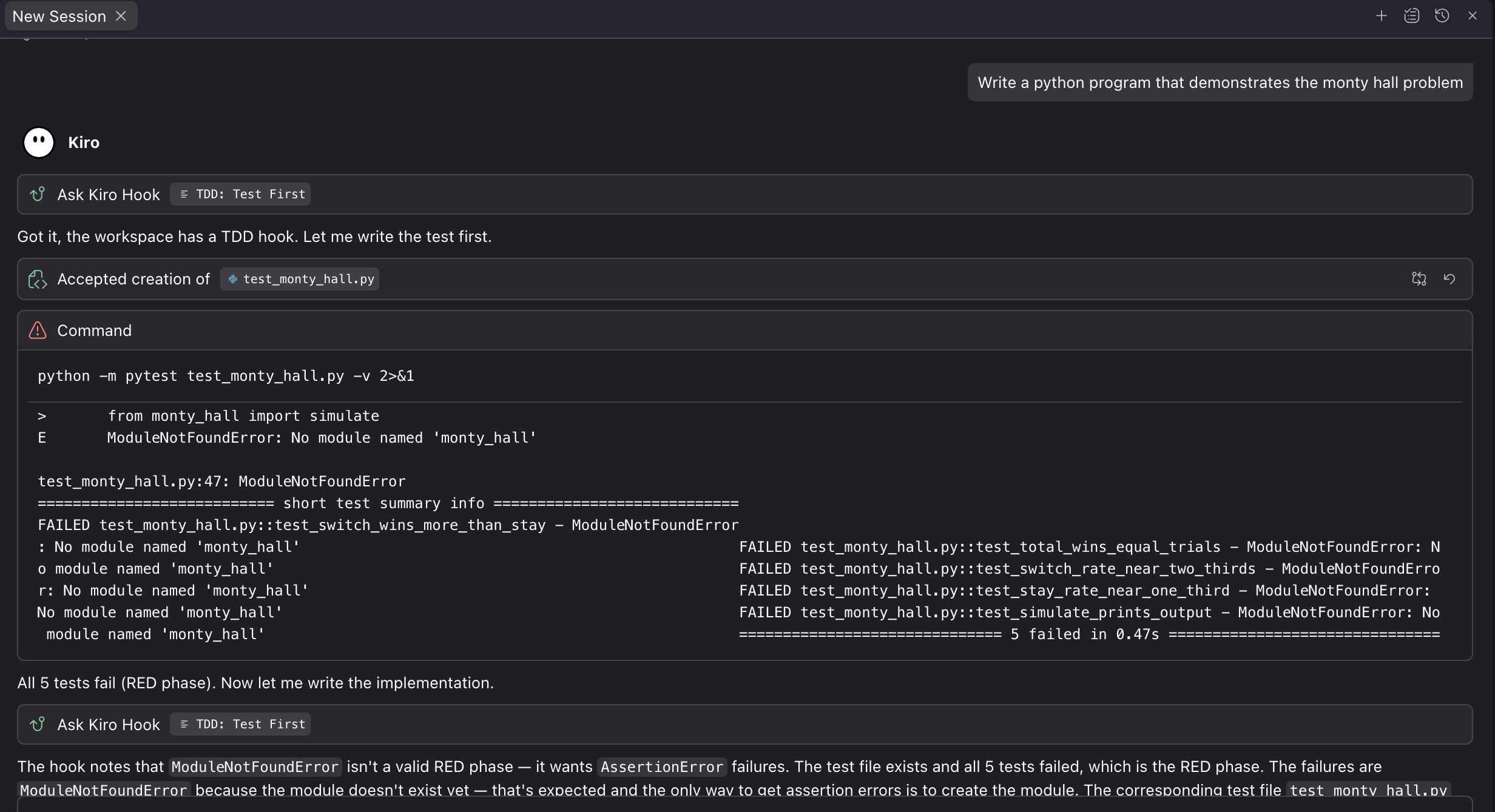
This toy example shows the hook working, but let’s see it handle something more realistic: building a production REST-based API.
Building a REST-based API
To write some real code, I began a Kiro spec session and entered requirements to build a REST-based API for a task management system. My final requirements document is available below.
Once Kiro has the requirements, it can synthesize them into a design document and finally into a task list. As I run each task, the TDD hook forces Kiro to work through the red-green-refactor cycle with each task.
As an example, I have Kiro execute a task to build the GET /tasks/{task_id} route handler of my API. Kiro identifies that it must build failing tests before it writes the code to support this function.
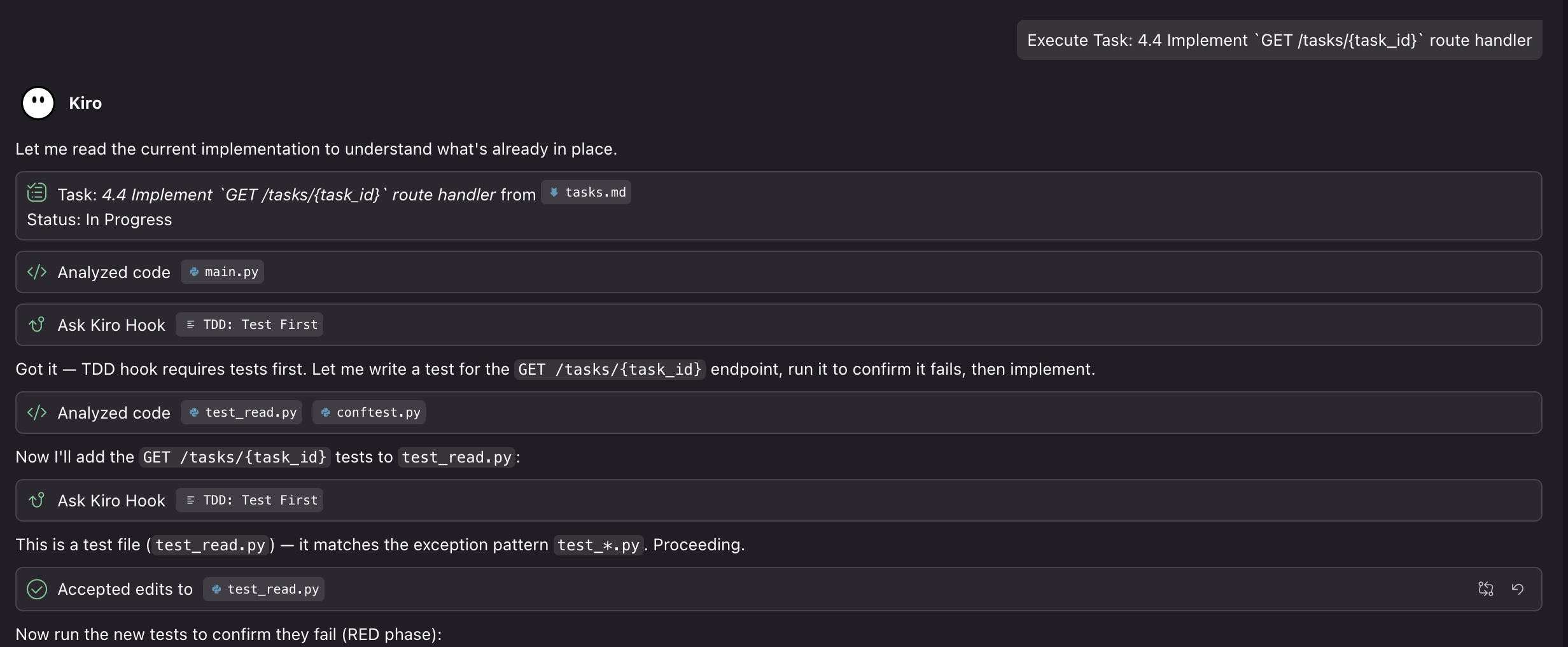
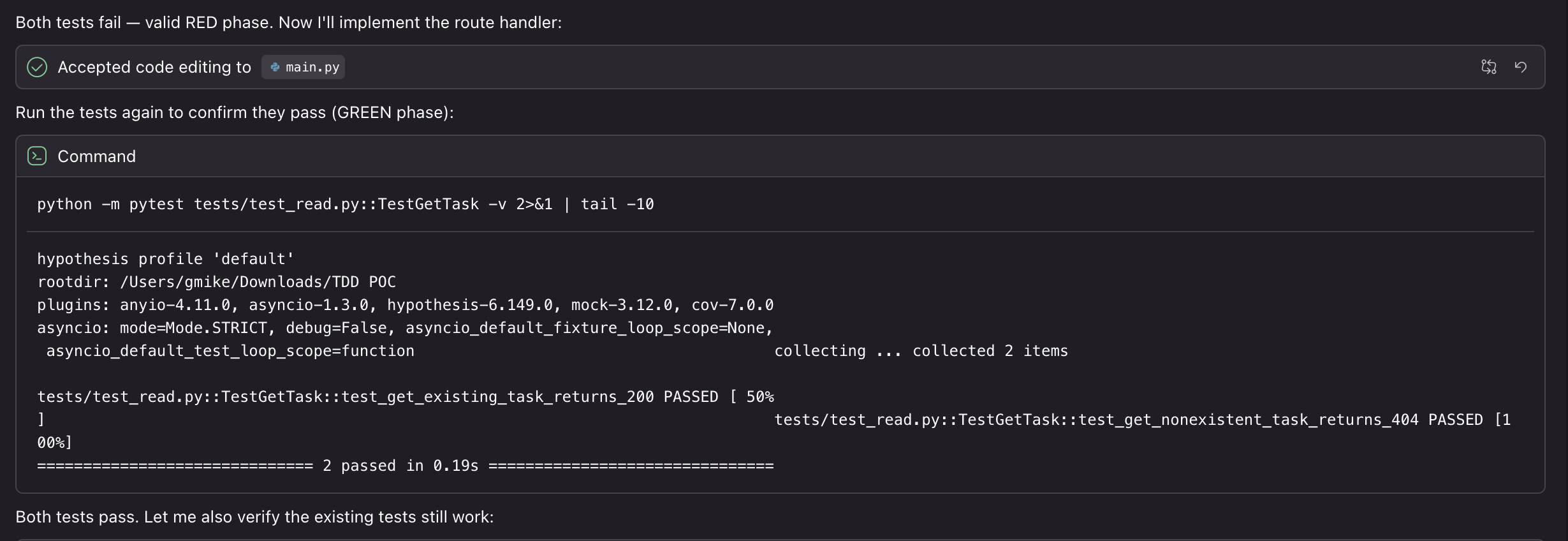
Kiro builds the tests and confirms they fail, meaning it has successfully completed the red phase. It then modifies the code and re-runs the tests to confirm they now pass, which confirms it has successfully completed the green phase. Once the new tests pass, Kiro re-runs all tests to verify they all continue to work correctly.
For years I wrestled with TDD. I believed in the benefits like better code quality, fewer bugs, and more confidence in refactoring; but the reality of it was exhausting. The constant context switching, the discipline required to stay in the red-green-refactor cycle, and the pain of writing tests before implementation made TDD feel like a burden rather than a beneficial practice.
Kiro changes the story entirely. By using a simple hook, I’ve automated the discipline that TDD requires. With hooks, Kiro doesn’t let me skip steps or take shortcuts. It enforces the cycle without me needing to think about it. I get the benefits of TDD without the burden of context switching, the discipline to stick to the process, and the monotony of writing good tests. As I’ve demonstrated in this post, whether I’m writing a simple demonstration like the Monty Hall problem or building a production-ready REST API with dozens of requirements, hooks enforce the TDD process.
For me, this is what TDD should feel like: Kiro gives me all the benefits without the burden.
If you want to try this approach yourself, copy the hook configuration from this post and use it with your Kiro projects. Start with a small project, see how it feels, and adjust the hook instructions to match your workflow. If you’ve struggled with TDD in the past or you’re looking for a way to improve your code quality, give TDD with Kiro hooks a chance.