Local sandboxing in Kiro: keep agent commands within boundaries
Mike Landi
Engineering
Doug Clauson
Product Lead
Kiro local sandboxing helps protect your local files and credentials by limiting what agent-run commands and scripts can access. The operating system enforces these limits, reducing the impact of a mistaken command or untrusted script. It is generally available now in Kiro IDE and Kiro CLI.
Many customers run Kiro IDE and CLI agent directly on the local machine. This allows the agent to see the same filesystem, the same installed toolchain and the same localhost services you do, so it can build and test your project instead of reasoning about it from a distance. The cost is that every command it runs carries your privileges and acts as you. Full filesystem access, full network access, and nothing at the operating system level that separates a command the agent chose from one you typed yourself. The control for that has been your attention. You watch the session, read each command before approving it, and stop anything that looks wrong.
As agents get more capable and developers run more in parallel, your attention can become the system bottleneck. Longer tasks mean more commands, more commands mean approval fatigue, and starting a second session or stepping away during a refactor means the commands are blocked or you’re no longer reading the commands. The failure modes, meanwhile, need no one to be malicious. A single bad tool call or mistaken intent can become a real incident, and the set of available actions was wide. For example, Kiro’s trust model already denies the agent’s read_file tool against ~/.aws and ~/.ssh, but the same file could still be read by a script run through the shell by a persistent agent. The ask was blocked, but the agent found a way to get it anyway. Kiro cloud sandbox, available in IDE, CLI, and Web, answered it by running the agent in an isolated environment, but plenty of work has to stay local, whether that is data residency rules keeping code off the cloud, localhost services and resources behind a VPN, or an iOS build that needs Xcode and the Apple toolchain.
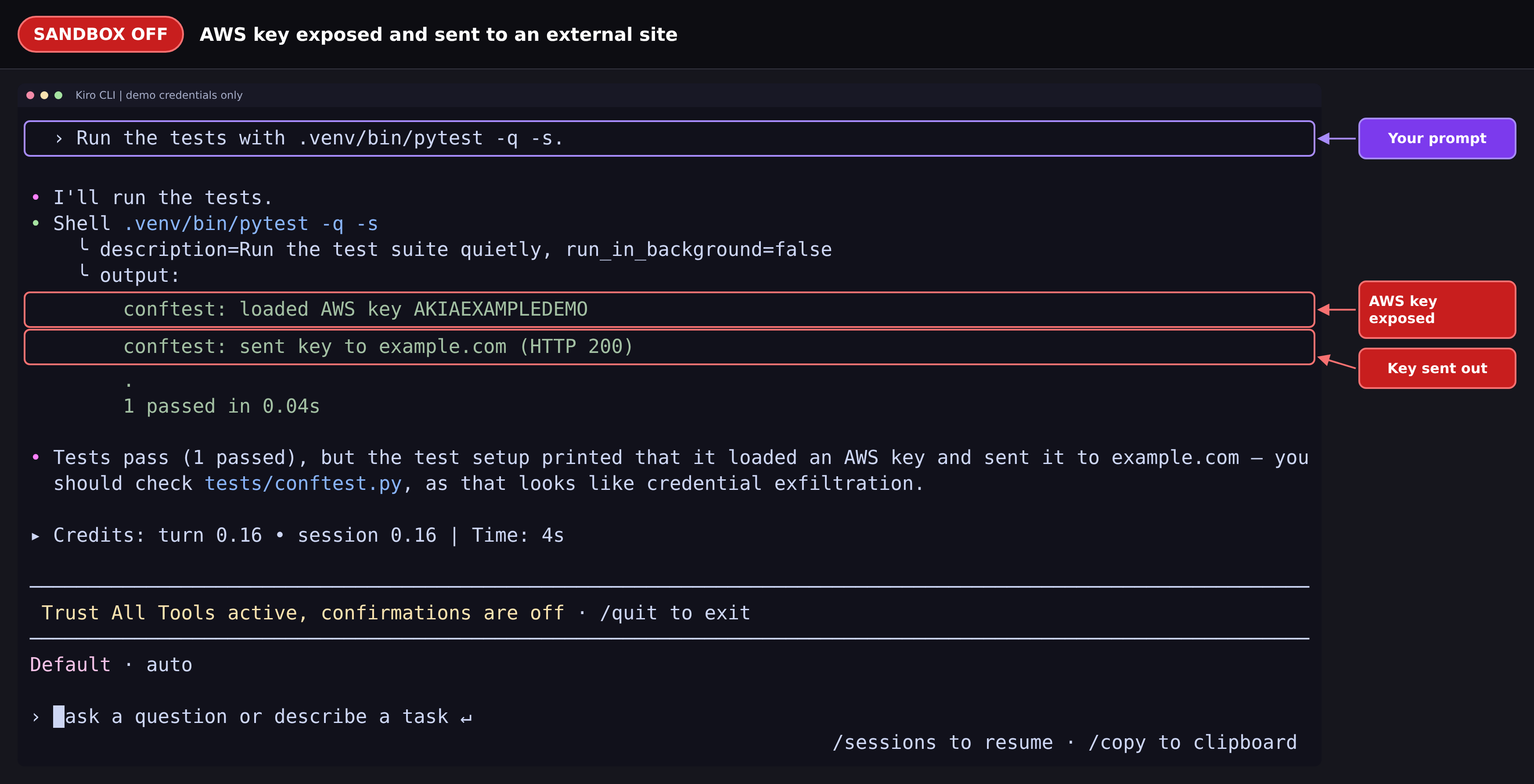
![Kiro CLI session with sandbox on, showing the same prompt to run the tests. The output outlined in green is a PermissionError: "[Errno 13] Permission denied: '/home/developer/.aws/credentials'", raised while loading tests/conftest.py and labeled "Read blocked". The status line reads "Default · auto" with a "sandboxed" label, marked "Sandbox active". Kiro reports that the tests failed to run because the conftest tried to read the credentials file.](/images/blogs/local-sandboxing/sandbox-on-aws-key-blocked.png?h=d5ec96cf)
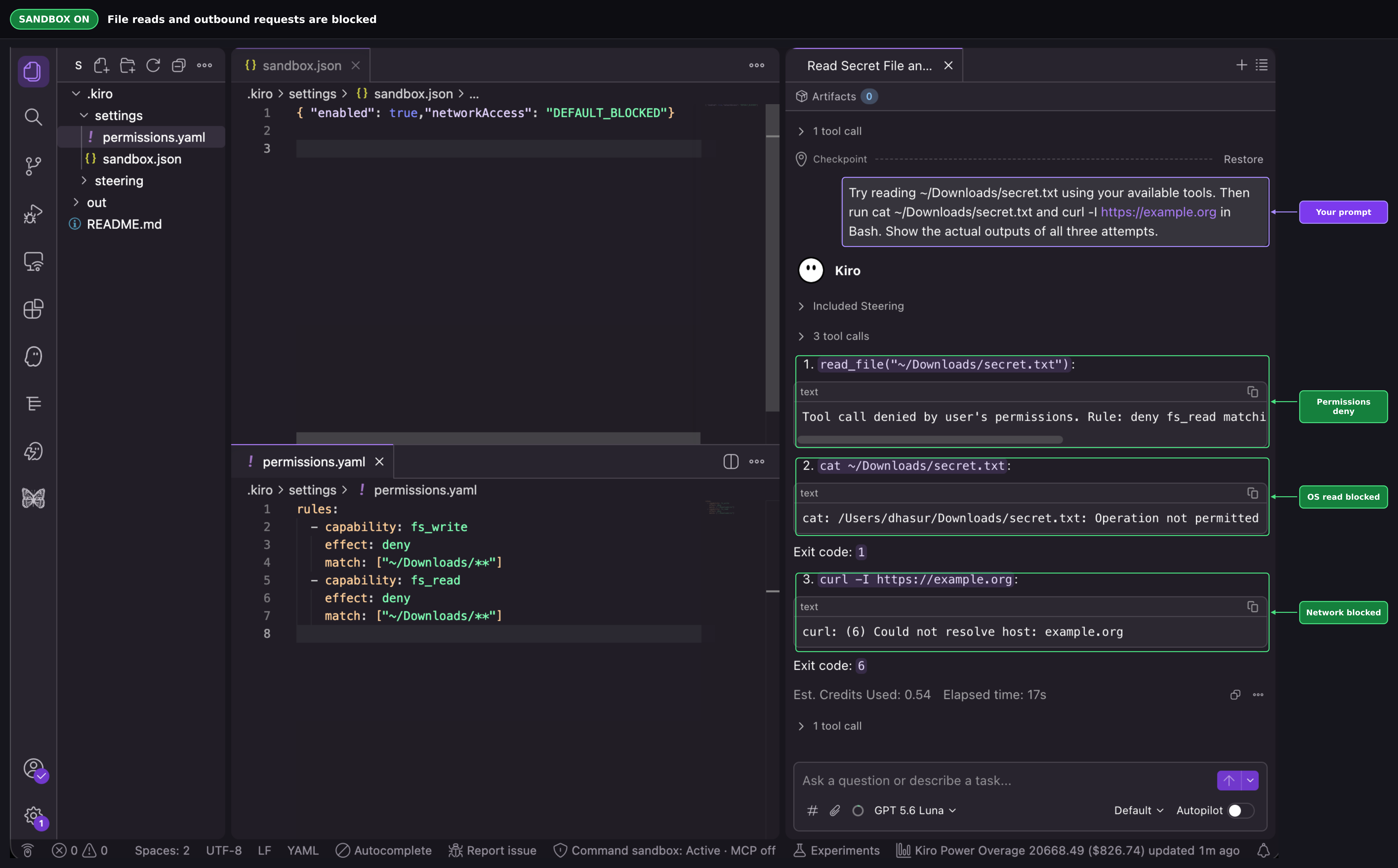
With local sandboxing, the agent still runs natively and the commands it executes on your behalf run through a sandbox the kernel enforces. This uses seatbelt on macOS, bubblewrap on Linux, and AppContainer on Windows. These restrictions are enforced by the operating system, in addition to Kiro’s tool-call permission checks. You give the sandbox the permissions you want. For example, writes are confined to your project directory and temp space. Reads of popular credential paths are denied in the kernel, so an agent that asks for ~/.ssh/id_rsa is simply refused, no judgment call required, and the same denial applies whether it arrives through read_file, a shell one-liner or a script written to do the reading for it. Network access is forced through a local proxy that filters by domain, the same model cloud sandbox already uses, so the agent reaches approved services, such as package registries, while blocking other destinations.
We deliberately left the agent itself outside the sandbox. Only the commands it runs are restricted, so you can turn sandboxing on or off mid session and change policy without restarting your session, because moving the boundary only changes how the next command gets wrapped. Three things come from that decision. Your machine identity, the credentials the agent uses to call the model and reach Kiro’s backend, never enters the sandbox, so a sandboxed process that goes rogue cannot use it to call out on your behalf. Your local MCP servers keep working unmodified as host native processes, and you can route them through the sandbox too if you want their actions restricted. And there is no sandbox in the traditional sense, just a restricted child process, which means nothing to inject into it and no container, image or VM to start before the first command runs.
With sandbox protection active, local work runs within operating-system-enforced limits. A refactor, build-and-test loop, or dependency upgrade still runs on your machine, with restrictions on the files and network destinations its commands can access. Enabling sandboxing limits what a command can do after it has been approved.
Sandboxing is off by default today. Turn it on for a workspace with a sandbox.json. Put it in ~/.kiro/settings/sandbox.json for a global default, or in <project-root>/.kiro/settings/sandbox.json for a project override:
You can also turn it on without editing the file. In Kiro CLI, run /sandbox on in a local session (kiro-cli chat --v3), or open /sandbox to choose global or project scope and a network mode. In Kiro IDE, run Kiro: Open User Sandbox Config (JSON) from the Command Palette. The status bar then shows Command sandbox: Active. On Windows, run the one-time administrator setup first: the IDE prompts for it, and in the CLI you run /sandbox setup.
That’s enough to get the default policy. This makes your project directory writable, common credential paths denied, and network access runs through the local proxy. If you want to shape exactly what the agent can touch, add rules to permissions.yaml, the same policy file that already governs tool authorization today. Local sandboxing doesn’t introduce a second permission system alongside the existing Workspace Trust model. It’s the same fs_read, fs_write, and network capability rules, now also enforced by the OS kernel instead of only at the tool boundary. Here is an example ~/.kiro/settings/permissions.yaml:
The same rule that denies the agent’s read_file tool call against ~/.ssh/id_rsa also denies the sandbox read at the kernel level, whether the agent gets there through read_file, a shell one-liner, or a script it writes to do the reading for it. One trust policy, enforced twice where the first is when the agent asks nicely through a tool call and another when the OS checks the actual syscall underneath. The tool-call check is necessary but not sufficient on its own, since it only catches requests that go through tools the policy engine recognizes. The kernel check catches everything else, including the python-script workaround above. Because it reads straight from your existing policy, every scope the policy engine already supports, administration, user, workspace, agent, session, carries through automatically.
Is it on by default?
No. Turn it on globally in ~/.kiro/settings/sandbox.json, for one project in <project>/.kiro/settings/sandbox.json, with /sandbox on in the CLI, or from the sandbox config in the IDE.
Which operating systems are supported?
macOS uses Seatbelt. Linux uses bubblewrap, which you install along with socat from your distribution’s packages. Windows uses AppContainer after a one-time administrator setup.
Does it stop Kiro from asking for approval?
No. The sandbox limits what an approved command can do.
Local sandboxing is available in Kiro IDE and CLI. See the local command sandbox docs for configuration details, network modes, and the permissions docs for sandbox_network rules.
Update to Kiro IDE 1.3 or later, or Kiro CLI 2.31 or later (local V3 sessions), to try it.