Introducing bots in Kiro Crew
Kyle Seaman
Product Lead
Helen Hasbun
Product Marketing
You’re starting your Tuesday morning by kicking off some agent sessions. One is refactoring your auth module, another is chasing a flaky test, a third is starting to draft out a plan for a database migration required for a new feature launch, and you have one finishing up an oncall summary for your handoff later today. For fun, you decide to start another to research an idea you’ve had for a while, semantic search over your own codebase, and any strong industry examples. You set these in motion before heading to your first call of the day. These should help you get a solid jumpstart on your work when you come back.
Instead, you return to see the refactor has been stuck for almost the entire time waiting for a decision to trust a tool you’re sure you’ve approved before, the flaky test has a fix but no clear logic behind the decision, the drafted migration plan is ready but needs significant revision, and the handoff summary was created but that agent has been sitting idle, and the research results were a collection of papers and open source projects with no comparison of which approaches might actually fit your codebase.
The agents worked in parallel, but you now have to remember where you stopped in each session, catch up on what was actually accomplished, what still needs to happen, and where there are any important decisions you need to make. As you run more tasks in parallel, you spend more time shepherding context between them and checking which sessions finished and which need your input. You’re still responsible for keeping the work moving and pointed in the right direction.
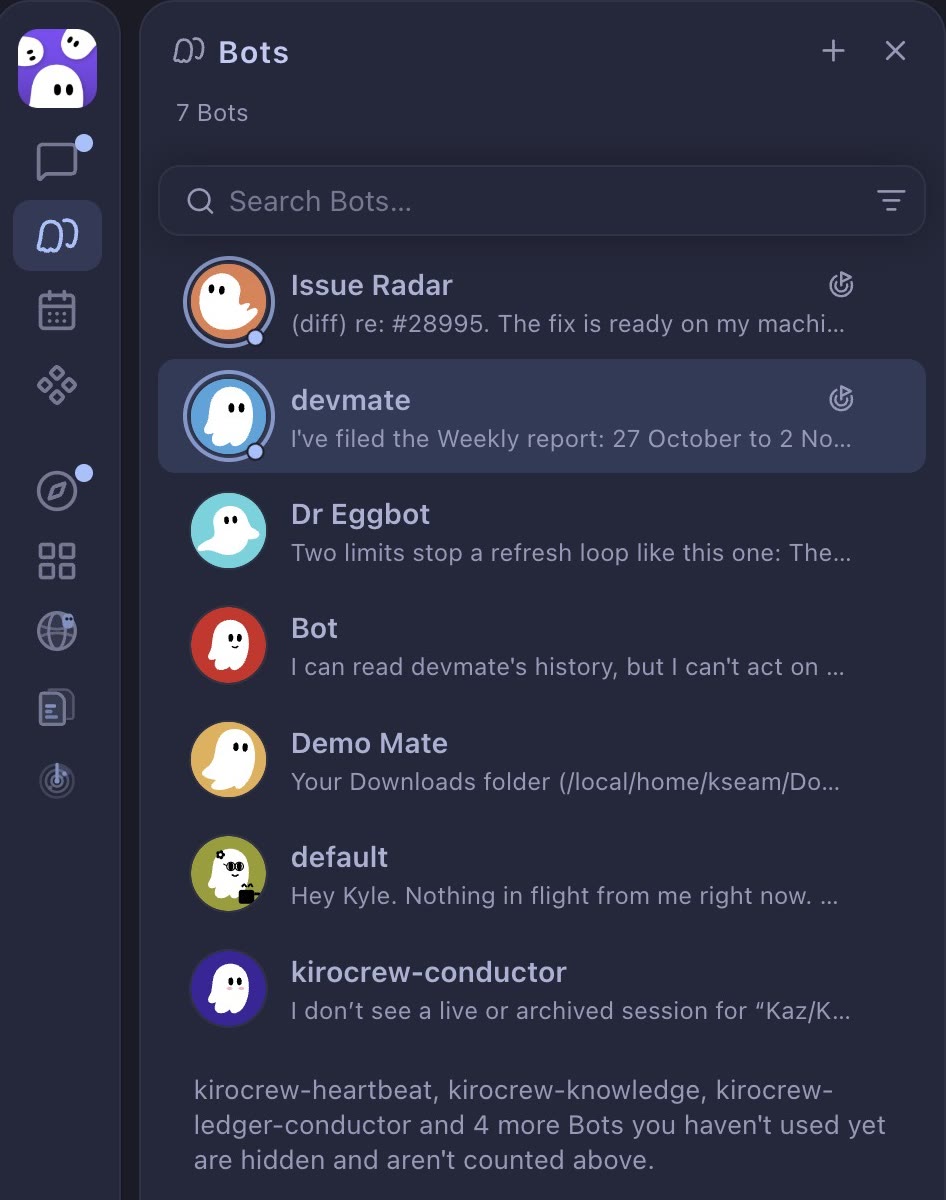
Today, we’re introducing Kiro bots, generally available in Kiro Crew. A bot is a new way to structure and drive agentic work. Instead of working in isolated sessions, each bot is a named, long-running agent that you define and customize for a specific part of your work. It has its own memory and runs its own sessions so you stop tracking them one by one. Kiro Crew already learns from how you work. Bots change where that learning lives.
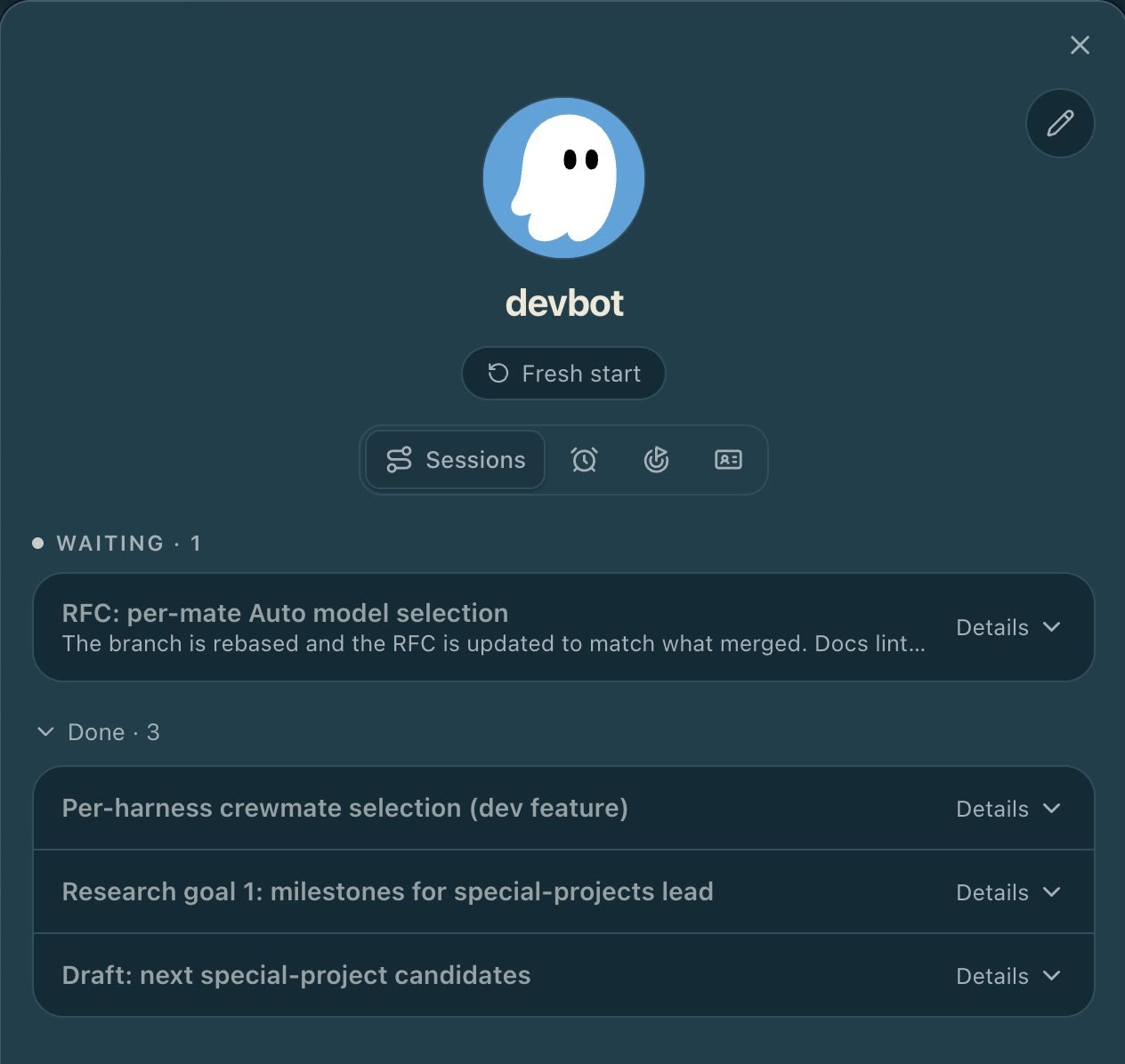
Each bot has a name, an avatar, and one ongoing chat where you set direction and come back for results. You build it around a goal, like ongoing research that fits your codebase, and the bot proactively works toward that goal. It has its own notes for tracking work, so you can see decisions and open items. Everything a bot owns lives in its own workspace in Kiro Crew, with a dashboard you customize alongside it so you can see where the work stands without opening a single session.
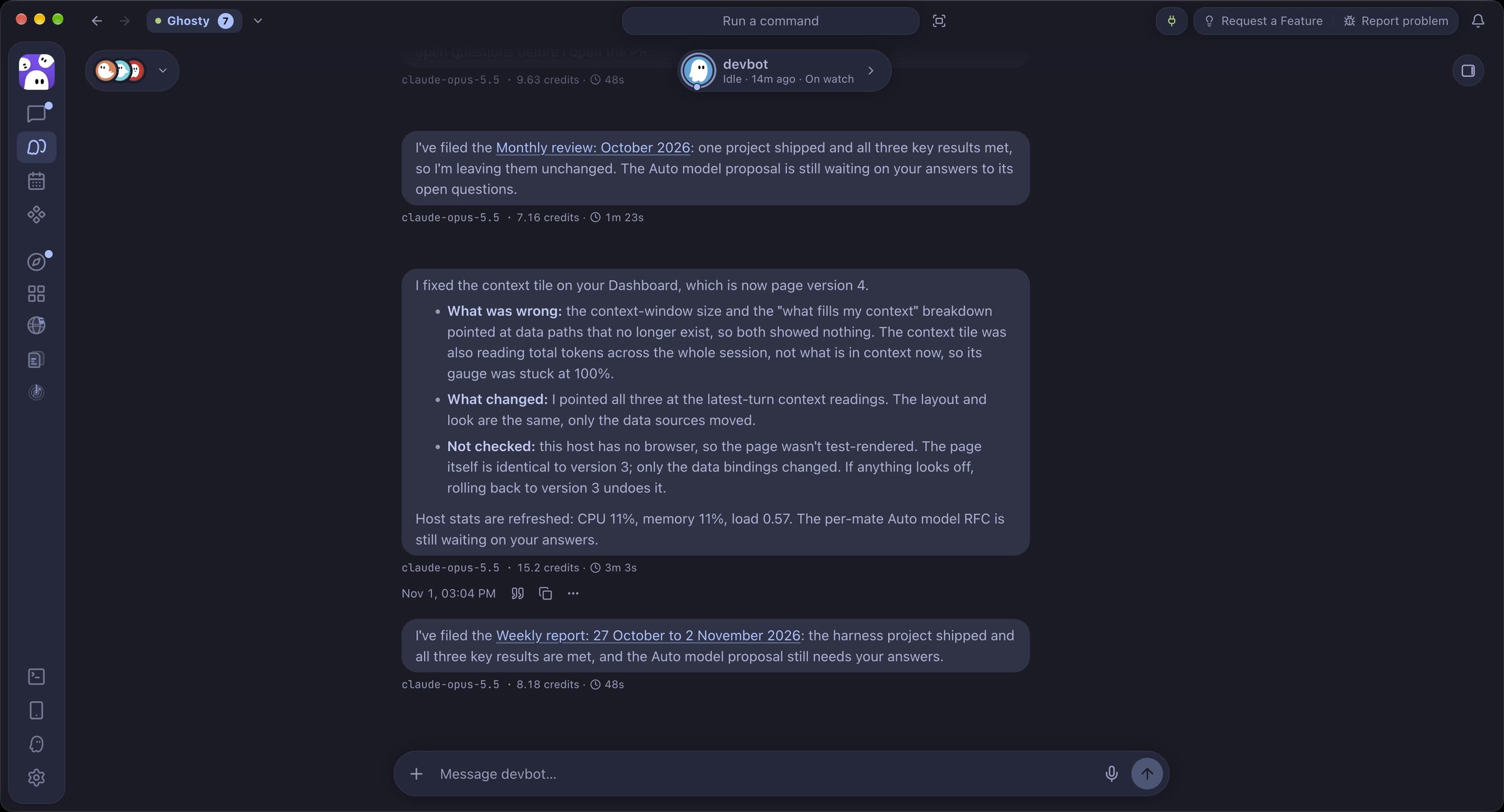
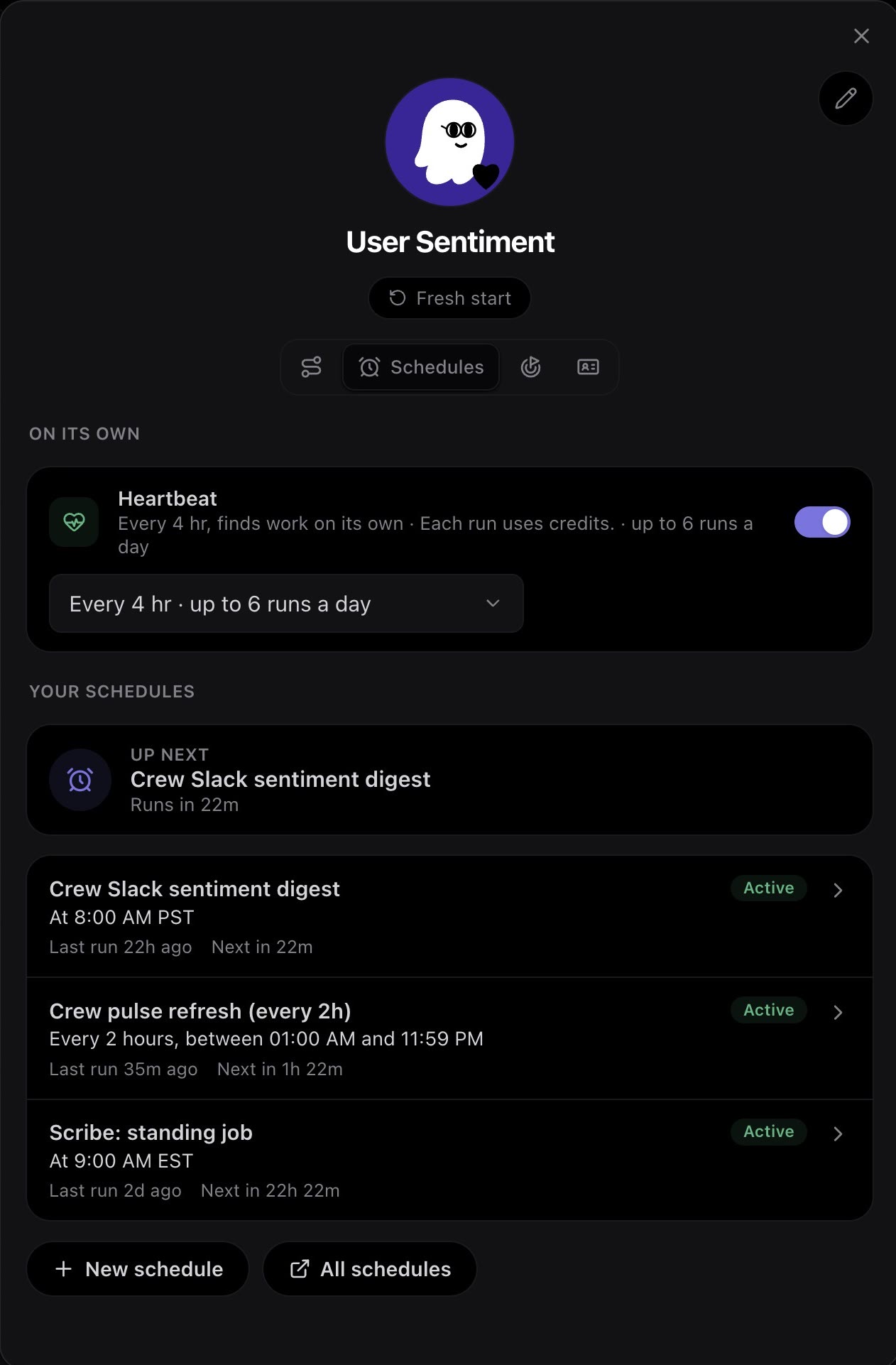
When there’s work to do, a bot can start sessions in parallel, monitor them, redirect anything drifting from the plan, and bring the results back to one ongoing chat. If one task needs your decision, a bot can ask you while it keeps working on the parts that do not depend on your answer. You can also set up schedules in the chat, so a bot can investigate overnight build failures before you start your day, or prepare release notes every Friday.
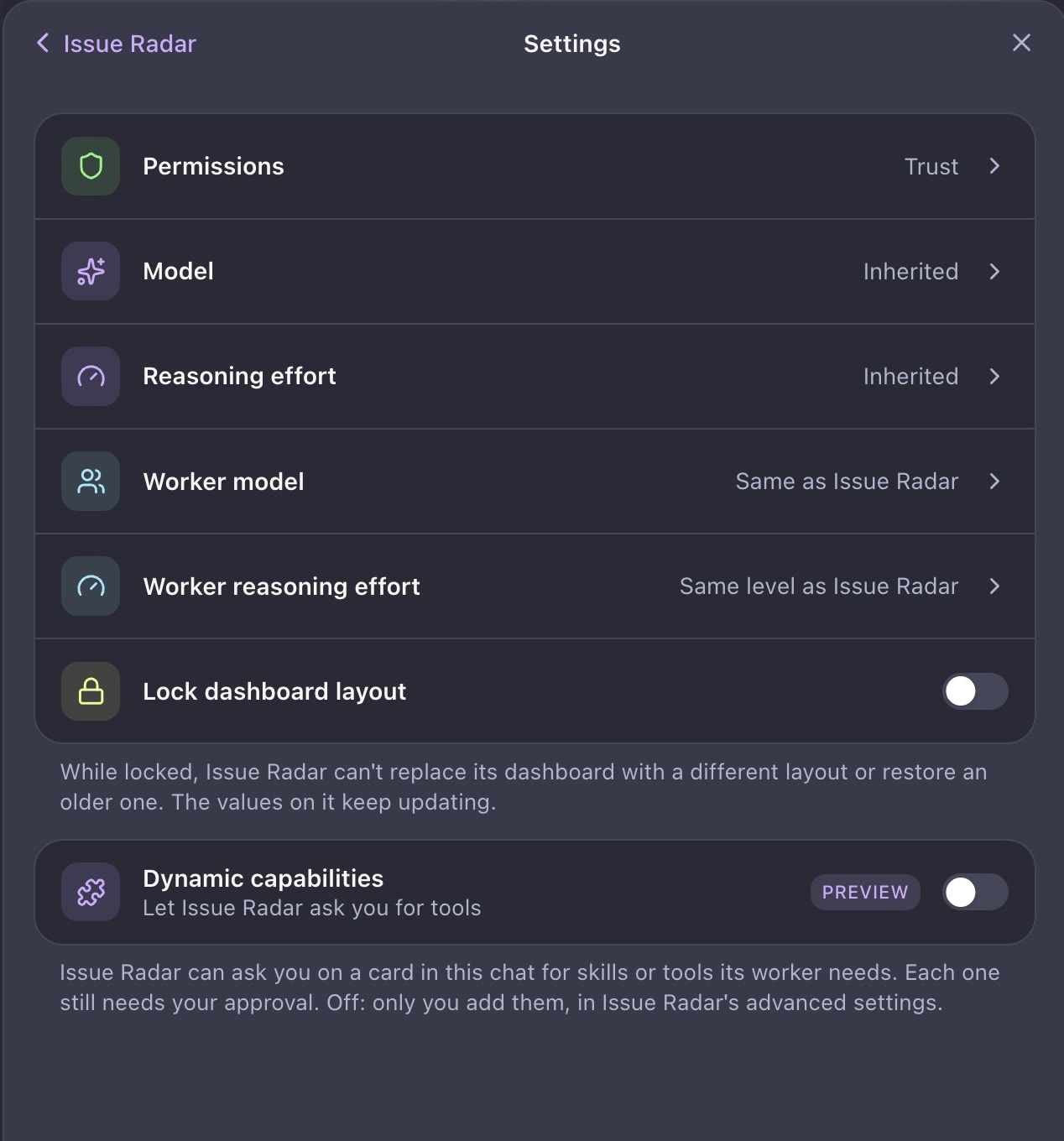
Each bot gets only the tools and permissions its job needs. For example, a research bot can search the web and read your files, but it cannot change them. A deployment bot can run your deployment scripts and asks for your approval before each change. A bot can ask you for more tools, but nothing changes until you approve the request. Because each bot has its own memory, what your deployment bot learns about your release process does not mix with what your research bot learns. Keeping lessons separate means each bot applies your judgment to its own responsibility.
That leaves you with the work that needs you. You decide what good looks like, check the results, and direct whole processes instead of nudging individual sessions.
Each part of your work has its own context and nuances that influence decisions. As agents execute across these tasks, you have to keep your intent and context connected from one part to the next, keep tradeoffs clear, and restate the direction behind each agent’s decisions.
With Kiro bots, your direction stays visible and revisable, and Kiro Crew’s learning builds up within each bot. That lets you hand off an ongoing responsibility instead of a single task. For its specialty, each bot understands the outcome you are aiming for, the reason behind a tradeoff, the limits around a change, and decisions already made. One bot can own issue intake while another owns release readiness, and each follows the rules you set for that work. Your bots run wherever you are working from, whether that’s Kiro Crew on your laptop, a Mac Mini, or an EC2 instance. Together, your crew of bots supports your review standards, release processes, and unique preferences across your development work, without flattening into one generic workflow.
You establish your judgment through the continuing conversation and feedback you give. A bot carries your direction forward when later work depends on the same judgment. When a constraint changes, let the bot know, and it will follow your new direction with inspectable notes. Your judgment stays behind your work as the bot continues to evolve with you. Your role shifts from coordinating parallel tasks to setting direction and only reviewing what needs your input. Every correction and decision sharpens the bot’s understanding of your intent.
Start by mapping your development process into responsibilities that repeat or carry across tasks. Begin with one process you can describe and evaluate. Add a bot where the purpose of the work changes or where it needs different tools, authority, or review. Set boundaries for how work reaches it, which sources it should consult, what a useful handoff looks like, and when you want it to ask for your input. Start with boundaries relevant to the scope and nature of work you want the bot to own, then refine over time as you evaluate results and inefficiencies. For example, you might create an issue triage bot that only has access to your ticket queue initially, but later you expand to include Slack access and other issue intake channels.
Here’s a set of bots you might start with. Each bot has different tool access, permissions, and definitions of completed work. You can adjust any one of them without touching the others.
- An intake bot reads new issues in your ticket queue, labels them, and flags likely duplicates. For anything marked as a bug, it drafts reproduction steps. It can comment on tickets but can’t close them.
- A build-health bot checks your CI pipeline every 30 minutes. It sorts new failures from the flaky tests you already know about and only brings back what needs attention.
- A code review bot checks each new pull request against the decisions you’ve already made. It remembers your past decisions, like the error-handling pattern you settled on or a dependency you ruled out, so a review never starts cold. It can leave comments and request changes, but it can’t approve or merge.
- A release-readiness bot owns the checklist before each release. It confirms merged changes have tests and release notes, then asks for your sign-off before anything ships.
You can view, edit, or delete anything a bot remembers. You can also tune it directly wherever you see extra reviews, results that aren’t quite right, or wasted steps. You might adjust the rules it follows, add tools when workflows change, or restrict its permissions. For example, as your release-readiness bot is tuned to fit your work more closely, eventually you might let simple changes merge on green. Because you can tune each bot separately, you don’t have to impose one rule on every kind of work.
Recurring work is where this refinement compounds. Tell a build-health bot to check your CI pipeline every 30 minutes, investigate new failures, and bring back what needs attention. Scheduled activity goes to its work log, while a finding or decision that needs you returns to chat. If it chases an expected failure, correct it and future runs will apply that distinction.
Each bot keeps notes, a working understanding of your projects that grows as it investigates problems, completes tasks, and learns from you. Review its notes to see what it carries forward, then check its work log to catch up on what has been done. After a few runs, adjust the schedule, inputs, or give feedback on results to keep fine-tuning the process.
Create a bot for each natural handoff in your process. Give one its own requirements and access, define what it should receive from the work before it, and let your crew grow while keeping each responsibility distinct and independently adjustable.
Bots can coordinate parallel sessions across worker agents on their own, and they’re only as proactive as you allow. You choose the model each bot runs on, and you can pick a different one for its worker agents. A bot can plan on a stronger model while its worker agents handle routine checks on a faster, cheaper one. As your bots take on more scheduled and recurring work, you spend your time reviewing results and tuning each bot to fit its part of your work more closely over time.
Visualize the work your bots are coordinating with dashboards. Tell your bot how you want to see activities or reports, and the dashboard will show the current state of that work in one place that the bot maintains. The chat stays focused on findings, handoffs, and questions that need your attention. When you want to inspect any activities, related sessions are available to review.
Video transcript
A bot named GitHub Issuer is open in Kiro Crew. On the left, its Goals tab shows the goal “Monitor the GitHub Issue backlog and tell you what’s trending for features or bugs,” three milestones (a weekly trending bugs and features report, days since the last backlog scan, and bot- and agent-filed issues filtered out of trend counts), and check-ins for a daily goal reminder, weekly report, and monthly review. On the right, the bot’s Dashboard tab shows a page titled Issue Observatory for the kirodotdev/KiroCrew repository. Summary tiles read 1,468 open issues from people, 316 opened in the last 7 days, 367 bugs versus 695 features, and 1 waiting on you. Below them, issue topics are drawn as stars in a night sky, grouped into constellations such as Chat and workflows, Models, Apps and crewmates, CI and platform, and Security and MCP, with brighter stars for topics with more open issues. The user drags the sky and clicks stars. A Telescope readout panel updates for each selection, for example Windows support with 26 open issues and 12 new in 7 days, and MCP servers and OAuth with 74 open issues, 30 new, and 41% share new. A Star catalogue panel lists each topic with its new and open counts.
Over time, your crew reflects how you actually develop, with each bot carrying the requirements and boundaries for its part of the work. You decide how those processes change and where your judgment belongs.
To get started, open the bots workspace in the Kiro Crew sidebar, add a bot, and choose the default or a custom agent as its base. A custom agent supplies the prompt, model, tools, and skills, so you can build on a setup you already use without changing your existing chats.
Start with one responsibility that already makes you reconnect context across sessions. Pick one narrow enough to review in one sitting and useful enough to repeat. Give your bot a name, tell it what to look after, refine as you work with it, and try adding a schedule. Then add bots for the next responsibilities in your process, and see how your work evolves from task delegation to process delegation.
Download Kiro Crew to get started, and learn more on the Kiro Crew page.