MCP Registry Governance, Model Governance, and Document Attachments
0.11This release gives enterprise teams centralized control over MCP server access and model availability, and adds document attachment support to chat.

Enterprise administrators using IAM Identity Center can now control which MCP servers their organization is allowed to use. Create a JSON registry file listing approved servers, host it over HTTPS, and configure the URL in the Kiro console. The registry supports remote (HTTP) and local (stdio) servers across npm, PyPI, and OCI package types, with ${VAR} placeholders for user-specific values like auth tokens. Kiro syncs with the registry every 24 hours, enforces version-pinned access, and works alongside the existing MCP on/off toggle to give you full control at the org or account level.
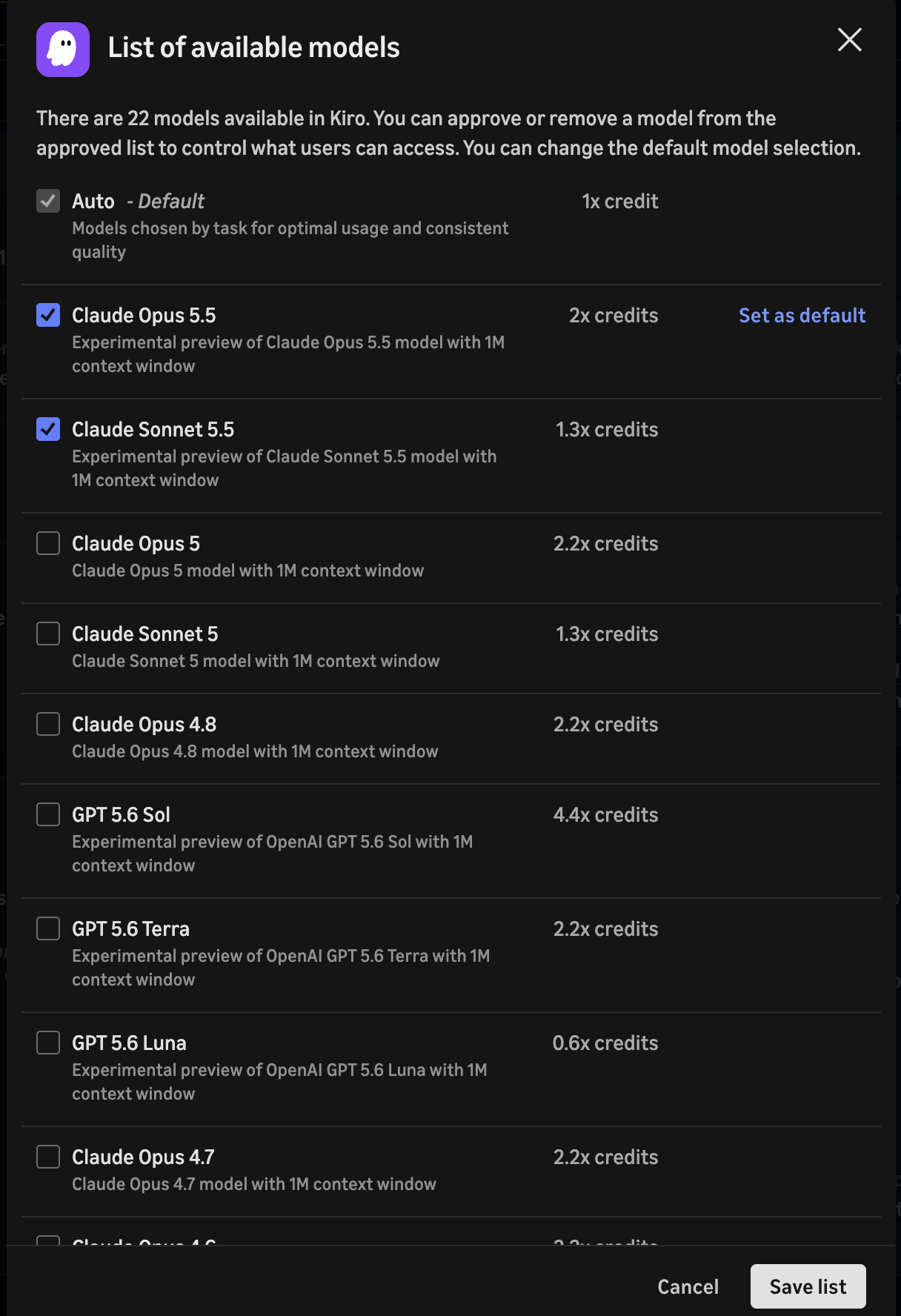
Enterprise administrators can now control which AI models are available to users in their organization. Toggle on model access management in the Kiro console under Settings > Shared settings > Model availability, then curate an approved list of models. You can also set a default model that auto-applies across all clients. Before approving a model, review its row in the inference endpoint regions table for its inference scope and endpoint location against your data residency requirements. Lifecycle status does not determine routing, so check each model's row rather than treating Experimental as a proxy for global inference. Once enabled, only approved models appear in the model selector across both the IDE and CLI.
You can now attach documents directly to chat messages by pasting or dragging files into the input. Supported formats include PDF, CSV, DOC, DOCX, XLS, XLSX, HTML, TXT, and Markdown. Documents are sent to the model as native document blocks, so the agent can read and reason over their contents. You can attach up to 5 documents per message and mix them with text and images in the same prompt.