Inspect GitHub Pull Requests Inside Kiro Web

The moment your agent opens a pull request, it surfaces right in your session. The Reviews panel appears on its own and lists every pull request from the session; select a GitHub pull request to walk its status, commits, and changed files with unified or split diffs, all without losing your conversation. When you're ready to review or merge, one click opens it in GitHub. Learn more ->
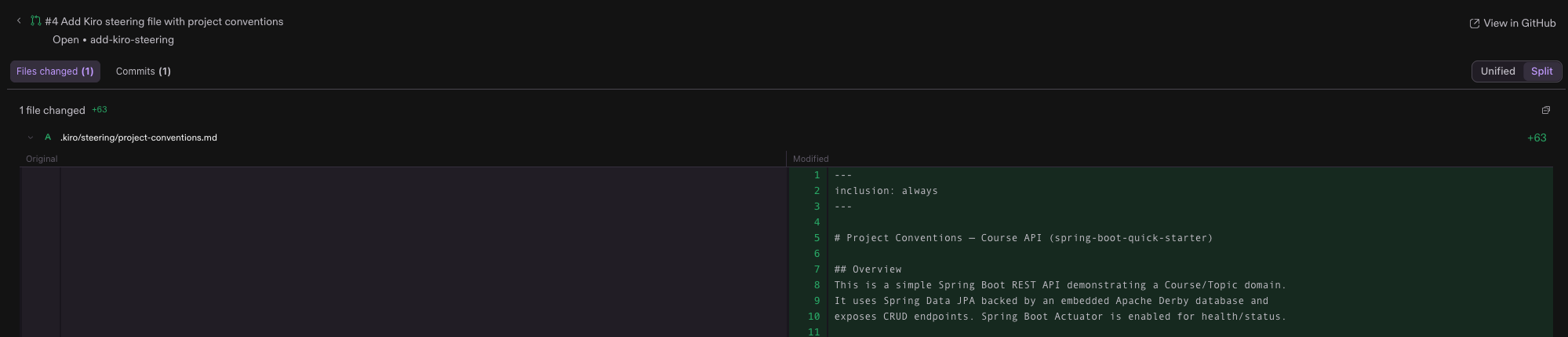
Loading image...Pull request #4, "Add Kiro steering file with project conventions", open in Kiro Web. The header shows the Open status on branch add-kiro-steering with a View in GitHub link, above Files changed and Commits tabs and a Unified or Split diff toggle set to Split. One added file, .kiro/steering/project-conventions.md, is shown as a side-by-side Original and Modified diff with 63 added lines, beginning with inclusion: always frontmatter and a Project Conventions overview for a Spring Boot REST API.