Close the laptop, keep the agent: building with cloud sessions
Brian Beach
Tech Lead
Kiro just shipped cloud sessions (preview), and it fixes the one thing that always bugged me about running an AI agent on my own machine: the machine. With cloud sessions, your agent runs in a cloud sandbox instead of on your laptop. It clones your repos, does the work, and keeps going whether or not you're around. Close the lid, hop on a train, switch machines entirely. The session doesn't care. If you've used Kiro Web, this will feel familiar. What's new is that this now extends to the CLI and IDE. You can check on it and pick it back up from the CLI, the IDE, or the browser, because it's all one agent living in the same place.
In this post I'll walk through a real task from start to finish: adding a Payments API to an existing e-commerce app that already has customers, products, and orders. I'm doing it from the Kiro CLI because that's my happy place, but everything here works just as well from the IDE using agent focus mode. Same harness, same agent, same session, pick your surface.
Quick heads up before you go looking for the feature: in the IDE, open Agent Focus Mode and you'll see a Cloud Session section in the side bar. In the CLI, start with the --cloud flag.
If your organization uses IAM Identity Center, your admin turns on Cloud Sessions (Preview) under Settings > Kiro Settings in the AWS account where your Kiro profile is configured. If your organization previously enabled Kiro Web (Preview), Cloud Sessions are already enabled, so no additional action is required. The same toggle covers Kiro Web, Agent Focus Mode, and CLI cloud sessions. See Cloud sessions governance for details.
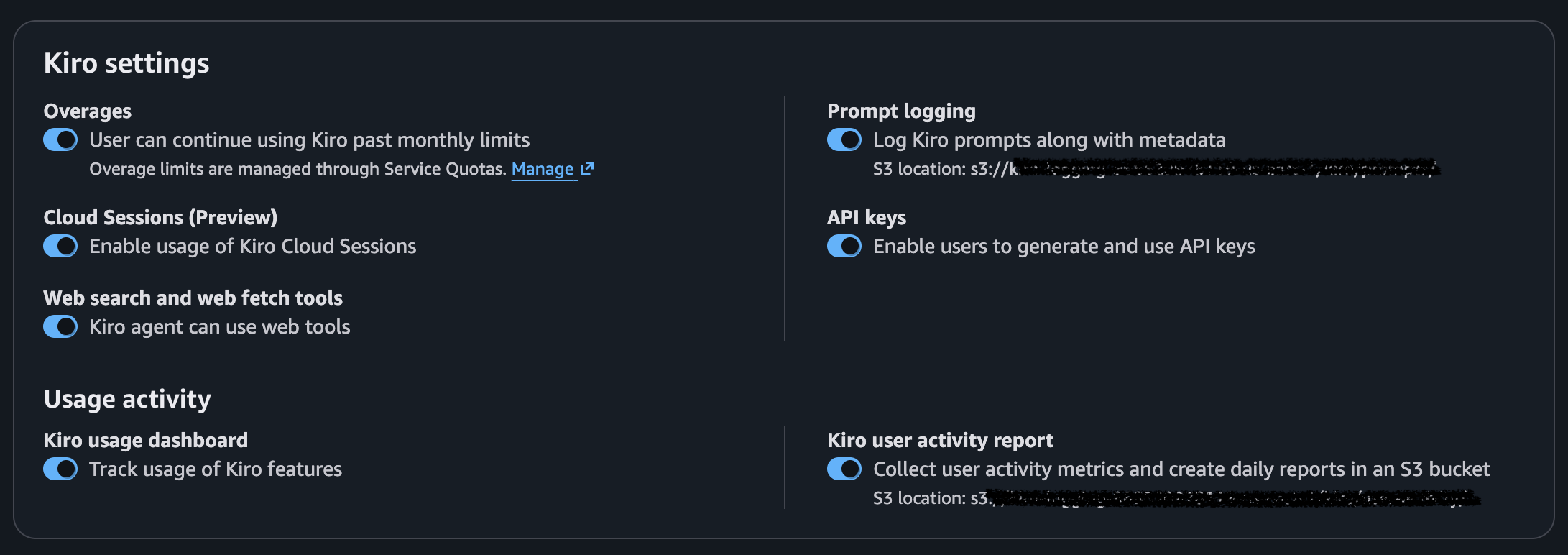
One switch and you're in business.
As I mentioned already, your session runs in a cloud sandbox. That means it can't reach into your local machine and grab your config. For example, agent skills.
When you run Kiro locally, it picks up configuration from two places: your workspace at .kiro/skills and your personal profile at ~/.kiro/skills/. In cloud sessions, the workspace skills come along for the ride since they live in the repo. Your local profile skills do not. Instead, the session uses the skills defined in your cloud profile, which you manage over in Kiro Web. If you haven't set up your cloud profile yet, head to app.kiro.dev and configure your skills there first. I've got a "Python Coding Standards" skill set up in mine, so the agent applies it no matter which machine I started from.
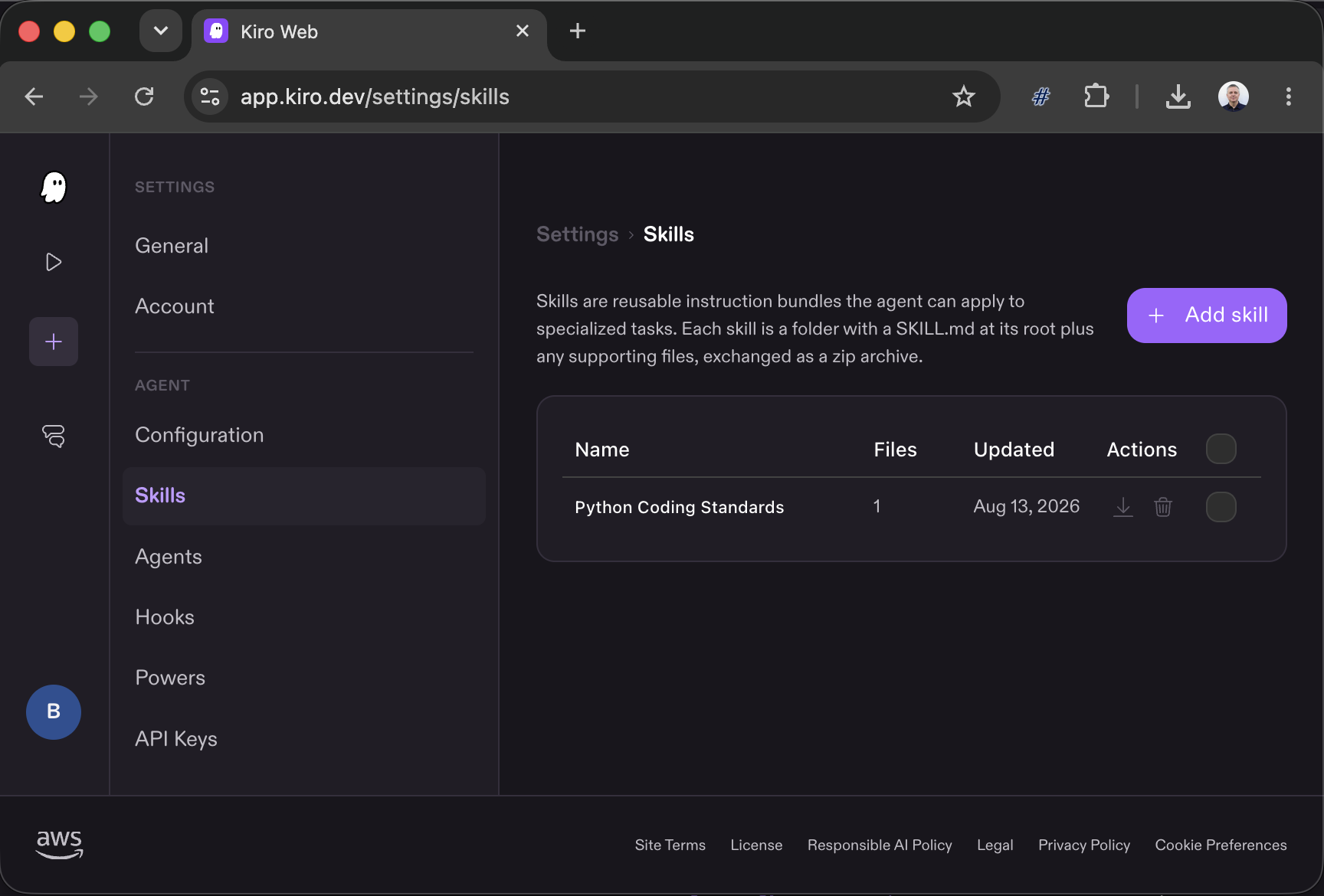
So if a skill matters to your cloud work, put it in your cloud profile. Same applies to steering files, custom agents, and anything else in your .kiro/ folder.
Starting a cloud session is one flag:
Once the session starts, I'll use /repo to tell Kiro which repo you want to work in. I can pick one or several, which is handy when a change spans multiple projects. I'm on GitHub here, but GitLab works too, and I can mix providers in the same session. I'm picking brianjbeach/fastapi-demo.
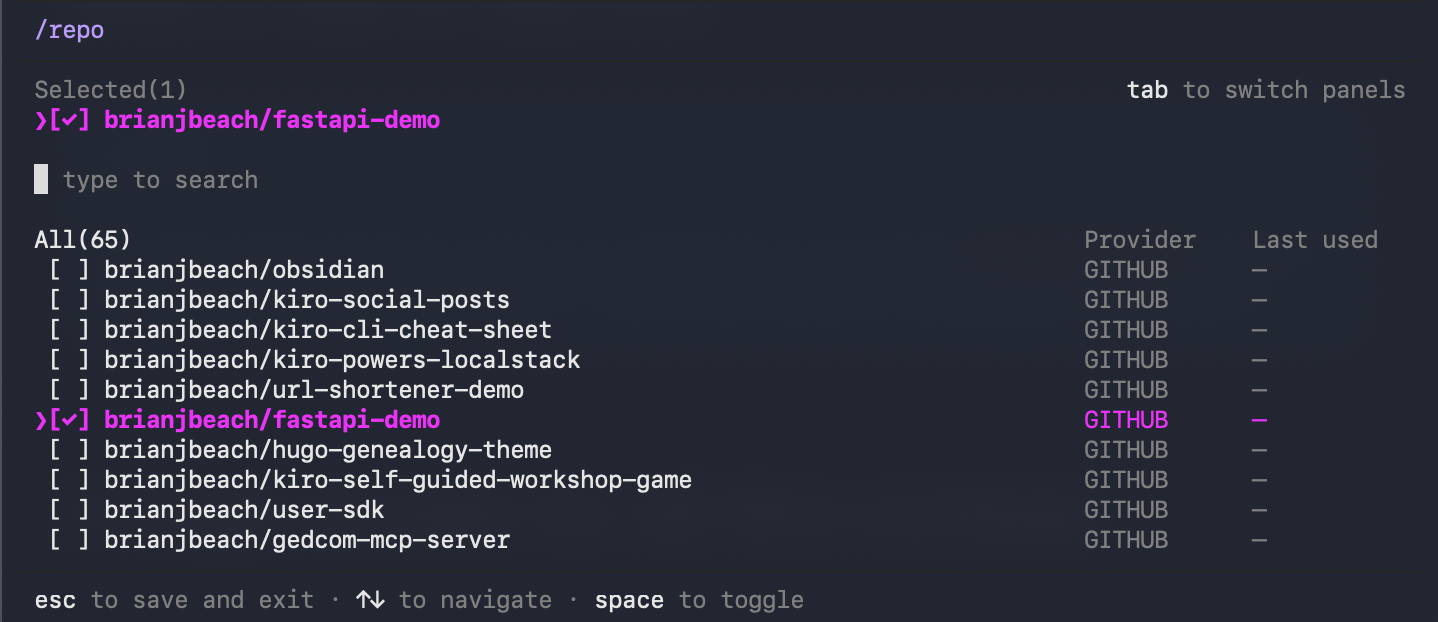
Kiro clones the repo into the sandbox and we're ready to build.
Time to describe what I want. Here's the prompt:
Add a Payments API to the e-commerce application. Customers should be able to pay for pending orders. A payment records the amount, payment method, and timestamp. After successful payment the order status should transition to confirmed.
Instead of typing all that, I used the new voice feature. Type /voice, then just say it out loud and let Kiro transcribe. You can read more about it in the voice docs. It's a nice way to get a full paragraph of intent into the prompt without hammering the keyboard.
And now the good part. The agent is off and running in the cloud, which means I'm free. I'm going to go hit the gym while it works.
Just kidding. I don't go to the gym. I'm going to go rot my brain doom scrolling. The point stands either way: nothing is tied to my laptop anymore.
Because the session lives in the cloud, I can look in on it from any client. Let me pop over to Kiro Web and see how it's doing.
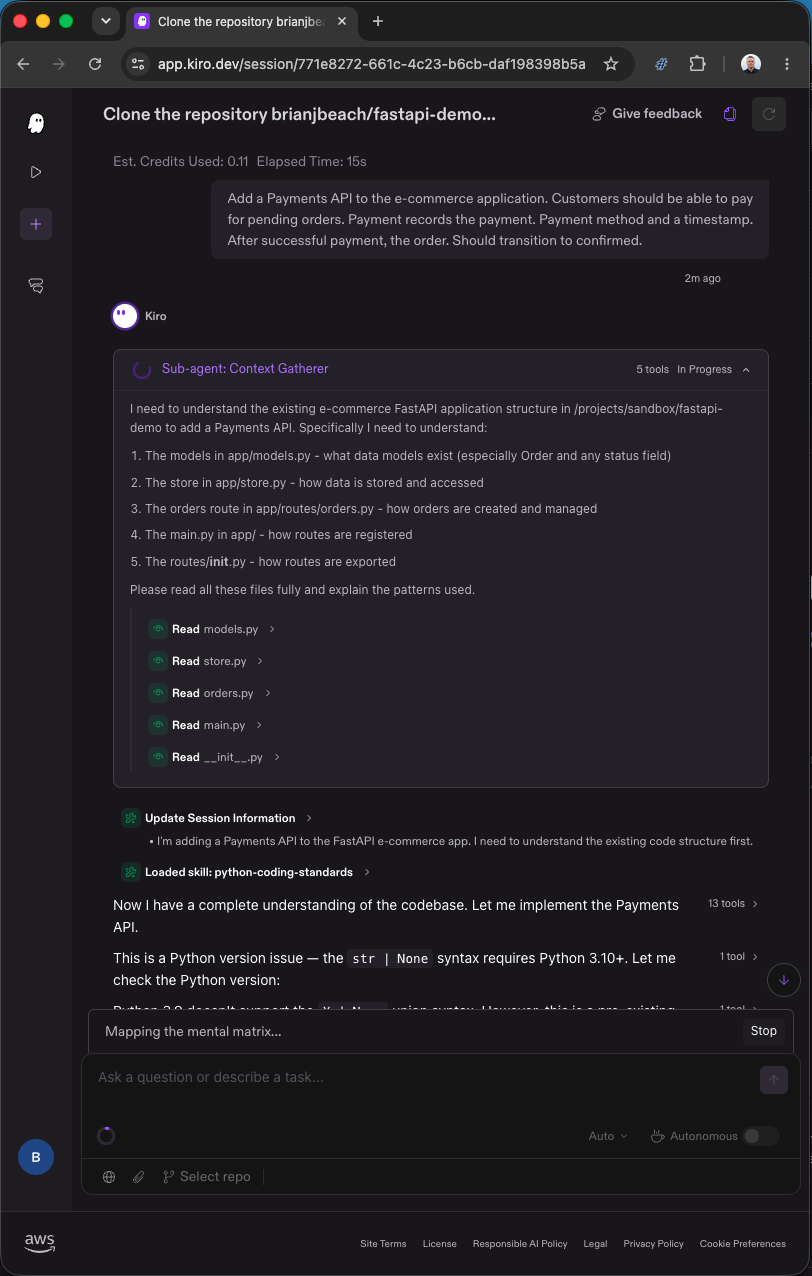
This is the part that genuinely changed my workflow. The session is fully disconnected from my machine. No more walking down the hall with the laptop lid cracked open, praying it doesn't sleep. No more caffeinate running in a spare terminal just to keep a long job alive. No more "don't touch my computer" sticky note. The work happens in the cloud and stays there, ticking along while I'm somewhere else entirely.
When I'm ready to jump back in, I resume the exact same session from whichever client is closest.
From the CLI, it's the same command I started with:
Or from agent focus mode in the IDE, where the cloud sessions panel lists my running and past sessions. I can click right back into this one and see the summary of what got built.
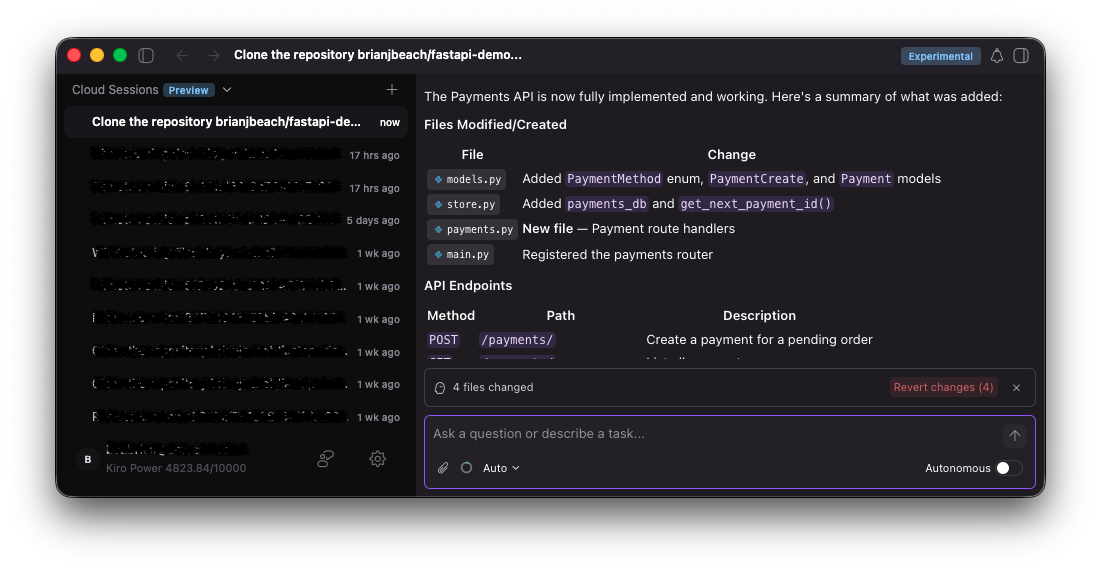
There's the finished work: a new payments.py, updates to the models and store, a POST /payments/ endpoint, and orders flipping to confirmed after a successful payment. A PR ready to review, not a pile of code to untangle. Exactly what I asked for, done while I was off doing literally anything else.
Cloud sessions is a small change in how you start a session and a big change in how it feels to work. Your agent stops being a process you babysit on your laptop and becomes something that just runs, in the cloud, reachable from the CLI, the IDE, the web, or mobile app. Start it in one place, check it from another, finish it wherever you land.
Have your admin flip on cloud sessions in the AWS console, set up your cloud profile skills, and give it a spin with kiro-cli --cloud. Kick off a real task, then go close your laptop and see how good that feels. For the full details, check out the cloud sessions docs. Cloud Sessions are available in the US East (N. Virginia) us-east-1 region only.