Kiro cloud sessions now reach private networks
Rydel Dcosta
Engineering
Mike Landi
Engineering
Kiro cloud sessions can now attach to a VPC that your admin configures. Until now, a cloud session could reach the public internet and Kiro’s own services, but nothing inside your private network, so an agent could not install from an internal package mirror, run integration tests against a database with no public address, or call a build server that only answers from inside your perimeter. Starting today, an admin registers a VPC once, every cloud session created afterward joins it automatically, and your own network decides what those sessions can reach. You also control the agent’s internet access because everything except Kiro’s own traffic leaves through your VPC. VPC connections are available on Enterprise plans for IAM Identity Center profiles.
This launch ships alongside Kiro remote workspaces, which lets developers open cloud sessions, dev containers, and their own machines directly from Kiro IDE. Remote workspaces decides where the work runs, and a VPC connection decides what that work can reach.

Enterprise code rarely builds from public sources alone. Dependencies come from an internal registry, tests run against staging services and data stores that have no public address, and some of the systems an agent needs sit behind Transit Gateway, VPN, or Direct Connect in an on-premises data center. Without a path in, teams kept this work on local machines or opened holes in their perimeter to make the cloud reachable, and neither is ideal. A VPC connection gives the cloud session a seat inside your network, so the agent works against your real development environment and your existing network controls keep applying.
Picture an agent asked to add a dependency and run the service’s tests. In a cloud session without a VPC connection, the install times out because the package lives on an internal Artifactory that only answers inside your network. With a VPC connection, the same command resolves the internal hostname through your DNS, installs from the mirror, and the agent moves on to the integration tests against your staging database.
A connected session reaches anything your VPC can route to, by IP address or internal hostname. That includes private package registries and artifact stores such as Artifactory and Nexus, internal APIs and services, databases and data stores, and on-premises systems reachable through Transit Gateway, peering, VPN, or Direct Connect. Your NAT, firewall, Flow Logs, and network ACLs apply to the session’s traffic because from your network’s point of view the session is another host in your subnet. Source control integrations such as GitHub and GitLab configured in Kiro Web keep working through the integrations you have already connected.
When a session starts, Kiro attaches a network interface in your VPC and makes it the session’s default route. Private hostnames resolve through your DNS and connect the way they would from any machine on your network. Kiro’s own traffic stays on Kiro’s network. That covers the model, the control plane, and telemetry. To do its work, the agent sends the model your prompts and the context it gathers in the session, such as file contents and command output, and that traffic never passes through your VPC. Anything that is not a Kiro service leaves through your VPC, so your NAT, firewall, and data loss controls decide what gets out.
An admin sets up a connection once under Kiro Settings > Manage VPC connections, using a five-step wizard.
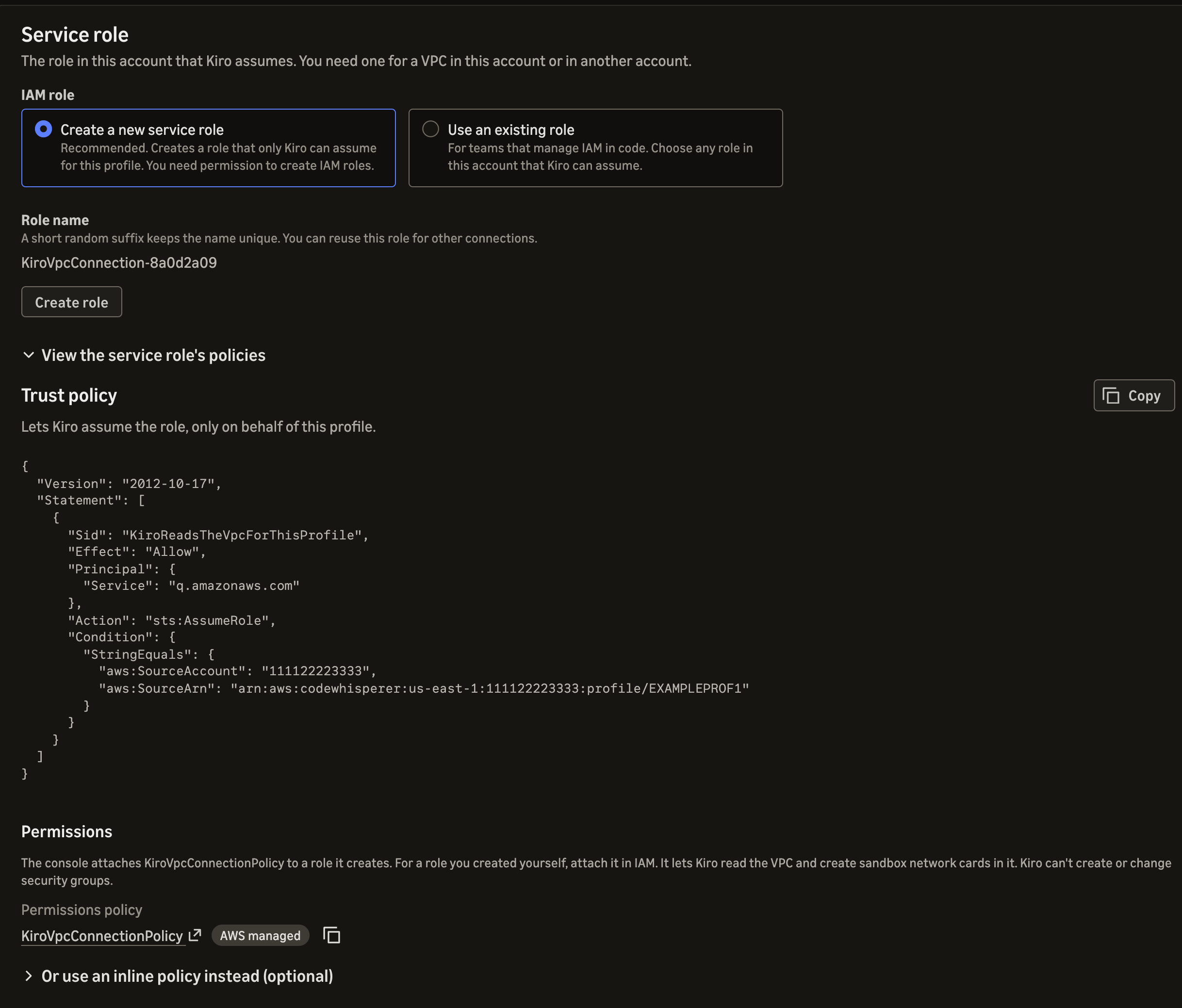
First, the admin gives Kiro a service role in this account. The console can create one whose trust policy lets Kiro assume it only on behalf of this profile, using source account and source ARN conditions, or the admin can choose an existing role.
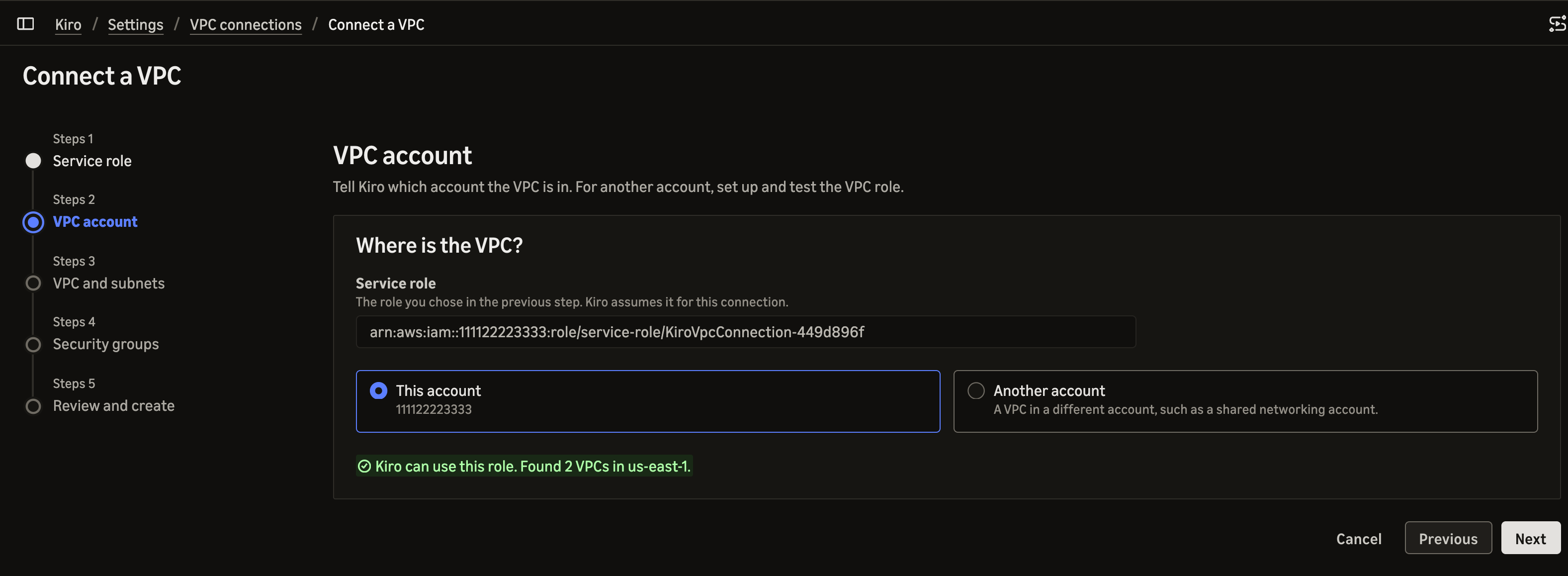
Next, the admin says where the VPC lives. For a VPC in another account, such as a shared networking account, the admin adds a role there that trusts the first one.
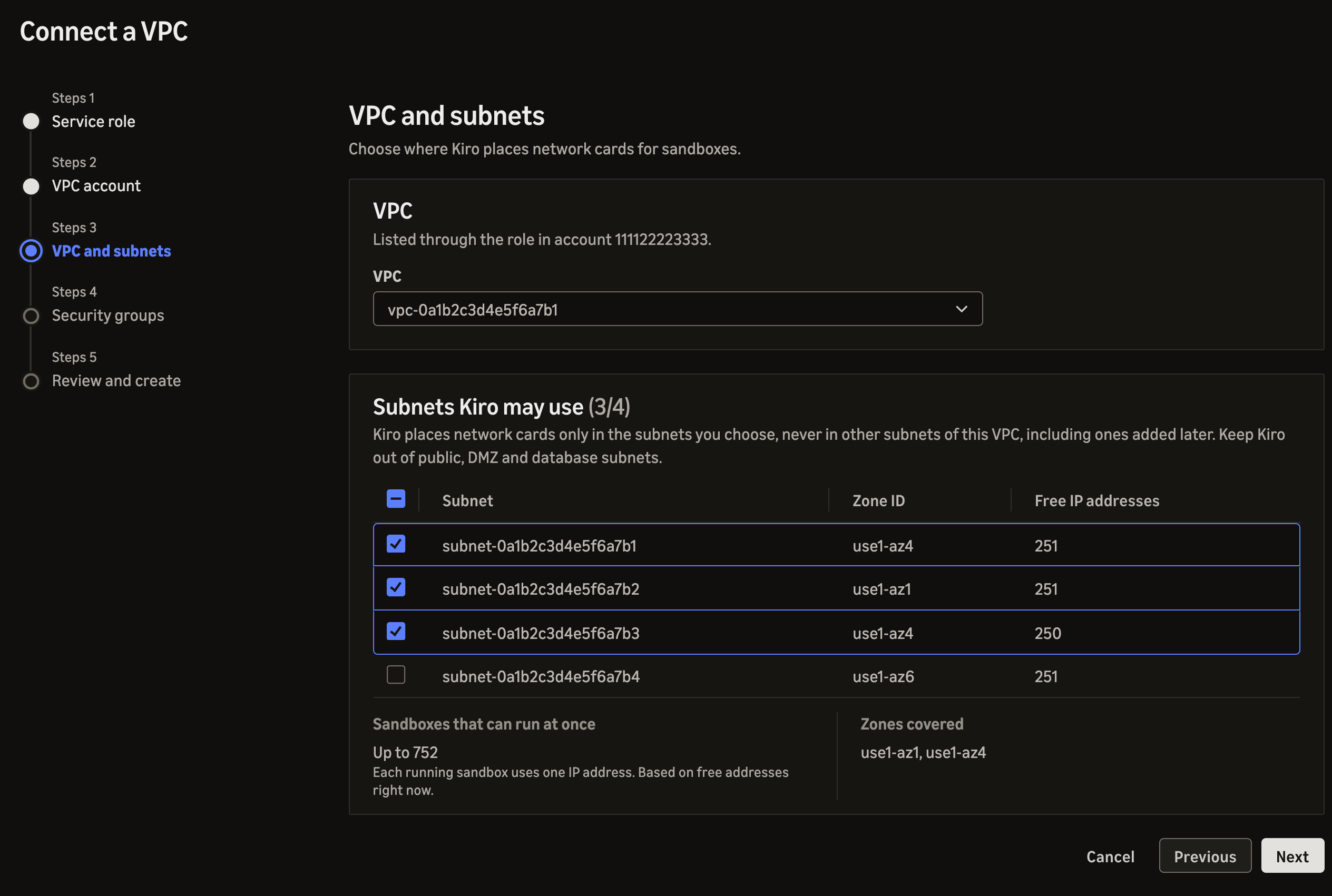
Then the admin picks the VPC and the subnets Kiro may use. The wizard shows each subnet’s zone and free IP addresses and estimates how many sessions can run at once.
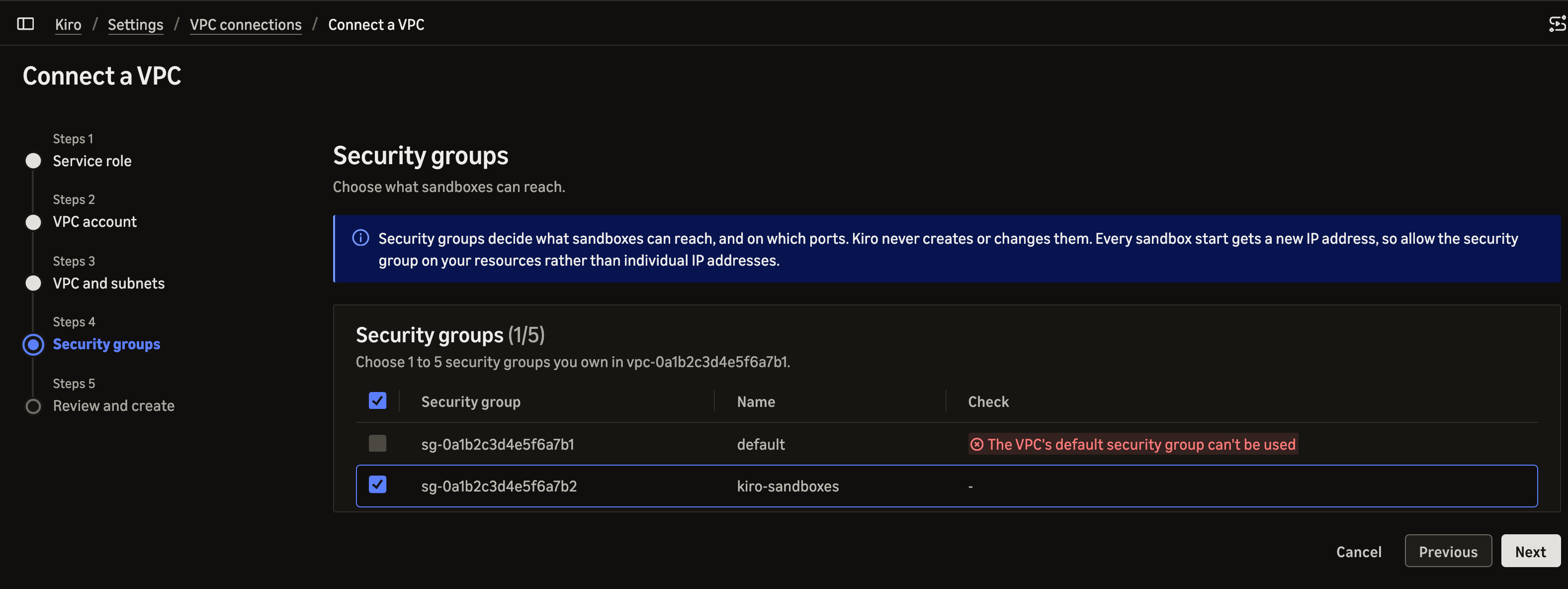
The admin chooses one to five security groups they own in the VPC. Kiro never creates or changes security groups, so the groups you choose define what sessions can reach.
Finally, Kiro checks the connection and creates it only when every check passes, listing each problem with its fix. The connection takes effect once the admin makes it the default in Controls. The full list of checks and warnings is in the VPC connections docs.
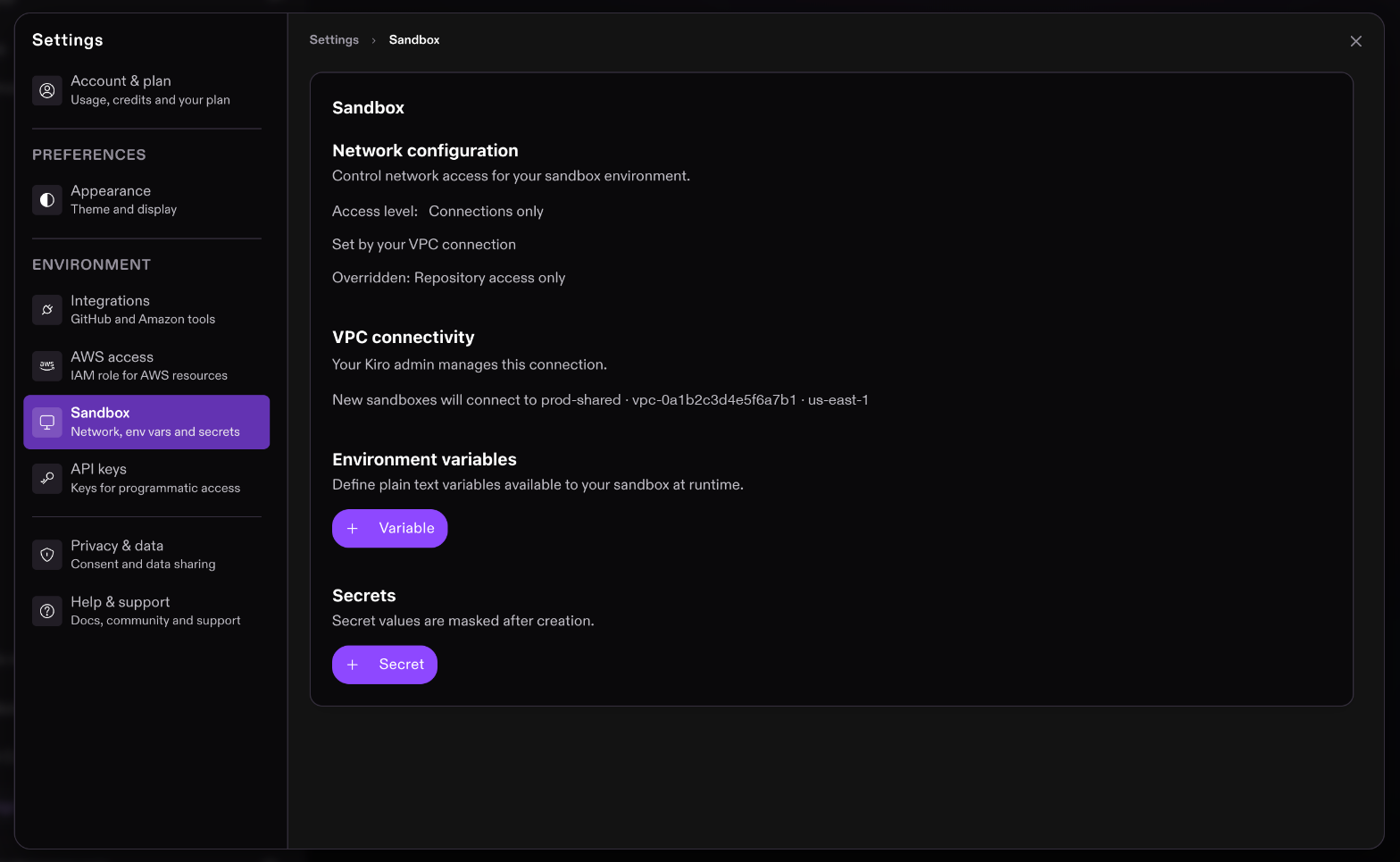
Developers never enter network details. In this release, every new cloud session connects to the admin’s default connection, and developers see it as a read-only card in Kiro Web’s sandbox settings, for example, Connected to prod-shared, with the VPC ID, and region. The card says it applies to new sessions, and a session’s own page shows the connection that session actually has, which can differ from the current default after an admin edit.
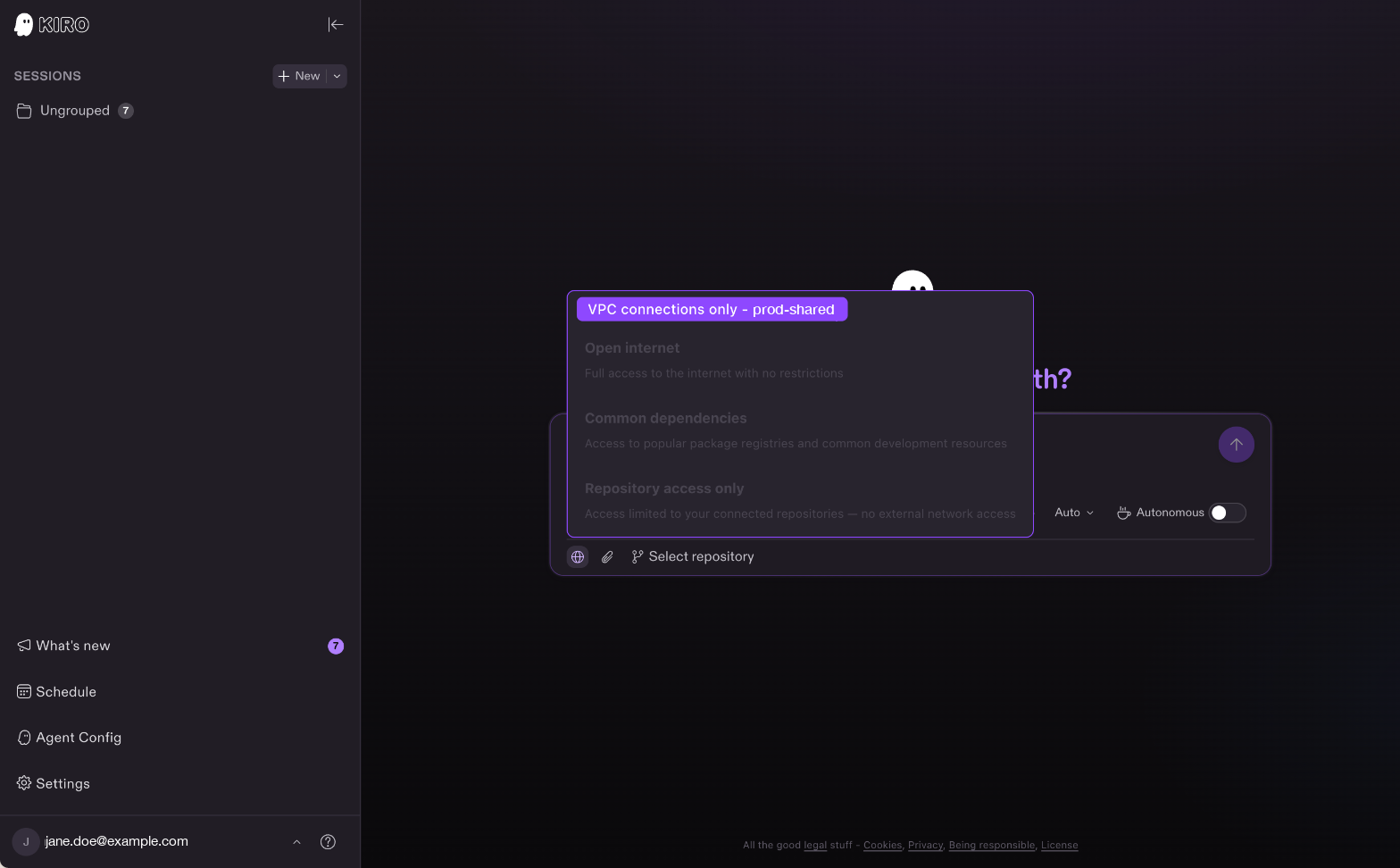
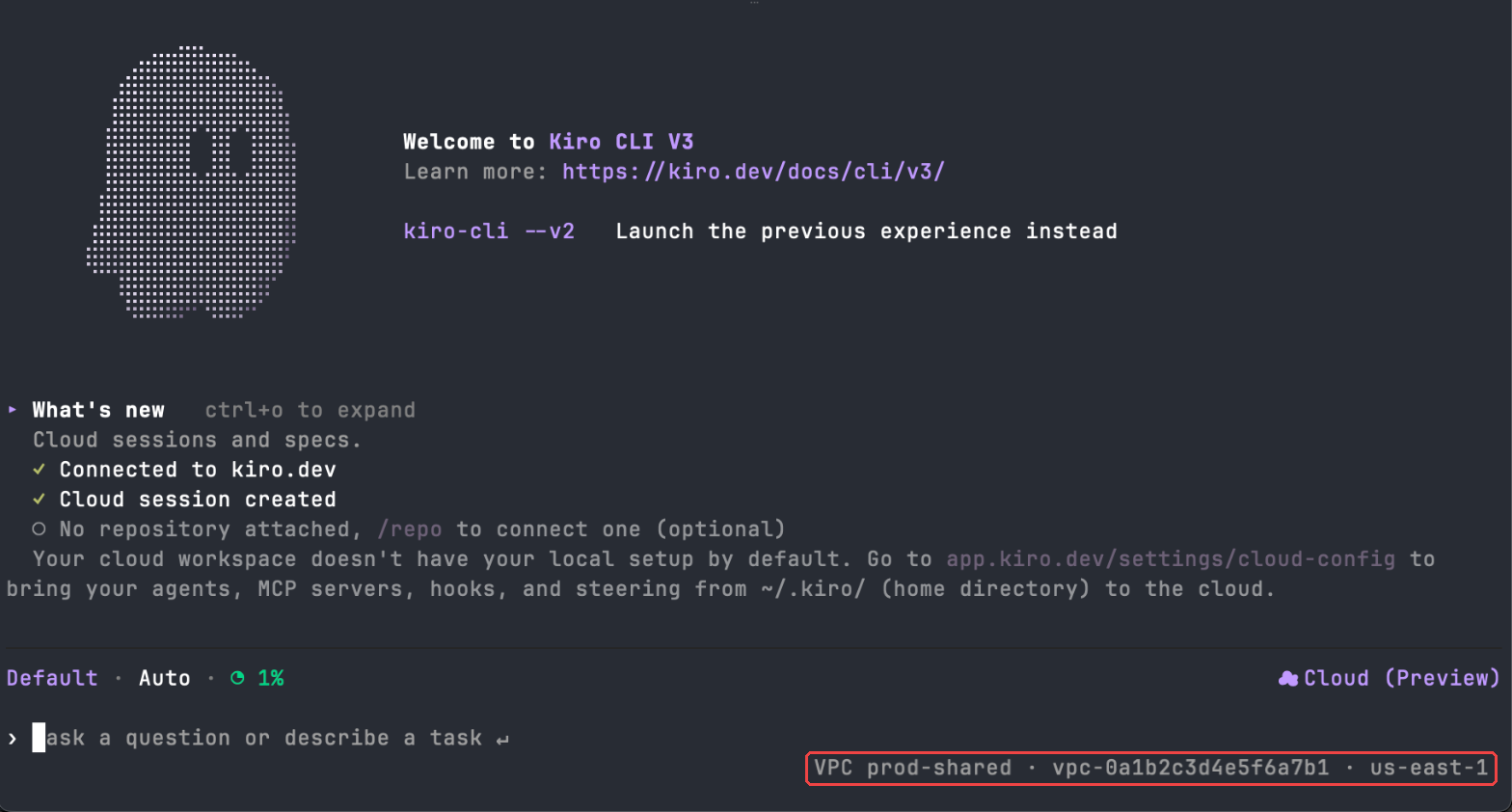
The same information is shown in session info in the IDE and CLI.
The role Kiro assumes can only create, tag, and delete the network interfaces that Kiro tags in the VPC you named, plus read-only describe calls. Kiro holds no long-lived credentials in your account, and each temporary session lasts at most an hour. Every action appears in your CloudTrail, including the role assumption, the network interface creation and deletion, and the read-only calls used for validation. The security groups are yours, so you can tighten egress to specific destinations or widen it to peered and on-premises ranges at any time, and rule changes apply immediately, including to running sessions.
The VPC must be in the same region as the cloud session. A session can attach to one customer VPC, and it needs a subnet in each availability zone Kiro uses, so a session in a zone with no subnet cannot attach. Each connected session takes one IP address in your subnet, so size subnets for the number of concurrent sessions you expect, and keep customer CIDRs from overlapping 100.124.0.0/16, 172.17.0.0/16, and 169.254.0.0/16. The network is fixed when a session starts, so an admin edit applies to new sessions only, and a resumed session gets a new interface in the same VPC. If the connection was deleted, the session will not resume.
Does it work with my on-premises network?
Yes, for anything your VPC routes to, including Transit Gateway, peering, VPN, and Direct Connect.
Does a connected session start slower?
Yes. Kiro creates a network interface in your subnet when the session starts, so a connected session takes longer to start than a regular one.
Does it work in the IDE and CLI?
Yes. VPC settings are used for cloud sessions started from the IDE, CLI, and Web.
Does it work with a VPC in another AWS account?
Yes. The admin supplies a role ARN in the other account.
Can I use more than one VPC?
An admin can register multiple connections, and one is the default for new sessions. A session attaches to one VPC, and developers cannot pick between connections in this release.
Is this available on every plan?
VPC connections are available only on Enterprise plans for IAM Identity Center profiles today.
Update to Kiro IDE 1.4.236 or later, or Kiro CLI 3.5.0 or later, to see your VPC connection in session info. Admins can set up a connection by following the VPC connections docs.