Changelog

Stay up to date with the latest updates and improvements to Kiro.

Follow us:Bluesky,X,Discord,andLinkedIn

Update (August 18, 2026): IDE auto-updates are enabled again. Updates download automatically in the background; see Upgrading Kiro to check manually.

Note: To get the latest 1.0.x release (1.0.52 or later), download it directly from kiro.dev/downloads. Auto-updates are paused at this time and we are working on re-enabling them.

IDE 1.0 puts you in control of what the agent can access, lets you build and switch between specialized agents, and introduces an experimental agent focus mode for directing parallel agents. This release also brings natural language hook creation, dockable chat tabs, and session export.

Agent Focus (Experimental)

Direct multiple agents from a chat-first layout designed for developers who spend their day guiding agents. Launch sessions that work independently and in parallel, see status at a glance, and watch file changes appear as inline diffs. Start with structured workflows (Spec, Plan, Bug Fix, Quick Spec) or freeform chat. Toggle between Agent Focus and the traditional IDE from the top-right corner — your work carries over in both directions. Learn more ->

Permissions

Define exactly what the agent can and cannot do. A capability-based permissions system evaluates every file read, command execution, and MCP call against your rules. The IDE prompts for consent on anything you haven't pre-approved, and you can persist decisions as rules scoped to a workspace or globally. No configuration required to start — defaults apply, and your policy grows as you make consent decisions. Learn more ->

Custom Agents

Build specialized agents in minutes. Write a Markdown file, declare tool access with simple tags (read, write, shell, web), embed MCP servers and permission rules inline, and share the file with your team via version control. Your agent appears in the selector the moment you save it. Switch agents mid-session without losing conversation history. Learn more ->

Hooks

Describe the automation you want in natural language and Kiro generates the hook configuration. Hooks use a structured v1 JSON format stored in .kiro/hooks/ with triggers for file events, tool use interception, spec tasks, and prompt submission. Legacy hooks from 0.x can be migrated directly from the Agent Hooks panel. Manual hooks have been replaced by manual steering files. Learn more ->

Dockable Chat

Open any chat session as a full-width editor tab for more space to read and review long conversations. Right-click a chat tab and select Open in Editor to dock it. Split horizontally or vertically alongside source files, drag between editor groups, or use a multi-monitor setup with chat on a separate screen. The editor tab and panel stay in sync — messages sent from either reach the same session. Learn more ->

Agent Selection

Switch between agents within a chat session without losing conversation history. The selector sits in the chat input bar alongside the model picker — go from Default to a custom code reviewer to Spec mode in a single conversation. Set a preferred default agent that persists across restarts so new sessions always start the way you want. Learn more ->

Breaking Changes

Trusted Commands Replaced by Permissions

IDE 1.0 replaces Trusted Commands and Command Denylist with permissions.yaml shell rules. To preserve your existing behavior, translate trusted command prefixes to allow rules and denylist entries to deny rules. Without custom rules, read-only Git commands run automatically and other shell commands prompt for approval. Learn more ->

Inline Chat replaced by Ask Kiro workflow

Select code and press Cmd+L on macOS (Ctrl+L on Windows/Linux) to bring it into your current chat, or Cmd+Shift+L on macOS (Ctrl+Shift+L on Windows/Linux) to start a new session with it. You can also right-click the selection and choose Kiro > Ask Kiro, along with quick actions like Fix Grammar / Spelling, Write Comments for this Code, and Optimize this Code. The selection adds it to your current chat, where the agent already has your project context, your history, and its full set of tools. Inline chat is retired in IDE 1.0.
2.9.0CLI

This release fixes session expiration for Entra ID (Azure AD) users, resolves approval prompt loops for compound shell commands in V3, and adds compact tool card previews for sub-agent calls.

Web

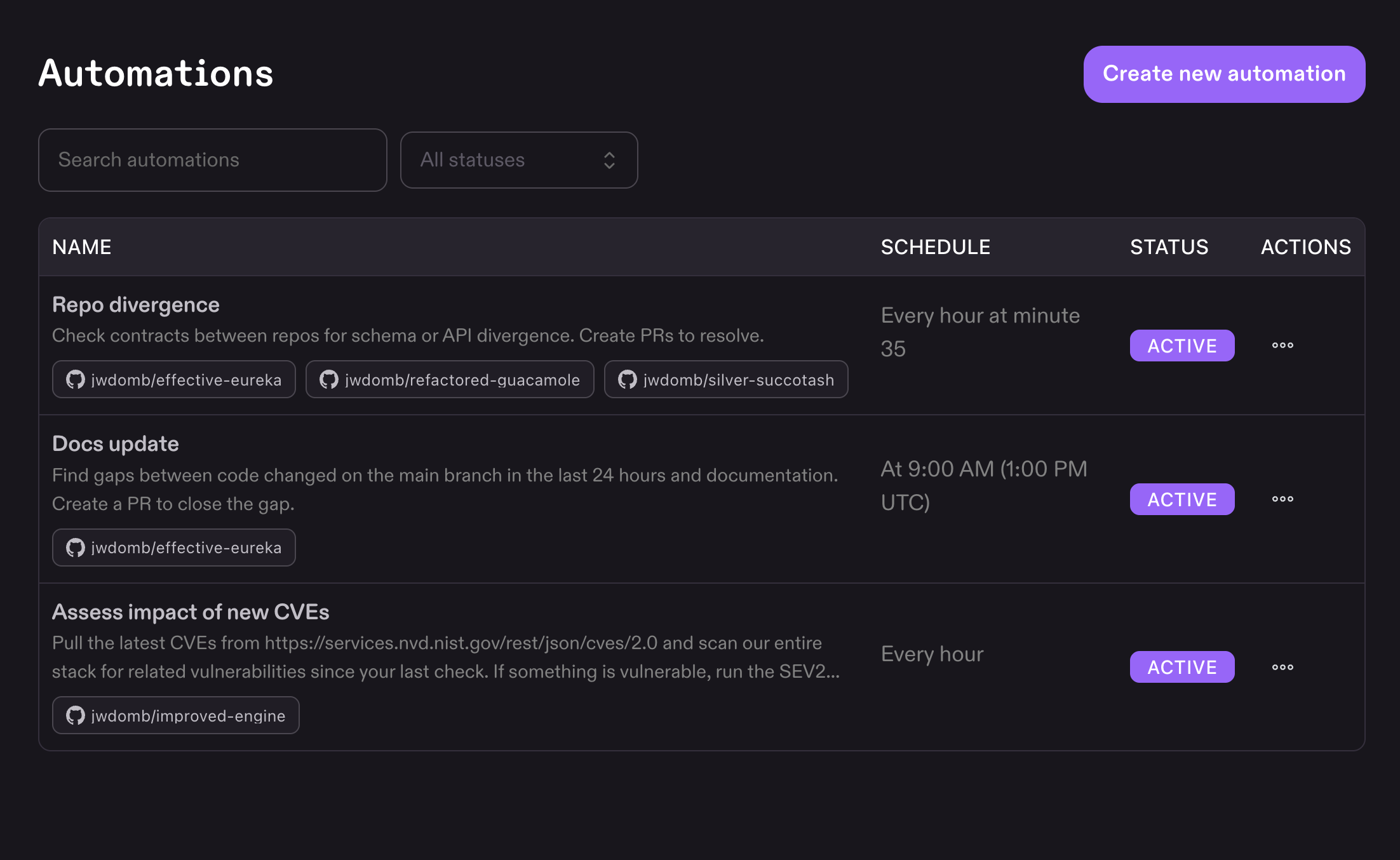
You can now schedule recurring work in Kiro on the web. Create an automation, describe the task, select repositories from GitHub or GitLab, and set a schedule. Kiro runs it on that cadence in its own sandbox and opens a pull request when done.

Loading image...Image

Go to Automations in Kiro on the web to set up scheduled tasks. Add up to five schedules per automation using built-in options (hourly, daily) or a cron expression. Each run spins up an independent sandbox, clones your repositories, executes the work autonomously, and opens a pull request with the changes. Edit, disable, or delete automations at any time. Changes apply to the next scheduled run. Learn more ->

2.8.0CLI

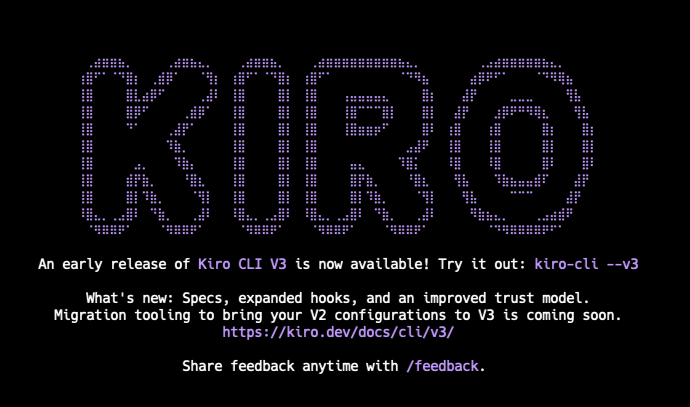
This release introduces an early access preview of Kiro CLI V3. The new harness runs alongside your existing 2.x install, so you can try it without disrupting your current setup. Run kiro-cli --v3 to opt in.

Loading image...Image

Kiro CLI 3.0 is built on the same unified agent harness that powers the Kiro IDE and Kiro Web. Every improvement to the harness now ships to all surfaces simultaneously. V3 introduces spec-driven development in the terminal, a capability-based permissions model, enhanced hooks with a standalone file format, and tag-based agent configuration. Your existing 2.x setup is unchanged until you opt in with kiro-cli --v3. Learn more ->

2.7.0CLI

This release gives you more control over the agent's direction and autonomy. Queue steering lets you redirect the agent at tool boundaries without waiting for it to finish, /goal creates iterative loops that verify completion before stopping, and the /rewind picker now shows exactly what happened at each turn.

/goal command

Start a goal-driven loop where the agent works iteratively toward an objective and must verify the task is complete before finishing. Unlike a regular prompt, /goal keeps the agent running through multiple cycles of implementation and self-check (default: 5 iterations, configurable with --max) until the acceptance criteria are met. Useful for multi-step tasks where you want autonomous execution with a built-in quality gate. Learn more ->

Queue Steering

Send messages to the agent while it's working, and it picks them up at the next tool boundary. Instead of cancelling and restarting when you spot a wrong turn, queue a correction and the agent adjusts course mid-turn. Press Ctrl+S to toggle between steer mode (inject mid-turn) and queue mode (buffer until turn ends). Learn more ->

Enriched /rewind preview

The /rewind turn picker now shows a high-level summary of each turn — tool calls, files touched, commands run, and any intermediate messages so you can quickly identify the right branch point without expanding individual messages. Learn more ->

Web

This release expands Kiro Web beyond GitHub with full GitLab support and brings the Specs workflow to the browser. Connect GitLab repos with a personal access token, and plan work as reviewable requirements, design, and task files before the agent writes a line of code.

Connect your GitLab repositories

Work on GitLab repositories the same way you work on GitHub. The agent clones your repos, writes code, and opens merge requests on your behalf. Connect with a personal access token, inspect existing merge requests and review issues without leaving the chat, and mix GitLab and GitHub repos in a single session. Learn more ->

Specs in the browser

Describe what you want to build, fix, or plan, and Kiro generates requirements, design, and task files for you to review before work begins. Edit the plan through chat, run every task or just the ones you select, and download the artifacts when you're done. A single spec session can span multiple repos, with the agent planning across all of them. Learn more ->

General

Kiro Pro Max is a new $100/month tier that fills the gap between Pro+ ($40/month) and Power ($200/month) — for developers who consistently use more than their Pro+ allocation but don't need everything in Power. You get 5,000 credits per month (2.5x Pro+), all premium models, and the full feature set including specs, custom subagents, powers, and hooks. Switch to Pro Max from your account settings, mid-cycle charges are prorated and your new credit allocation takes effect immediately. Try it now ->

2.6.0CLI

This release focuses on portability and getting back to work faster. Export any conversation to share or archive, label terminal windows so you know which session is where, and start a session at the reasoning level you need. Your model and effort choices now stick around on their own, so there's no extra step to make a preference the default.

Transcript Export

Save a conversation to share with a teammate, attach to a ticket, or feed into another tool. Run /transcript save to export the full chat as markdown, plaintext, or JSON. The --plain and --json flags also switch the rendered transcript format inline, so you can read it the way you want without leaving the pager. Learn more ->

Terminal Window Titles

Keep track of which session is running where. Use /title to set or clear the terminal window title so each window has a meaningful label. Turn it on from /settings display → Terminal title. Learn more ->

Set Effort at Launch

Start a session at the reasoning depth the task calls for. The new --effort flag for kiro-cli chat sets the initial effort level (low, medium, high, xhigh, max) when you launch, so quick lookups stay fast and complex work gets the deeper reasoning it needs from the first prompt. Learn more ->

Persistent Model and Effort Preferences

/model and /effort now remember your choices automatically. Switch models or change effort once and Kiro carries that preference into future sessions, so you no longer need to run /model set-current-as-default to make a selection stick. Learn more ->

Web

You can now start a Kiro Web session without connecting a GitHub repo first, and switch to Autonomous mode at any point in a Vibe session, not just at the start. This update also brings relative message timestamps, clearer network mode visibility, and a round of sandbox and reliability fixes.

Start without a GitHub repo

You no longer need to add a GitHub repository to start a session. Open a session, describe your task, and connect a repo later if you need one.

Switch to Autonomous mode mid-session

In a Vibe session, you can now select Autonomous mode after your first prompt, not just at session start. Hand off to the agent whenever you're ready without starting over.

Message timestamps

Session messages now show relative timestamps. Hover to see the absolute time, making it easier to track when events occurred during long-running tasks.

Models

Claude Opus 4.8 is now available in the Kiro IDE, CLI, and Web. A direct upgrade from Opus 4.7 with stronger self-verification, more efficient tool calling, and better follow-through on long-horizon projects. Rolling out with experimental support to Pro, Pro+, and Power customers. Ships with a 1M context window, 128K max output, and a 2.2x credit multiplier. Inference runs in us-east-1 (N. Virginia) and eu-central-1 (Frankfurt). Restart your IDE or CLI to access it from the model selector. For the Kiro CLI users to be able to get the best experience out of Opus 4.8, they need to be on Kiro CLI v2.5.0 or above. Learn more ->