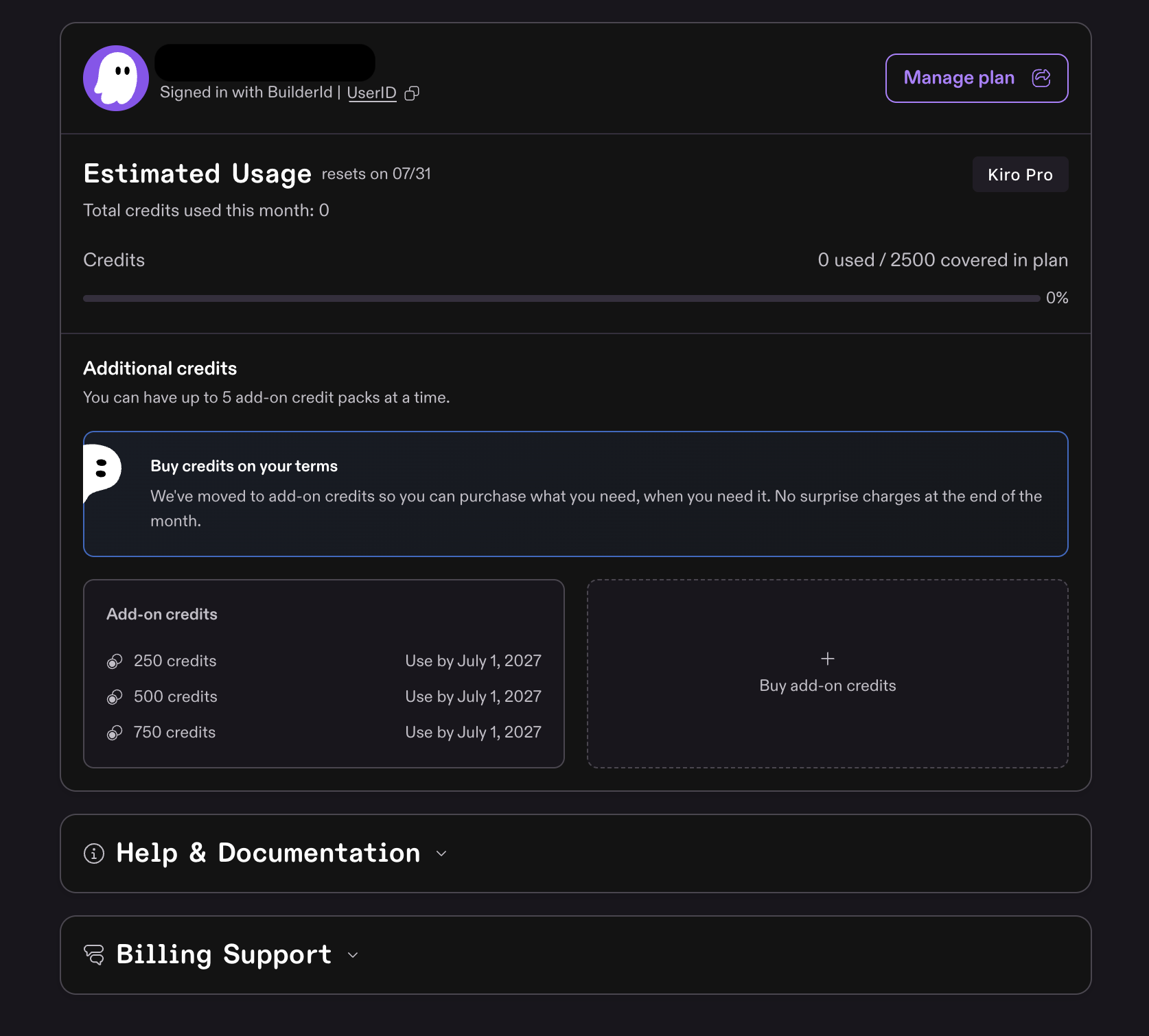
This release adds dedicated commands for managing OAuth authentication on remote MCP servers, so you no longer need to restart sessions or manually clear credentials when auth flows get stuck. The /usage display also gets a refresh to reflect the new prepaid credits model.
MCP Authentication Management
Three new commands give you full control over OAuth credentials for remote MCP servers. /mcp auth forces re-authentication when a token has expired or become invalid, /mcp cancel-auth aborts a pending auth flow that's stuck waiting for browser confirmation, and /mcp logout removes stored credentials entirely. Keyboard shortcuts are also available in the MCP panel status view: ^A to force auth, ^X to abort, and ^R to remove credentials. Learn more ->
Update (August 18, 2026): IDE auto-updates are enabled again. Updates download automatically in the background; see Upgrading Kiro to check manually.
Note: To get the latest 1.0.x release, download it directly from kiro.dev/downloads. Auto-updates are being rolled out gradually to users.
This release resolves context compaction issues that caused premature summarization and fatal crashes on long sessions. Session migration becomes a user-initiated action with file checkpoints preserved, hooks auto-migrate from the legacy format, and several permissions and MCP reliability issues are fixed.
Individual users on paid plans (Pro, Pro+, Pro Max, and Power) can now purchase add-on credits to continue working after exhausting their monthly allocation. Add-on credits replace the previous overage model with a prepaid approach that gives you full control over spending.
Here's how it works:
$0.04 per credit, billed immediately when you buy a pack
Pack sizes range from $5 (125 credits) to $100 per pack
Up to 5 packs at a time - earliest-expiring pack is consumed first
12-month expiry - unused credits roll over month to month until used or expired
Plan credits first - Kiro uses your monthly allocation before touching add-on credits
This release gives the sandbox direct access to your AWS resources and streamlines connecting Powers to services like Figma, Stripe, and Supabase.
IAM Role For Sandbox
Configure an IAM role that Kiro Web assumes on your behalf when running tasks. The sandbox receives short-lived credentials that the agent, CLI tools, and MCP servers can all use to interact with your AWS resources. Credentials refresh automatically while the task runs and are removed when it completes. Set up the role in Settings > Agent > Sandbox > AWS Credentials. Learn more ->
Authorize Powers for Third-Party services
Powers that connect to third-party services now use a standard authorization flow. Authorize once from Manage Powers in your Agent settings, and the agent uses the connection for all future tasks without prompting again. Disconnect at any time to immediately revoke access. Tokens are encrypted at rest and never exposed to the sandbox or the agent. Learn more ->
Claude Sonnet 5 is now available in the Kiro IDE, CLI, and Web. It's Anthropic's most agentic Sonnet model yet, a substantial upgrade from Sonnet 4.6 with stronger reasoning, tool use, and coding that approaches Opus 4.8 performance at Sonnet-class pricing. Plans before it edits, runs longer without supervision, and checks its own output without being asked. Sonnet 5 is rolling out gradually with experimental support to Kiro Pro, Pro+, Pro Max, and Power customers in the AWS US-East-1 (Northern Virginia) and AWS Europe (Frankfurt) regions, with cross-region inference support. It ships with the full 1M context window, 1.3x credit multiplier, the same as Sonnet 4.6. Restart your IDE or CLI to access it from the model selector. Learn more ->
OpenAI GPT-5.4 and NVIDIA Nemotron 3 Super 120B are now available in the Kiro IDE and CLI for AWS GovCloud (US-West). GPT-5.4 supports complex reasoning, coding, document analysis, and multi-step agentic workflows with a 272K context window and 1.2x credit multiplier. Nemotron 3 Super 120B is an open weight option with a 256K context window, 32K maximum output, and 0.25x credit multiplier. Update to the latest IDE or CLI version, then restart it to access the models from the model selector. Learn more ->
This release removes friction from MCP iteration and gives custom agent authors tighter control over context. Agent and MCP configs now reconcile live when you save a change, without restarting the session or losing conversation history. A new setting also lets custom agents opt out of inheriting default resources.
MCP and Agent Config Hot-Reload
Agent and MCP configurations now hot-reload when you save changes on disk. Edit an agent config, add a new agent file, or modify mcp.json and the changes take effect without restarting the session. Only affected servers restart, and your conversation context is preserved. The config diff is order-independent, so reordering environment variables won't trigger unnecessary restarts. Learn more ->
Custom Agent Resource Inheritance
The new chat.disableInheritingDefaultResources setting stops custom agents from inheriting default steering, skills, and AGENTS.md. Set it to true when you run only custom agents and don't want global resources pulled in. Since v2.7.0, custom agents inherit default resources automatically. This setting gives you a way to turn that off. Learn more ->
Kiro is now authorized for FedRAMP High and Department of Defense Cloud Computing Security Requirements Guide Impact Levels 4 and 5 in AWS GovCloud (US). Federal agencies, public sector organizations, and enterprises with these compliance requirements can use the Kiro IDE and CLI for sensitive development workloads within AWS GovCloud (US).
Model availability in Kiro does not by itself indicate that a specific model carries FedRAMP High or DoD IL-4/5 authorization. Only models explicitly listed within the Amazon Bedrock service scope carry those authorizations. Learn more ->
Update (August 18, 2026): IDE auto-updates are enabled again. Updates download automatically in the background; see Upgrading Kiro to check manually.
Note: To get the latest 1.0.x release (1.0.52 or later), download it directly from kiro.dev/downloads. Auto-updates are paused at this time and we are working on re-enabling them.
IDE 1.0 puts you in control of what the agent can access, lets you build and switch between specialized agents, and introduces an experimental agent focus mode for directing parallel agents. This release also brings natural language hook creation, dockable chat tabs, and session export.
Agent Focus (Experimental)
Direct multiple agents from a chat-first layout designed for developers who spend their day guiding agents. Launch sessions that work independently and in parallel, see status at a glance, and watch file changes appear as inline diffs. Start with structured workflows (Spec, Plan, Bug Fix, Quick Spec) or freeform chat. Toggle between Agent Focus and the traditional IDE from the top-right corner — your work carries over in both directions. Learn more ->
Permissions
Define exactly what the agent can and cannot do. A capability-based permissions system evaluates every file read, command execution, and MCP call against your rules. The IDE prompts for consent on anything you haven't pre-approved, and you can persist decisions as rules scoped to a workspace or globally. No configuration required to start — defaults apply, and your policy grows as you make consent decisions. Learn more ->
Custom Agents
Build specialized agents in minutes. Write a Markdown file, declare tool access with simple tags (read, write, shell, web), embed MCP servers and permission rules inline, and share the file with your team via version control. Your agent appears in the selector the moment you save it. Switch agents mid-session without losing conversation history. Learn more ->
Hooks
Describe the automation you want in natural language and Kiro generates the hook configuration. Hooks use a structured v1 JSON format stored in .kiro/hooks/ with triggers for file events, tool use interception, spec tasks, and prompt submission. Legacy hooks from 0.x can be migrated directly from the Agent Hooks panel. Manual hooks have been replaced by manual steering files. Learn more ->
Dockable Chat
Open any chat session as a full-width editor tab for more space to read and review long conversations. Right-click a chat tab and select Open in Editor to dock it. Split horizontally or vertically alongside source files, drag between editor groups, or use a multi-monitor setup with chat on a separate screen. The editor tab and panel stay in sync — messages sent from either reach the same session. Learn more ->
Agent Selection
Switch between agents within a chat session without losing conversation history. The selector sits in the chat input bar alongside the model picker — go from Default to a custom code reviewer to Spec mode in a single conversation. Set a preferred default agent that persists across restarts so new sessions always start the way you want. Learn more ->
Breaking Changes
Trusted Commands Replaced by Permissions
IDE 1.0 replaces Trusted Commands and Command Denylist with permissions.yaml shell rules. To preserve your existing behavior, translate trusted command prefixes to allow rules and denylist entries to deny rules. Without custom rules, read-only Git commands run automatically and other shell commands prompt for approval. Learn more ->
Inline Chat replaced by Ask Kiro workflow
Select code and press Cmd+L on macOS (Ctrl+L on Windows/Linux) to bring it into your current chat, or Cmd+Shift+L on macOS (Ctrl+Shift+L on Windows/Linux) to start a new session with it. You can also right-click the selection and choose Kiro > Ask Kiro, along with quick actions like Fix Grammar / Spelling, Write Comments for this Code, and Optimize this Code. The selection adds it to your current chat, where the agent already has your project context, your history, and its full set of tools. Inline chat is retired in IDE 1.0.
This release fixes session expiration for Entra ID (Azure AD) users, resolves approval prompt loops for compound shell commands in V3, and adds compact tool card previews for sub-agent calls.