Loading image...Kiro

Product

  • About Kiro
  • IDE
  • CLI
  • Web
  • Mobile
  • Crew
  • Pricing
  • Downloads

For

  • Enterprise
  • Startups
  • Students

Community

  • Overview
  • Ambassadors
  • Discord
  • Events
  • Powers
  • Shop
  • Showcase

Resources

  • Docs
  • Blog
  • Changelog
  • FAQs
  • Report a bug
  • Suggest an idea
  • Billing support

Social

Site TermsLicenseResponsible AI PolicyLegalPrivacy PolicyCookie Preferences
Loading image...Kiro
  • Enterprise
  • Pricing
  • Docs
SIGN INDOWNLOADS
Loading image...Kiro

Get Started

InstallationAuthenticationYour first project

Models

OverviewAvailable modelsReasoning effort

Features

How Kiro works
Specs
Steering
Hooks
MCP
Permissions
Custom agents
Agent Skills
Powers
CompactionKiroignoreCheckpoints and rewind
Built-in tools
Configuration scopes

IDE 1.x

What's new in 1.0
Setup & First Run
Editor
Chat
Experimental
Troubleshooting0.x reference

CLI

What's new in 3.0
Setup & First Run
Terminal UI
Chat
Headless modeACPAuto complete
Experimental
2.x reference

Crew

Quick startInstallationRunning 24/7
Chat
Agent Capabilities
Features
Interfaces
Apps
ConfigurationSecurityTroubleshooting

Web - Preview

Setup & First RunIdentity Center
Connect your repositories
Working with the agent
Autonomous modeAutomations
Sandbox

Mobile - Preview

Overview

Commands and Reference

CLI commandsSlash commandsBuilt-in toolsExit codesSettings

Billing

OverviewManaging your subscriptionUpgrading your planDowngrading your planCancelling your planPurchasing add-on creditsManaging your paymentsManaging usage notificationsManaging your taxesContacting billing supportDeleting your accountRelated questions

Enterprise

ConceptsOnboarding quickstart
Connecting your identity provider
Subscribe your teamManage subscriptions
Governance
Monitor and track
SettingsManaged updatesBillingIAMSupported regions

Privacy and Security

OverviewData protectionCode referencesCompliance validationInfrastructure securityIAM permissionsFirewalls, proxies, and data perimetersVPC endpoints (AWS PrivateLink)

Guides

Overview
Language support
Learn by playing

Migration

Migrating from Q DeveloperMigrating from VSCodeUpgrading from Q CLI

Kiro Documentation


Kiro is an AI-powered development environment that helps you build software from prototype to production. One unified agent harness powers every surface (IDE, CLI, Web, and Mobile) so your configuration, specs, and steering work everywhere.
IDE
Loading image...
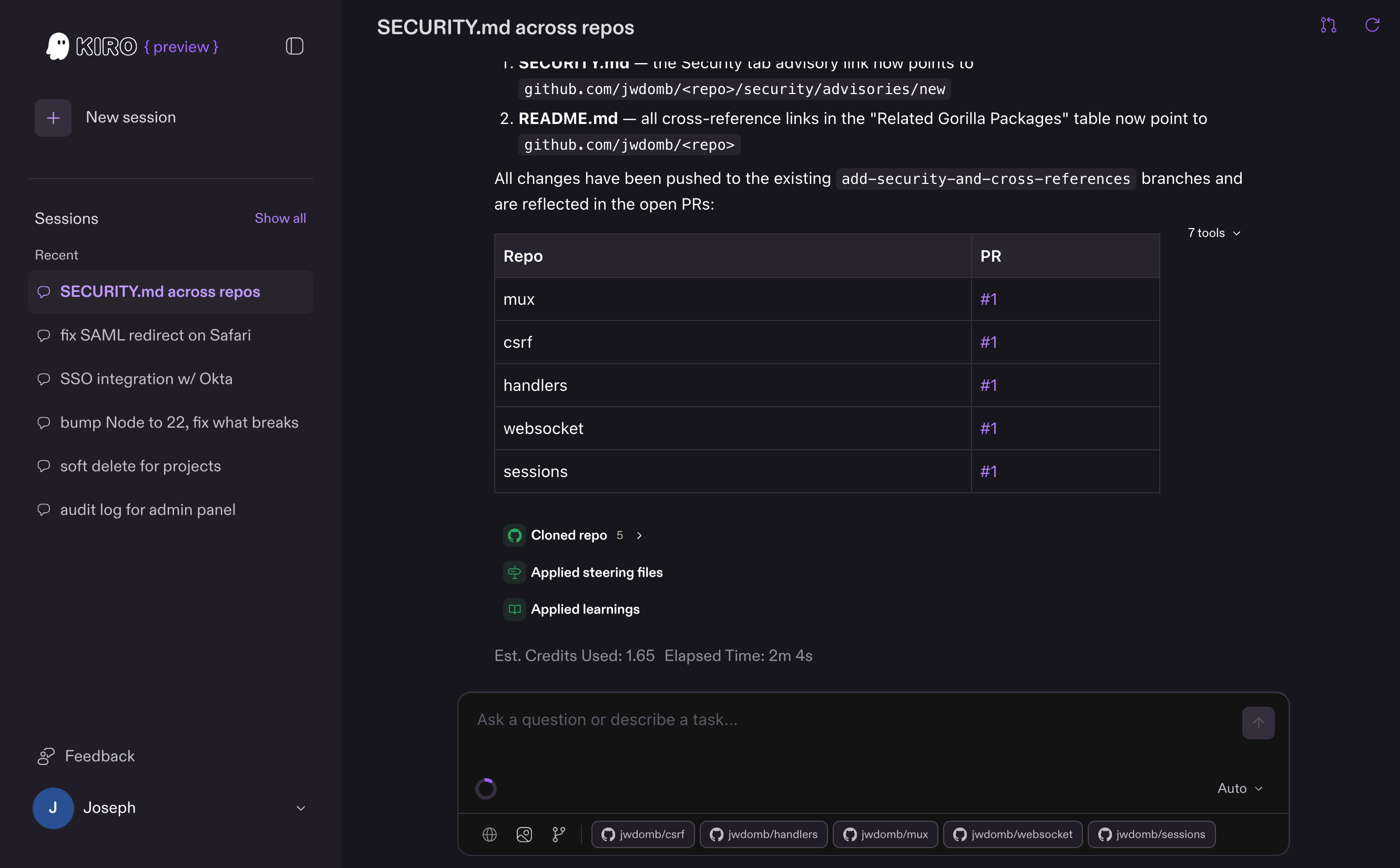
Kiro in the browser interface
Web

Terminal — 80×24

Loading cast file...
CLI
Loading image...
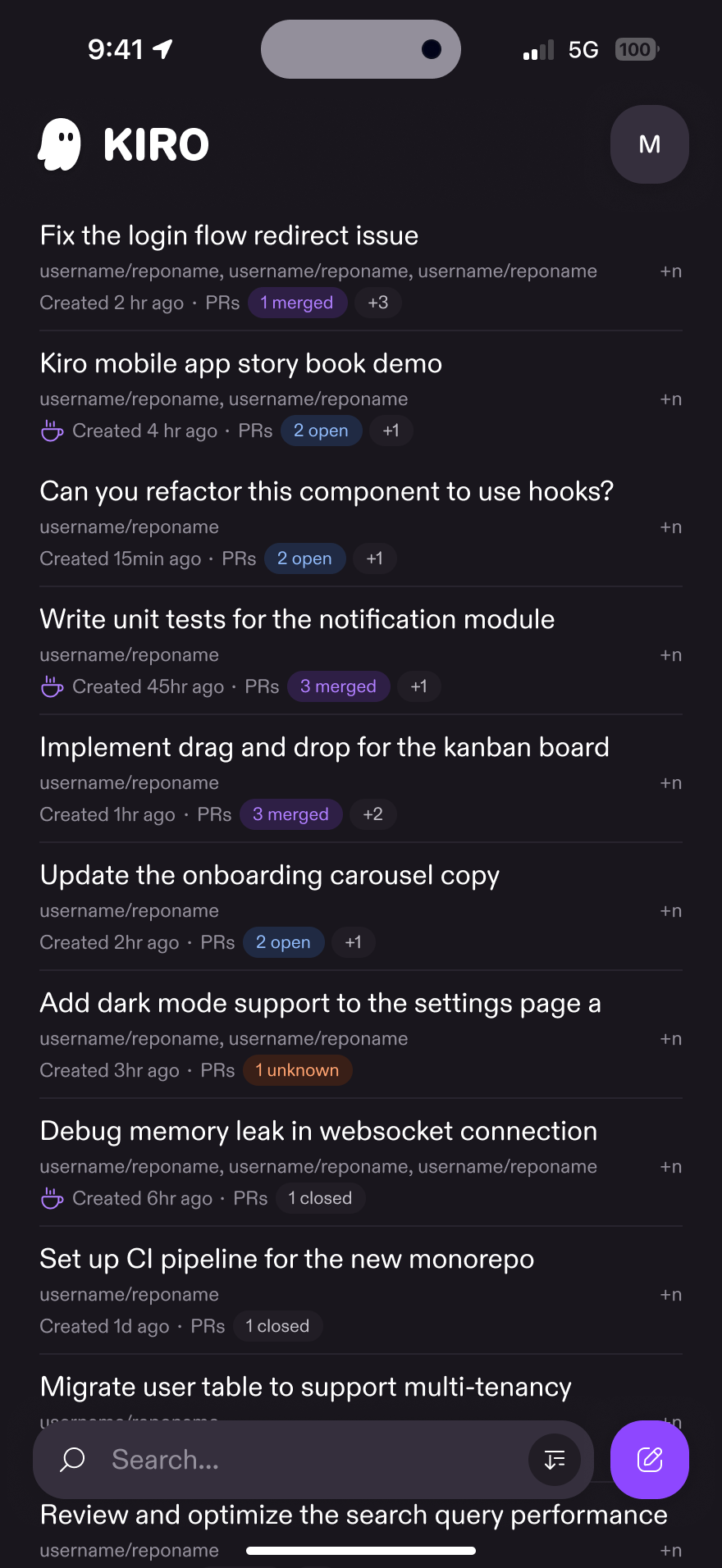
Kiro iOS interface
Mobile

Choose your surface

Pick the surface that fits your workflow. Your .kiro/ configuration is shared across all of them.

IDE
Desktop editor with chat, specs, hooks, and full editor integration
CLI
Terminal-native agent with headless mode, session management, and CI integration
Web
Browser-based agent for multi-repo tasks that plans, implements, and opens PRs
Mobile
Monitor tasks, review PRs, and chat with your agent on the go
Crew
Personal AI agent with autonomous tasks, scheduling, memory, and multi-channel access

What you can do

I want to...Use
Plan a feature with requirements, design, and tasksSpecs
Fix a bug with root cause analysis and regression preventionBugfix Specs
Chat and build iteratively without a planChat (IDE) or start a session (CLI)
Enforce project standards automaticallySteering
Automate actions on file save, tool use, or task completionHooks
Connect external tools and APIsMCP
Control what the agent can accessPermissions
Create specialized agents for specific workflowsCustom agents
Extend the agent with reusable instruction packagesSkills
Add tools with built-in knowledge that activate on demandPowers
Delegate parallel tasks to focused sub-agentsSub-agents
Undo agent changes or fork a conversationCheckpoints and rewind
Keep secrets and sensitive files away from the agentKiroignore
Keep long sessions productive within context limitsCompaction

Get started

Install Kiro
Set up the IDE, CLI, or Web in under 5 minutes
Your first project
Walk through specs, steering, and hooks hands-on

One agent, every surface

Every Kiro surface is a front end to the same unified agent harness. Your steering files, permissions, hooks, MCP servers, and custom agents work identically whether you're in the IDE, CLI, or Web — start a spec in the IDE, continue it from the CLI, hand off implementation to the Web agent, and everything stays in sync through .kiro/.

Each surface adds its own way of working on top: the IDE brings editor integration, the CLI brings terminal-native and headless workflows, and the Web brings zero-setup sandboxed sessions. How Kiro works explains the architecture, the agent loop, and where every capability plugs in.

Learn more

Interactive tutorial
Build a real project while learning Kiro's features through a game-based walkthrough
Models
Available AI models and how to select them
Privacy and security
How Kiro handles your code and data
Enterprise
SSO, governance, usage monitoring, and team management
Page updated: August 4, 2026
Installation