Kiro notifies you when you're approaching your credit limit, giving you time to upgrade your plan before usage is paused.
Loading image...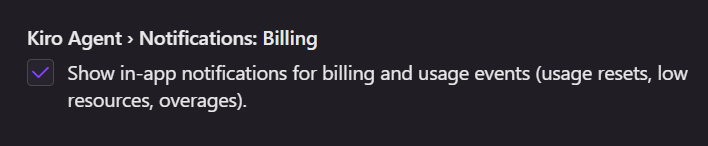
Kiro sends usage notifications to help you stay on top of your credit consumption:
When you reach 80% of your monthly credit usage, Kiro sends a low resource notification with options based on your current plan:
- Free tier users receive suggestions to upgrade to a paid tier for continued access, with a reminder that credits reset monthly and add-on credits aren't available.
- Paid tier users receive different options depending on their situation:
- If you can upgrade, you'll be prompted to upgrade for more credits or purchase add-on credits.
By default, billing notifications are enabled. You can disable these notifications in your settings:
- Open Settings: Command Palette (
⌘/Ctrl+Shift+P) - Search for
Notifications: Billing - Unselect Notifications: Billing to disable billing-related notifications.
Page updated: August 4, 2026
Managing proactive usage notifications