Loading image...Kiro

Product

  • About Kiro
  • IDE
  • CLI
  • Web
  • Mobile
  • Pricing
  • Downloads

For

  • Enterprise
  • Startups
  • Students

Community

  • Overview
  • Ambassadors
  • Discord
  • Events
  • Powers
  • Shop
  • Showcase

Resources

  • Docs
  • Blog
  • Changelog
  • FAQs
  • Report a bug
  • Suggest an idea
  • Billing support

Social

Site TermsLicenseResponsible AI PolicyLegalPrivacy PolicyCookie Preferences
Loading image...Kiro
  • CLI
  • IDE
  • Web
  • Mobile
  • Enterprise
  • Pricing
  • Docs
SIGN INDOWNLOADS
Loading image...Kiro

Get Started

InstallationAuthenticationYour first project

Models

OverviewAvailable modelsReasoning effort

Features

How Kiro works
Specs
Steering
Hooks
MCP
Permissions
Custom agents
Agent Skills
Powers
CompactionKiroignoreCheckpoints and rewind
Built-in tools
Configuration scopes

IDE 1.x

What's new in 1.0
Setup & First Run
Editor
Chat
Experimental
Troubleshooting0.x reference

CLI

What's new in 3.0
Setup & First Run
Terminal UI
Chat
Headless modeACPAuto complete
Experimental
2.x reference

Web - Preview

Setup & First RunIdentity Center
Connect your repositories
Working with the agent
Autonomous modeAutomations
Sandbox

Mobile - Preview

Overview

Commands and Reference

CLI commandsSlash commandsBuilt-in toolsExit codesSettingsIDE keyboard shortcuts

Billing

OverviewManaging your subscriptionUpgrading your planDowngrading your planCancelling your planPurchasing add-on creditsManaging your paymentsManaging usage notificationsManaging your taxesContacting billing supportDeleting your accountRelated questions

Enterprise

ConceptsOnboarding quickstart
Connecting your identity provider
Subscribe your teamManage subscriptions
Governance
Monitor and track
SettingsManaged updatesBillingIAMSupported regions

Privacy and Security

OverviewData protectionCode referencesCompliance validationInfrastructure securityIAM permissionsFirewalls, proxies, and data perimetersVPC endpoints (AWS PrivateLink)

Guides

Overview
Language support
Learn by playing

Migration

Migrating from Q DeveloperMigrating from VSCodeUpgrading from Q CLI
  1. Docs
  2. Billing
  3. Managing your subscription

Managing Your Kiro Subscription


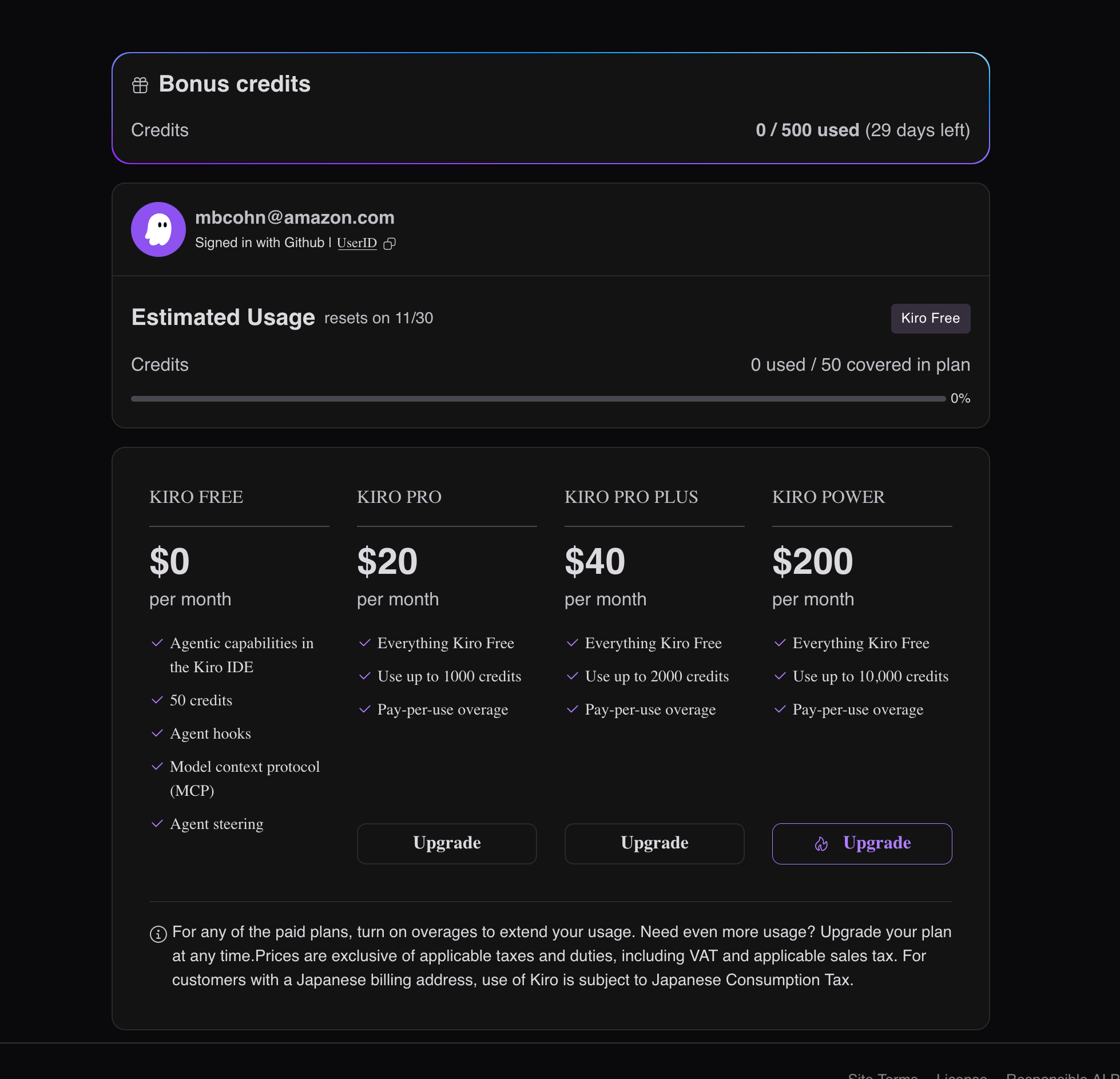
Your Kiro subscription gives you access to powerful AI-powered development tools. You can manage your subscription, view usage, and update billing information through the subscription portal.

Accessing the subscription portal

  1. Open Kiro IDE
  2. Click the gear icon (⚙️) in the bottom left corner
  3. Select Account & Billing from the settings menu
  4. Click Manage Subscription to open the portal in your browser

What you can do in the portal

Once you're in the subscription portal, you can:

  • View current plan and usage statistics
  • Upgrade or downgrade your subscription
  • Update payment methods and billing information
  • Download invoices and billing history
  • Manage team members (for team plans)
  • Cancel your subscription if needed

Loading image...Kiro Web Portal
Need help?

If you need assistance with your subscription, you can:

  • Visit our billing support page
  • Email us at billing@kiro.dev
  • Use the help chat in the subscription portal
Page updated: August 4, 2026
Billing
Upgrading your plan