This module assumes you have already launched the game locally, by following the setup instructions.
In previous modules we:
- Wrote HTML and CSS to improve the homepage
- Fixed a physics bug in the core of the game's physics engine
- Fixed an interactions bug through an logic refactor
- Did a DRY refactor across many components
- Built a more complex feature using specifications
- Setup an automation for asset management using agent hooks
Now it's time to customize Kiro itself, to adjust it's behavior for more advanced use cases. To do this, we are going to add some new abilities to Kiro via Model Context Protocol (MCP).
Setup an MCP server
Kiro comes with built-in MCP support. Click the Kiro "ghost" tab and look for "MCP Servers" on the list. Click "+" to start adding an MCP server.
Loading image...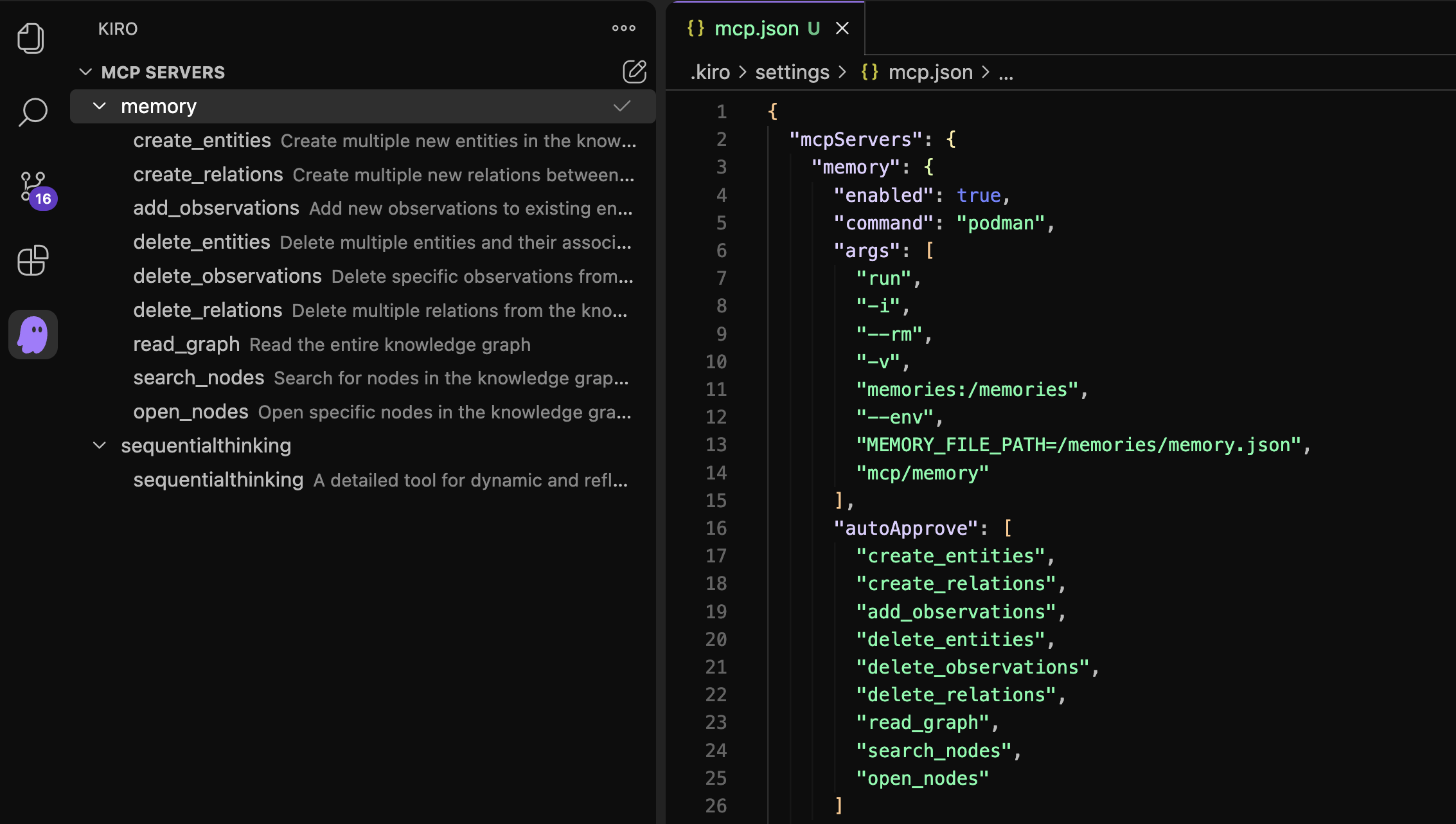
Modify the contents of the mcp.json file that is opened. Because this
guide is using Podman throughout, we are going to run the MCP server
as a container using Podman. This will help keep the MCP server isolated
from our host machine:
{
  "mcpServers": {
    "memory": {
      "enabled": true,
      "command": "podman",
      "args": [
        "run",
        "-i",
        "--rm",
        "-v",
        "memories:/memories",
        "--env",
        "MEMORY_FILE_PATH=/memories/memory.json",
        "mcp/memory"
      ],
      "autoApprove": [
        "create_entities",
        "create_relations",
        "add_observations",
        "delete_entities",
        "delete_observations",
        "delete_relations",
        "read_graph",
        "search_nodes",
        "open_nodes"
      ]
    },
    "sequentialthinking": {
      "command": "podman",
      "args": [
        "run",
        "-i",
        "--rm",
        "mcp/sequentialthinking"
      ],
      "autoApprove": [
        "sequentialthinking"
      ]
    }
  }
}
This configuration adds two new MCP servers to Kiro.
The first MCP server contains tools for tracking and querying long term memories. The memories will be stored in a local Podman volume, and can therefore persist across Kiro sessions. You can even reuse these memories from outside of Kiro or bring in memories that were generated from other external sources.
The second server helps Kiro to extend it's thinking and spend more time planning prior to getting to work on a task.
Add memories to Kiro
You can now modify Kiro's behaviors to make use of the new MCP server tools.
Create a file at .kiro/steering/behavior.md
Put the following content into the file:
  Each time you start working, put a `user_request`
  type entity into the knowledge graph using the `create_entities` tool.
  After you work, add observations to that entity
  about what you did, how many files you touched, how many lines, etc.
Now ask Kiro to do something in the project:
Rewrite the README.md as if it was written by a pirate.
Loading image...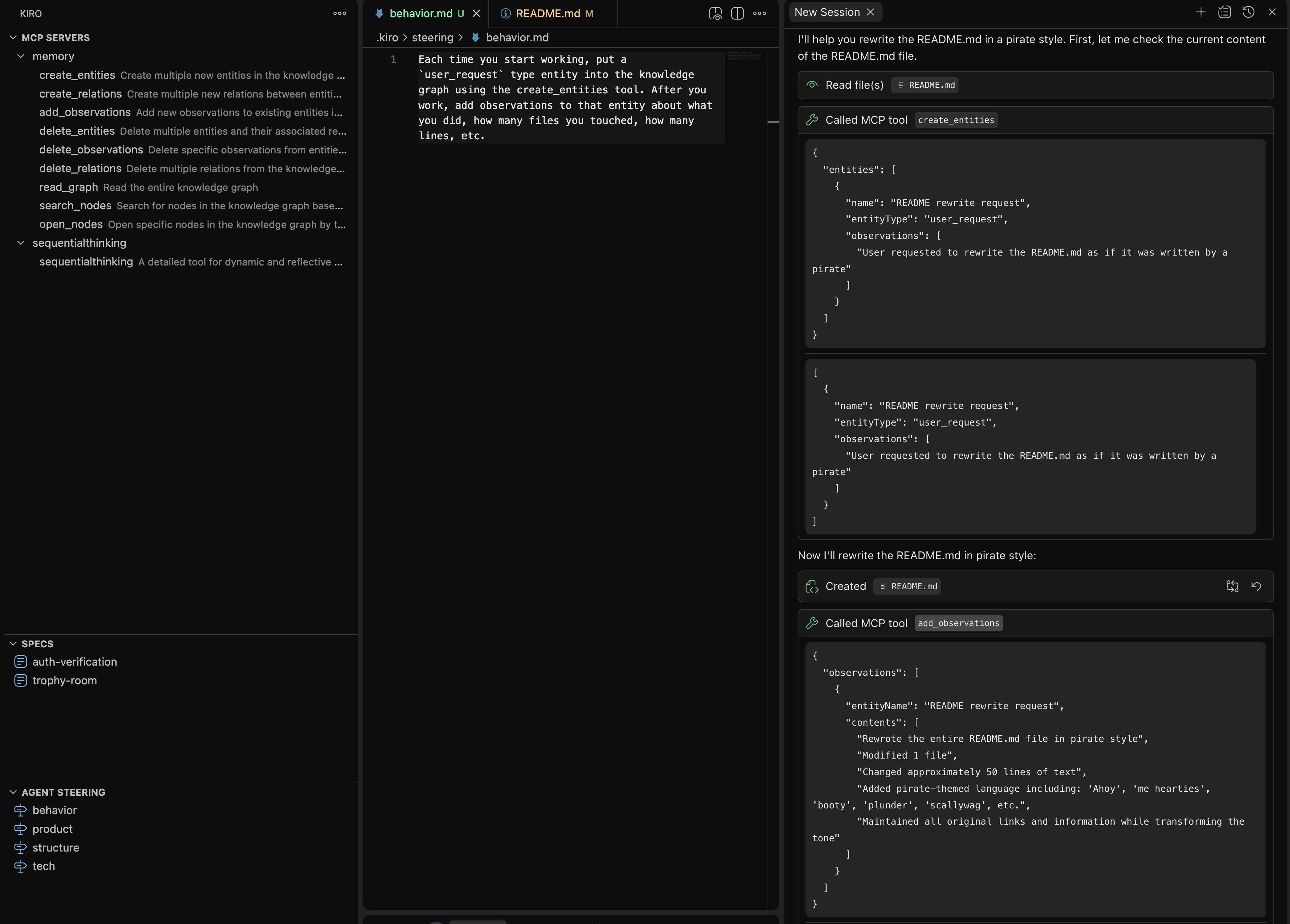
Now you can use a followup prompt to query the knowledge graph:
Search nodes for user_request and write me
a commit message based on what you see
Example output:
docs: transform README.md with pirate-themed language
- Rewrote entire README.md in pirate style
- Added nautical references and pirate slang throughout
- Maintained all original information and links
- Changed section titles to pirate-appropriate terms
- Added humorous pirate expressions and threats
- Preserved functionality while enhancing user experience with thematic language
Modify thinking behavior
Modify the file at .kiro/steering/behavior.md
Put the following content into the file:
When planning how to do something, use the sequentialthinking tool to plan the next several steps.
Now try asking the chat:
Let's do something super cool in this project
Loading image...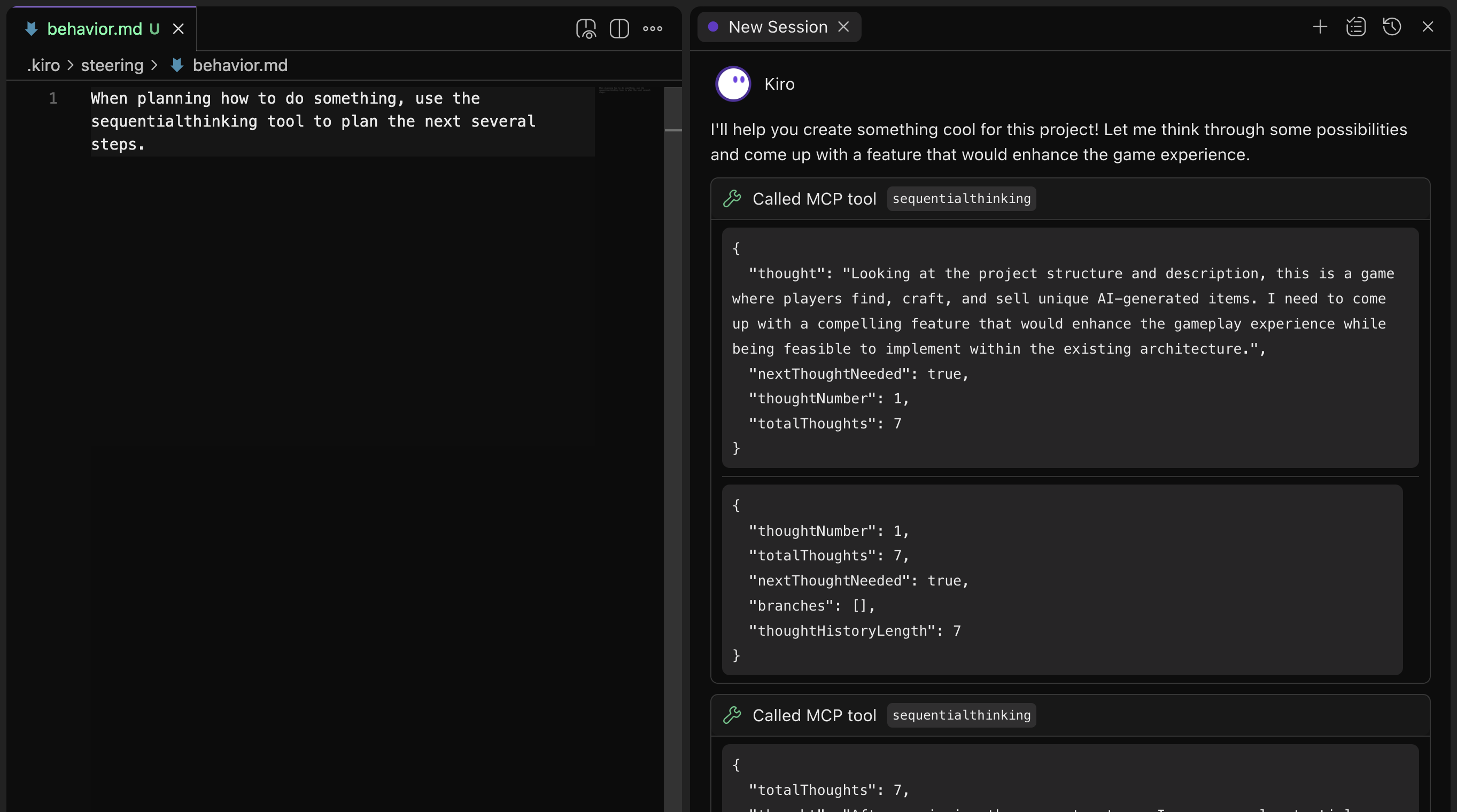
Find more MCP servers
In this module you have learned the basics of how to extend Kiro with additional context sources, tools, and behaviors. There are countless MCP servers available, and they can be combined together in fascinating ways to augment Kiro's abilities to work on your project.
Go have fun!
Onward to the conclusion
Extending Kiro with MCP